 Email Detective for Gmail and Outlook
Free extension for Chrome and EdgeFind out which email service any company uses.
Open any email and a small badge shows the platform that sent it. One click shows how it’s set up, and where that sender’s newsletters land in Gmail.
- Free forever
- No account needed to get started
- Your emails never leave your browser
Email Detective is a free extension for Chrome and Edge that shows which email platform sent any email you open in Gmail or Outlook, and where that sender’s newsletters land in Gmail: primary inbox, Promotions or spam. 200+ platforms. No setup. Your emails never leave your browser.
Instead of guessing whether a brand uses ActiveCampaign, Brevo, Kit, Klaviyo or Mailchimp, or another provider, you can base your decisions on real data and see exactly which ESP is powering their email campaigns.
On this page: What it looks like Where newsletters land Reviews Platforms What it does well FAQ
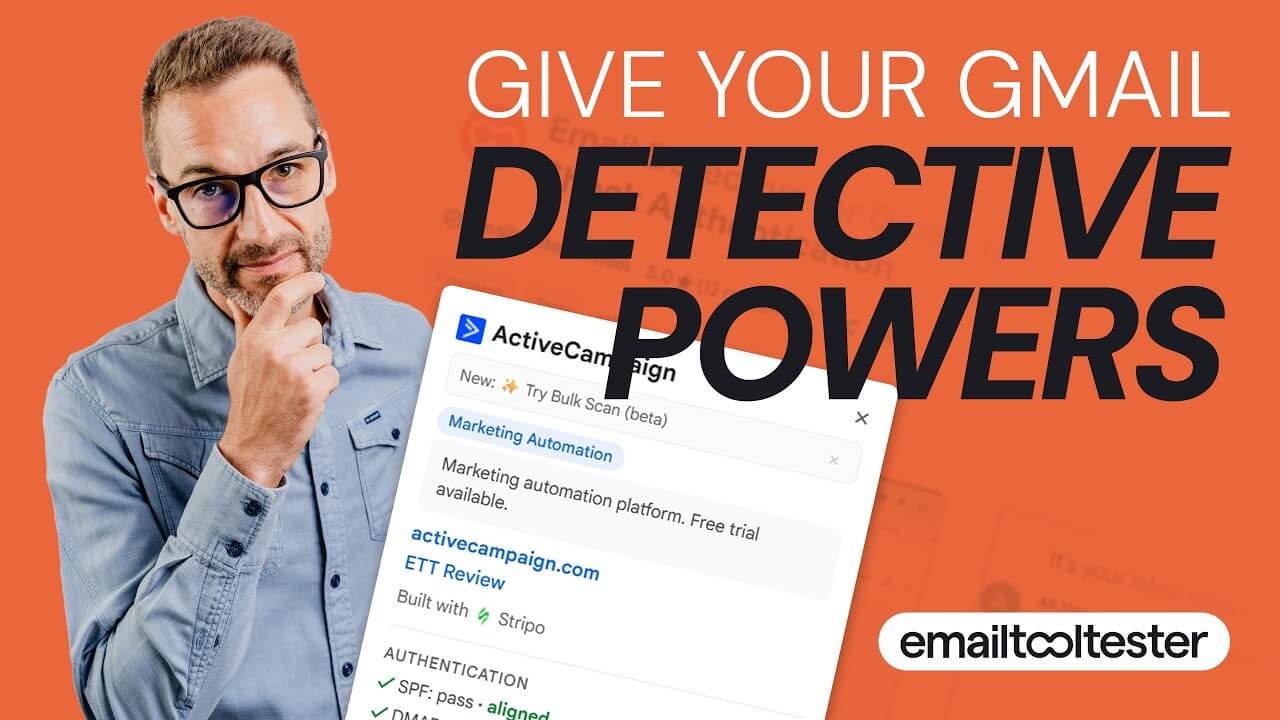
Here’s what it looks like in Gmail
Open any email. A small badge next to the subject line shows the platform that sent it. Click it for the details: authentication, how long the email took to arrive, the tools it was built with, and more.
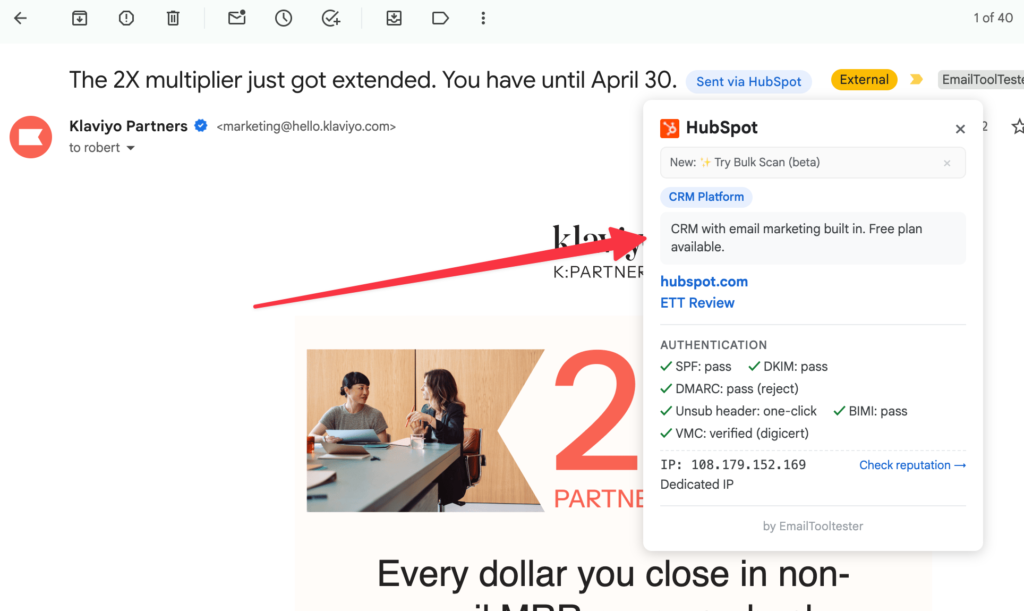
Free with sign-up
Now: see where any newsletter lands in Gmail
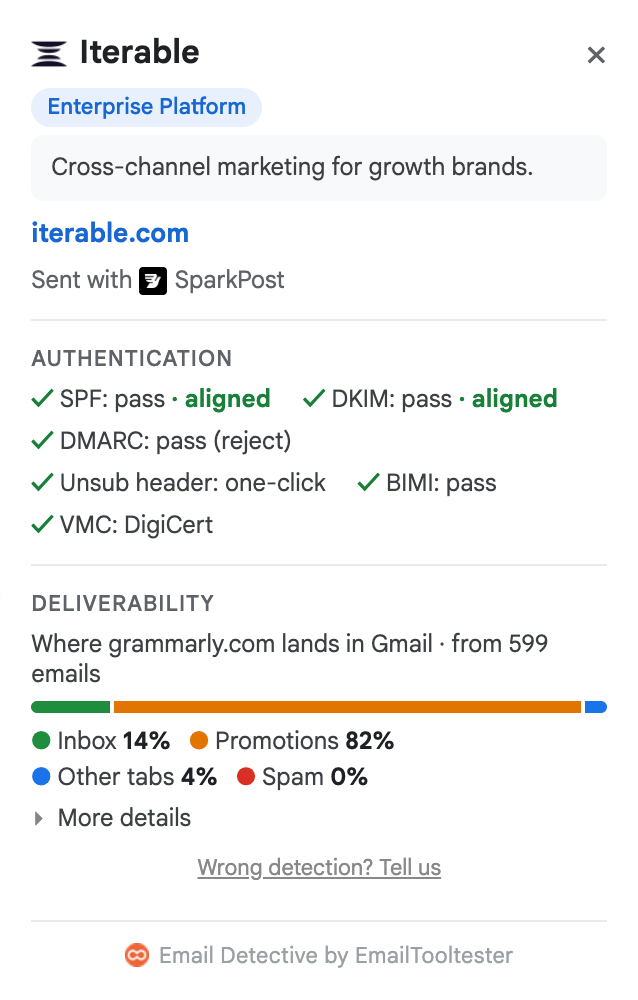
Seed tests send your email to a handful of test inboxes. Email Detective shows where a sender’s newsletters actually land for real Gmail users: primary inbox, Promotions, other tabs or spam.
Click the “Sent via” badge on any newsletter and look for the Deliverability section. It works for any sender we have enough data on: your own newsletter, your competitors’, or that one brand that always seems to make it into the primary inbox.
It’s based on more than 600,000 emails in real inboxes, and it’s free. You just need to sign up in the extension.
Built for people who care about email
★★★★★
“Exactly what it says on the tin! Awesome tool!”
Jay Oram · 8 Apr 2026
★★★★★
“Seriously solid tool! Makes identifying ESPs so much easier than I realised, and for someone who works in email, this is an absolute gem!”
Des Brown · 24 Mar 2026
200+ email platforms. One badge.
From the big ones everyone knows to the niche Dutch and transactional platforms nobody talks about.
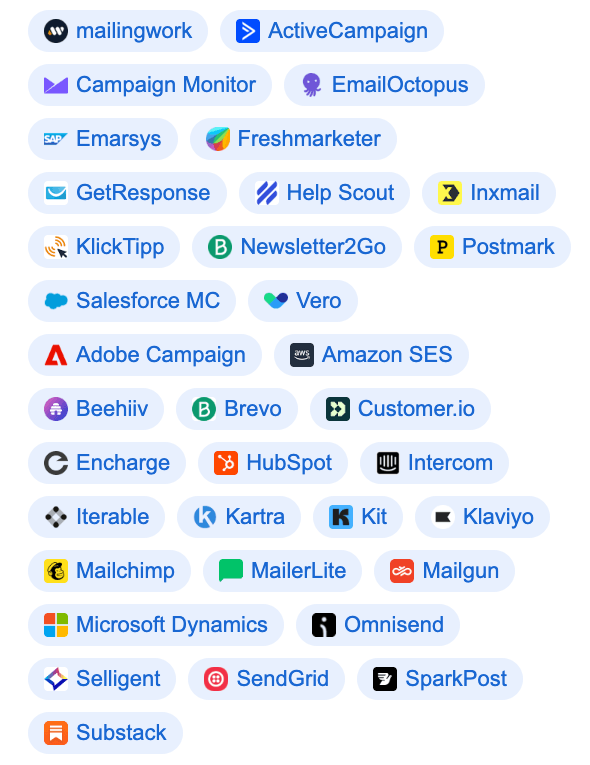
These and many, many more!
Five things this ESP finder does well
Shows where emails land
For any newsletter we have enough data on, see what share lands in the primary inbox, Promotions, other tabs or spam across real Gmail inboxes. Free with sign-up.
Detects the ESP
Scans every email you open in Gmail or Outlook and identifies the platform that sent it. Works on newsletters, transactional emails and sometimes also cold outreach. Handles the tricky cases too, like when Iterable sends via SparkPost or Hostinger sends via Braze.
Checks authentication status
See SPF, DKIM, DMARC and BIMI results at a glance. No more digging through the raw source to find out if an email is properly authenticated. Good for deliverability nerds and anyone auditing sender reputation. Not on Chrome or Edge? Paste an email’s headers into our Email Header Analyzer. It uses the same detection and works in any browser.
Tracks your stats
Open the extension popup and see which ESPs dominate your inbox this week, this month, or all time. Split by inbox, promotions, and spam. It’s oddly satisfying.
Spots the details
How long the email took to arrive, which design and tracking tools it was built with (think Stripo or Litmus), whether its unsubscribe link actually works, and whether bits of it were pasted in from ChatGPT, Claude, Gemini, Google Docs or Word. The stuff you would otherwise dig out of the raw source.
Who actually uses this
- Deliverability pros checking authentication on emails that look suspicious.
- Newsletter senders checking whether their emails reach the primary inbox, and how competitors compare.
- Email marketers researching which tools competitors use before a pitch.
- Agencies auditing a client’s email setup without asking awkward questions.
- Tool tester nerds like us, who want to know what powers every email in their inbox.
FAQ
Is it really free?
Yes. No trial and no paywall. Inbox placement needs a free sign-up, that’s all. We built it for fun and because we wanted it ourselves. Download it here.
Does it read my emails?
Only the ones you open, and only to find detection markers. Your emails never leave your browser. By default, the extension shares anonymous stats about each email (the sender’s domain, the platform and where it landed), never the content, and you can switch that off. Our privacy policy has the details.
Where does the inbox placement data come from?
From Email Detective users. When they open a newsletter, the extension notes which tab or folder it landed in, never the content. We only show a sender once we have seen enough of its emails across enough different inboxes. That’s more than 600,000 emails so far.
How accurate is it?
Very, for the big platforms. We’ve built specific fingerprints for 200+ ESPs based on headers, DKIM signatures, tracking domains, and sending infrastructure. For the long tail, we keep adding markers as users report misses.
What if it detects the wrong ESP?
Click “Wrong? Tell us” in the badge, or email us the headers, and we’ll fix it. New detections usually get added within a week.
Does it work in Outlook or Apple Mail?
Outlook on the web, yes. Apple Mail, not yet. If there’s demand, we’ll look at other clients.
How does it actually work?
Two ways. For the body, it scans links and images for ESP-specific tracking domains. For headers, it fetches the raw source of the email you’re viewing and looks for fingerprints like X-Mailchimp-User, DKIM selectors, Return-Path domains, and sending infrastructure. Whichever gives the most specific match wins.
What if I don’t use Gmail?
There’s an Outlook version available too. Please let us know what additional mailbox providers you use and we might create another version for you! Send us an email.
See who’s behind any email.
Email Detective is free for Chrome and Edge, in Gmail and Outlook on the web.
Free forever · No account needed to get started · Your emails never leave your browser.
Made by EmailTooltester. We’ve tested email tools for more than 15 years.
