

Email tracker Chrome extensions add a layer of important insights to your regular Gmail inbox. These extensions can measure email deliverability and dig into the technical details behind the emails you receive. And, often, they’re completely free to use.
Given the breadth of features (and prices), choosing just one can be tricky.
I tested 7 email tracking extensions on my own Gmail inbox to compare the features and usability firsthand. Some of them didn’t impress me enough for me to use them full time. But there are 3 real gems here that will unlock hidden information about recipient behavior and email deliverability.
Why I Use an Email Tracker Extension in Chrome
I use email tracking extensions for two very different reasons.
One is simple open tracking: I want reassurance that important emails have been received. Whether you’re in sales, running a business, or freelancing, this is likely to be an important benefit.
The second reason is for my client work: I want reassurance that my client’s emails will be delivered, so I use a Chrome extension to investigate the underlying technical information. Even if I don’t have access to their DNS records, Chrome extensions allow me to check DMARC, SKF, DKIM, BIMI, and the true email service provider (ESP) that sent the email. This helps me to solve issues like email newsletters going to spam.
In testing, I want to cover both use cases so, if necessary, you can do both at the same time.
- Email Detective for Gmail
- Hunter MailTracker
- Email Tracker + Pixelblock Detector & Blocker
- MailSuite Email Tracker for Gmail
- Mailbutler
- Right Inbox
- Streak Email Tracking for Gmail
1. Email Detective for Gmail
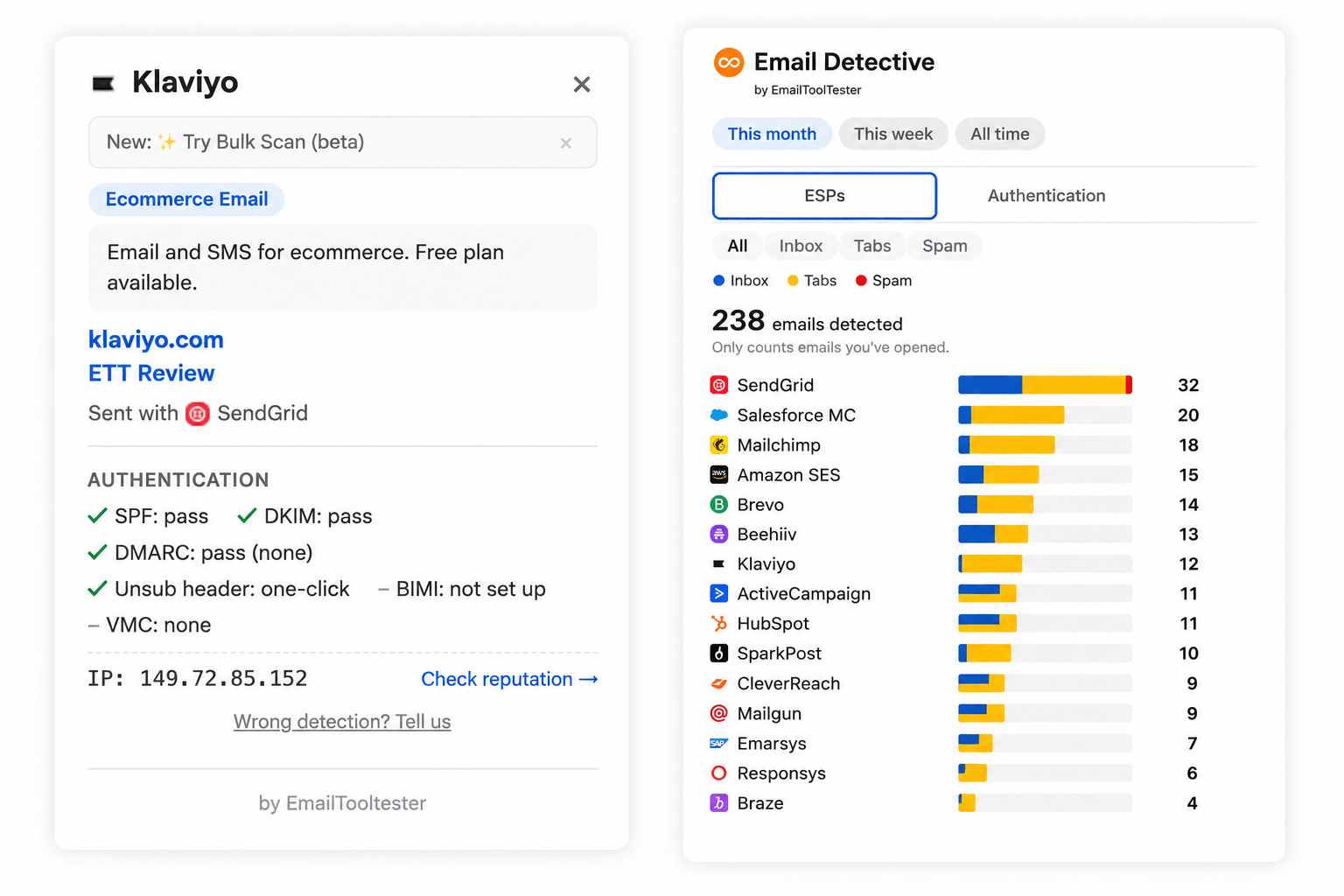
For email marketers, Email Detective is the most powerful Chrome extension on the list. In fact, I’d say it’s indispensable for anyone who needs to keep a close eye on deliverability.
The unique strength of Email Detective is its ability to reveal the sender’s email service provider and check your email authentication in one click. The email sender you think you can see doesn’t always reflect the ESP it actually came from. Email Detective can display accurate information instantly on any email you receive.
That means this extension (by us) is invaluable for analyzing the email service providers that competing brands are using so you can steal their strategy.
There's also a bulk scanner that analyzes 50 emails at the same time—a massive time saver. It can also check to make sure the email unsubscribe headers are present. Over time, as you analyze emails, the extension will create a chart showing you the top ESPs that have been detected.
Email Detective is one of the most compact and unobtrusive extensions compared to the others tested. As you can see from my screenshot above, it adds one small badge to the top of each email in Gmail or Outlook, but it doesn’t change the features you’re used to. I could genuinely leave this one enabled all the time without feeling like it would get in the way.
Pros
- 140+ email service providers supported
- Unique email deliverability information, beyond the email headers
- No advertising or links added to your emails
- No tracking cookies added to your emails
Cons
- Doesn’t track opens and clicks
Pricing
Email Detective is free for Gmail and Outlook users.
Try it now (Gmail users)
On Outlook? Install it here
2. Hunter MailTracker
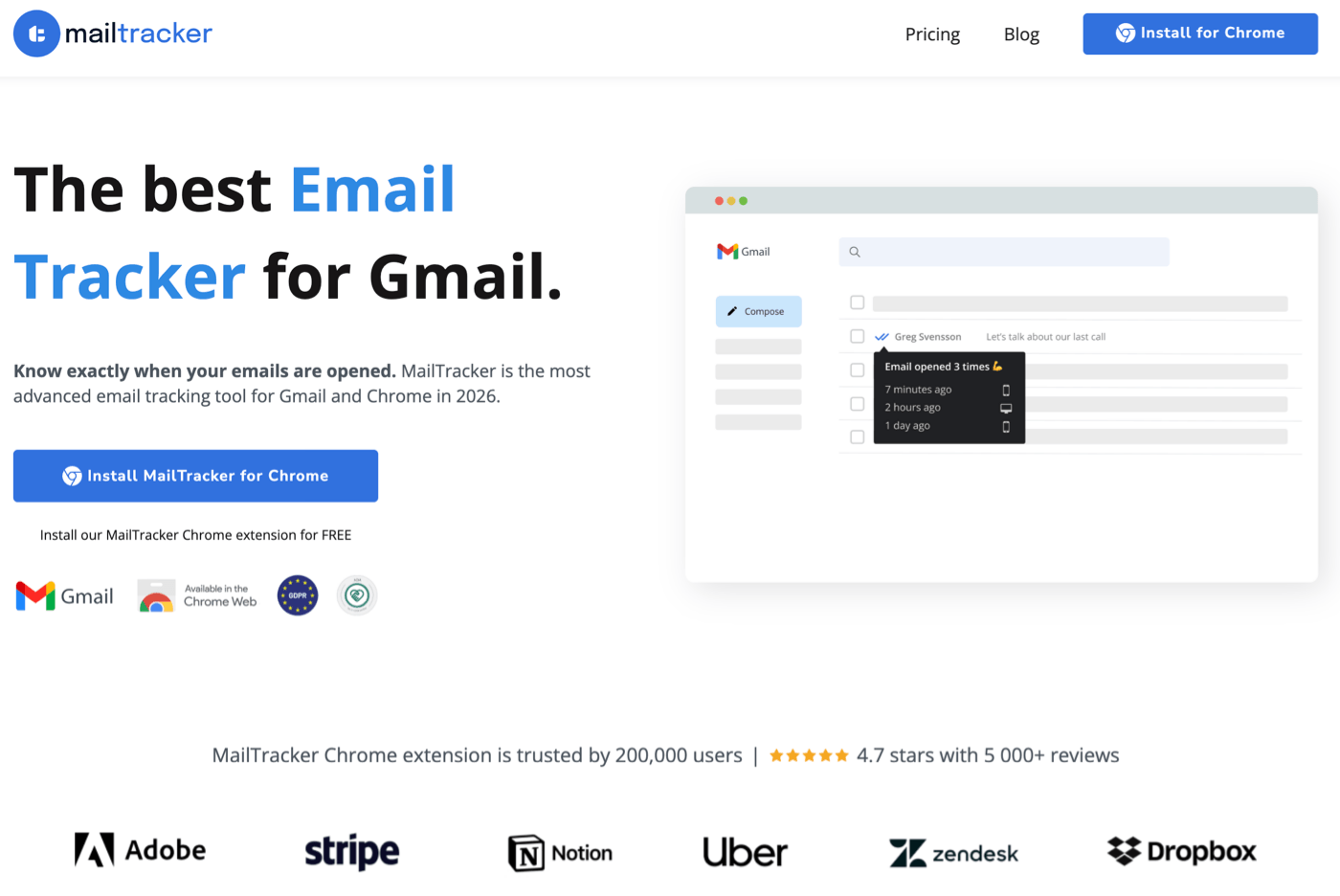
If you work in sales, you’ll already recognize the Hunter brand. Its Chrome extension is marketed as the most advanced email tracker for Gmail, and it’s pretty much tailor-made for sales teams.
This extension is ideal if you want to keep a very close eye on email opens. You can get a notification every single time an email is viewed, if you'd like to. It sounds like overkill, but some teams really benefit from knowing that a lead is dipping in and out of a message because it suggests you have a warm lead that’s worth following up.
MailTracker also allows you to customize responses, A/B test your emails, and it also supports notifications in Chrome. I appreciate that it doesn’t add a signature in the free version, unlike some of the other extensions I’ve tried.
There’s also a feature that allows you to get statistics about your emails: when they were sent, when they were opened, how many times they were viewed, and more.
You can add a “manually written” certificate to prove to your leads that your email wasn’t written by AI, which is an interesting feature that bucks the trend of using AI at scale. My favorite feature was the simplest one: I was prompted to send a test email on installation so I could see how the tracking works.
I liked that this Chrome extension has a clarity of purpose. It covers a few core features extremely well and doesn’t attempt to do too much beyond those.
Pros
- Good email test function during onboarding
- Excellent notifications with fine-grained control over when they fire
- Very detailed email statistics
- “AI-free” badge may appeal to some teams
Cons
- No email authentication checks
- Free version is too limited to use long-term
Pricing
You get email tracking and alerts in the free version, along with notifications, but you’ll be limited to 20 tracked emails each month. Realistically, you’ll have to pay $20/ mo, which gives you unlimited exports for your email activity and unlimited link tracking.
3. Email Tracker + Pixelblock Detector & Blocker
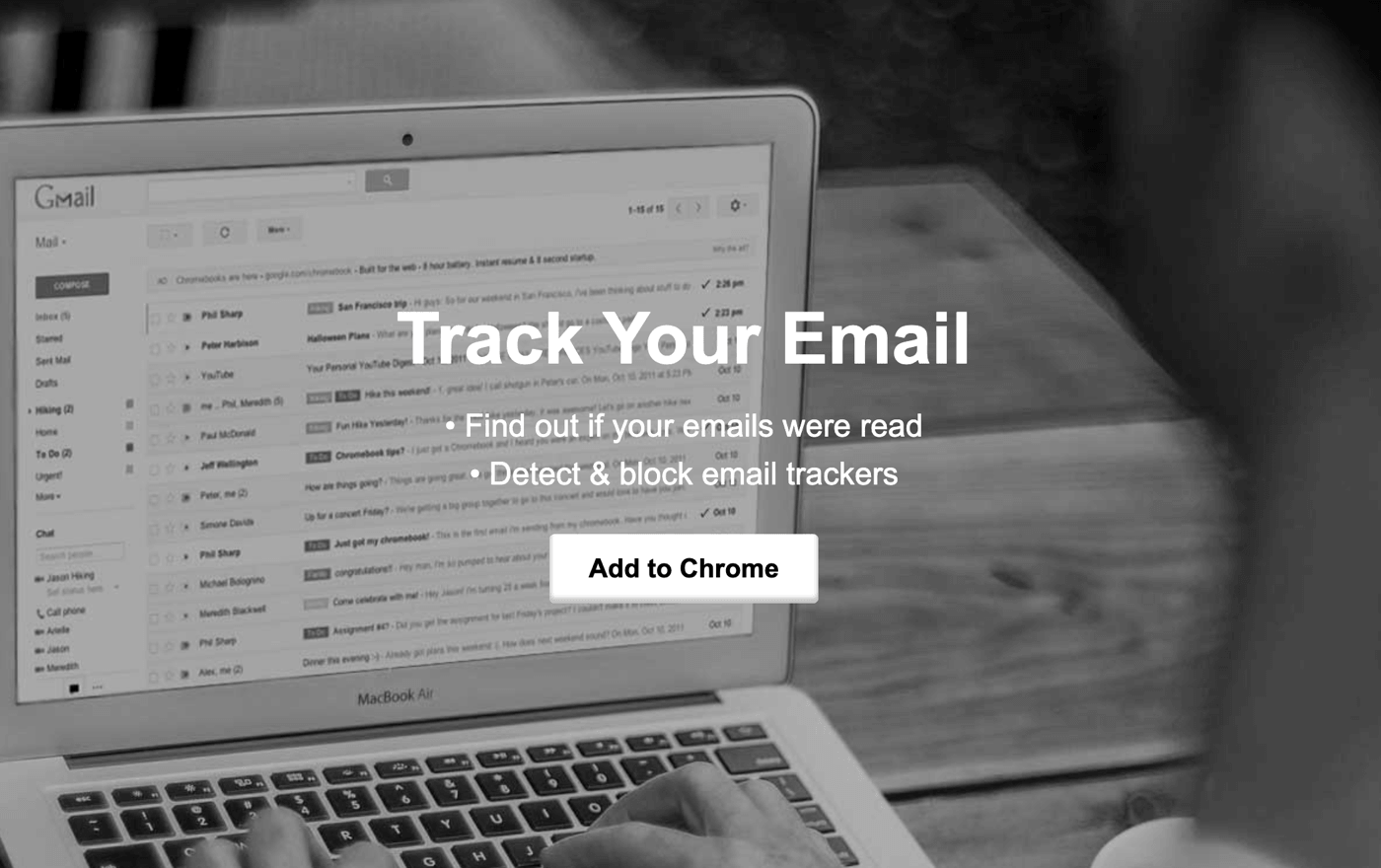
Email Tracker + Pixelblock Detector & Blocker is the simplest email tracker I found for Gmail (despite its convoluted name). If you want something you can set and forget, this is the one to choose.
The extension adds a small icon to the end of each row in your sent emails: the dot means the email is unread, and the tick means it has been opened. This worked perfectly in testing.
The pixelblock detector blocks other people’s tracking detectors from tracking you. This also means you won’t accidentally mark sent emails as read if you open them yourself. Again, I tried this and can confirm it’s effective. I was so impressed with it that I will continue to use it to track critical reminder emails to make sure someone sees them.
The simplicity of this extension makes it appealing. I think small businesses and freelancers will find it helpful, since they need to keep track of whether client emails or invoices have been read. I also liked the fact I didn’t need to log in or authorize anything to get this extension working; some extensions ask for very extensive permissions, which I wasn’t totally comfortable granting.
On the downside, there are no alerts in the free version, so you’d have to scan your sent emails to figure out what needs a follow-up.
Pros
- Immediately tracks email opens on activation
- Doesn’t require Google Drive authentication
- Blends in with the normal Gmail interface
- Pro version is affordable
Cons
- Email tracking is basic
- No alerts in the free version
- No email authentication or sender ESP information
Pricing
Email open tracking is free and unlimited, but you won’t get alerts for free. The Pro version costs $4/ mo. If you choose to upgrade, you’ll get recipient reports (including sender information and location), link tracking, and notifications.
4. MailSuite Email Tracker for Gmail
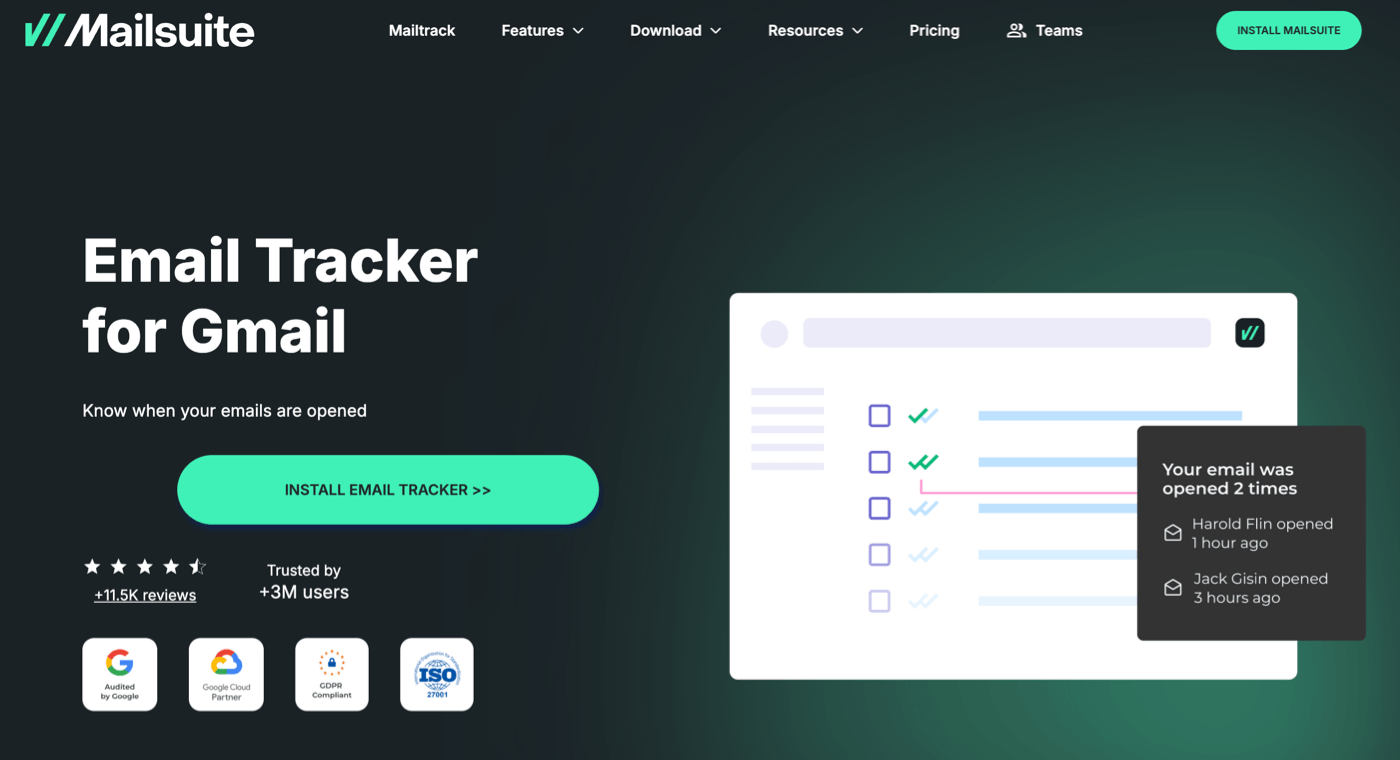
MailSuite is an email tracker extension that monitors email opens completely free. If that’s your use case, I found it worked well.
It’s easy to add tracked links or buttons to emails, or even tracked PDFs, but some of these are paid features. MailSuite can also notify you when emails are opened or left unread for more than 24 hours, allowing you to follow up and avoid losing track of conversations.
The main issue I had with MailSuite was the Gmail authentication flow. When adjusting the settings, I had to sign into Google multiple times. After a few attempts, it started to get in the way of dealing with messages.
The other issue is the heavy focus on upsells. If you want to track unlimited email opens, this is an extension worth considering, but anything beyond that will send you to an upsell popup. I also didn’t like the fact that MailSuite adds a “Sent with MailSuite CRM” link to the bottom of my emails, and you may feel it isn’t worth the trade-off.
Pros
- Easy email tracking functionality
- Tracked PDFs is a useful feature for teams that send attachments
- Unlimited emails can be tracked in the free version
Cons
- Free version adds a signature to your emails in Gmail
- Link click tracking is not free
- Upsells can be distracting
- No email deliverability information
Pricing
MailSuite lets you track emails for free and without any limits, but there is a prominent branded link added to the emails you send. You can upgrade for $11.99/ mo for advanced open tracking, link click tracking, more frequent reports, and additional tools like polls.
5. Mailbutler
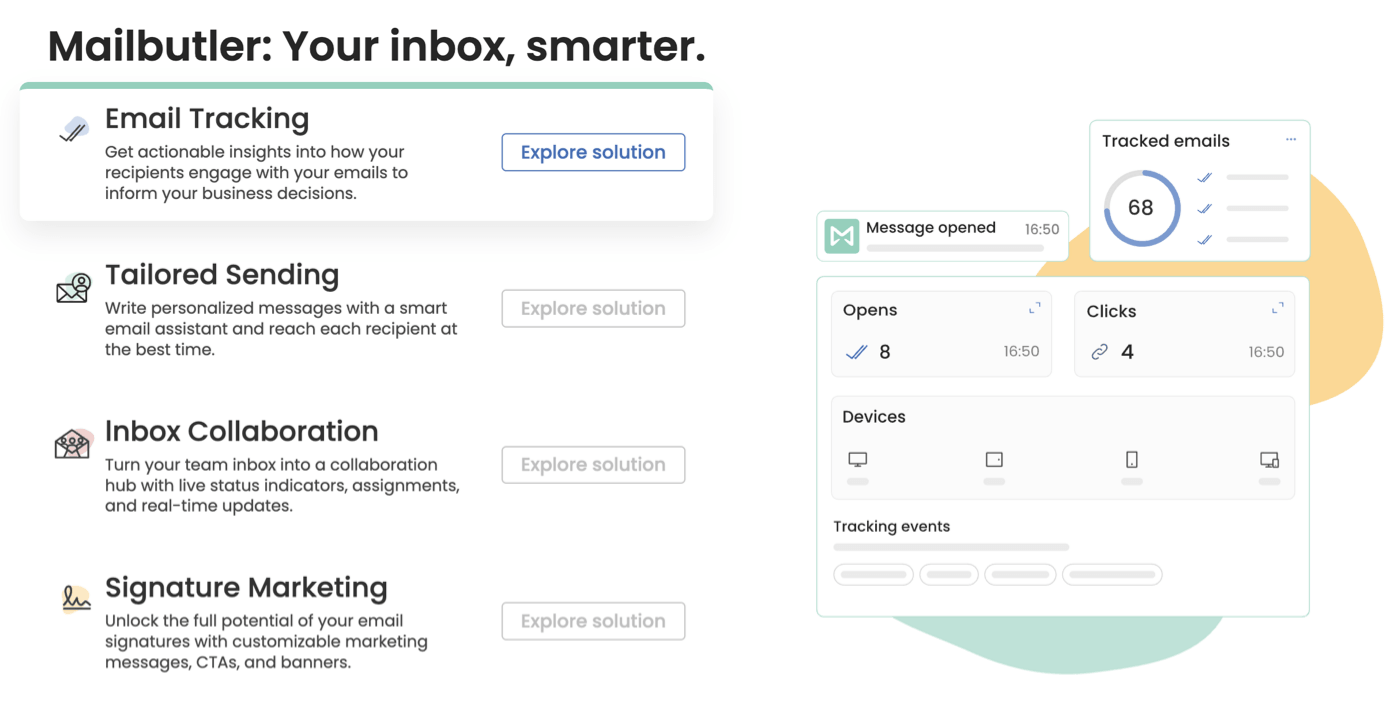
Mailbutler for Gmail is another Chrome extension that adds email tracking tools on top of your Gmail inbox. These tools give you more control and insights when working with emails.
Click tracking and open tracking worked well for me in testing. I liked being able to easily convert emails into tasks, which makes this Chrome extension into a to-do list. I don’t need a full project management platform, but I get a lot of email, so this definitely appealed to me.
However, I found the interface cluttered. I wouldn’t use this on a day-to-day basis; I feel it would be difficult to adjust to. The onboarding was also quite bumpy, since it wasn’t clear how to actually enable the extension until I got an email telling me I hadn’t done it yet.
Beyond that, there’s an AI assistant for summaries and replies. I can definitely see a use case for the feature that lets you schedule an email, but then cancel sending if the recipient gets in touch first, and I think power users could enjoy some of the advanced features in the Smart and Business plans.
Pros
- Available for Gmail and Apple Mail
- Useful tracking tools in the paid version
- Intuitive reminders
Cons
- Onboarding isn’t as smooth as it could be
- Interface feels cluttered
- Some tools are overkill for email tracking
Pricing
Mailbutler is free for basic email tracking and link click tracking. You’ll get 14 days to use the Pro version before being prompted to upgrade, with pricing from $7/ mo.
6. Right Inbox
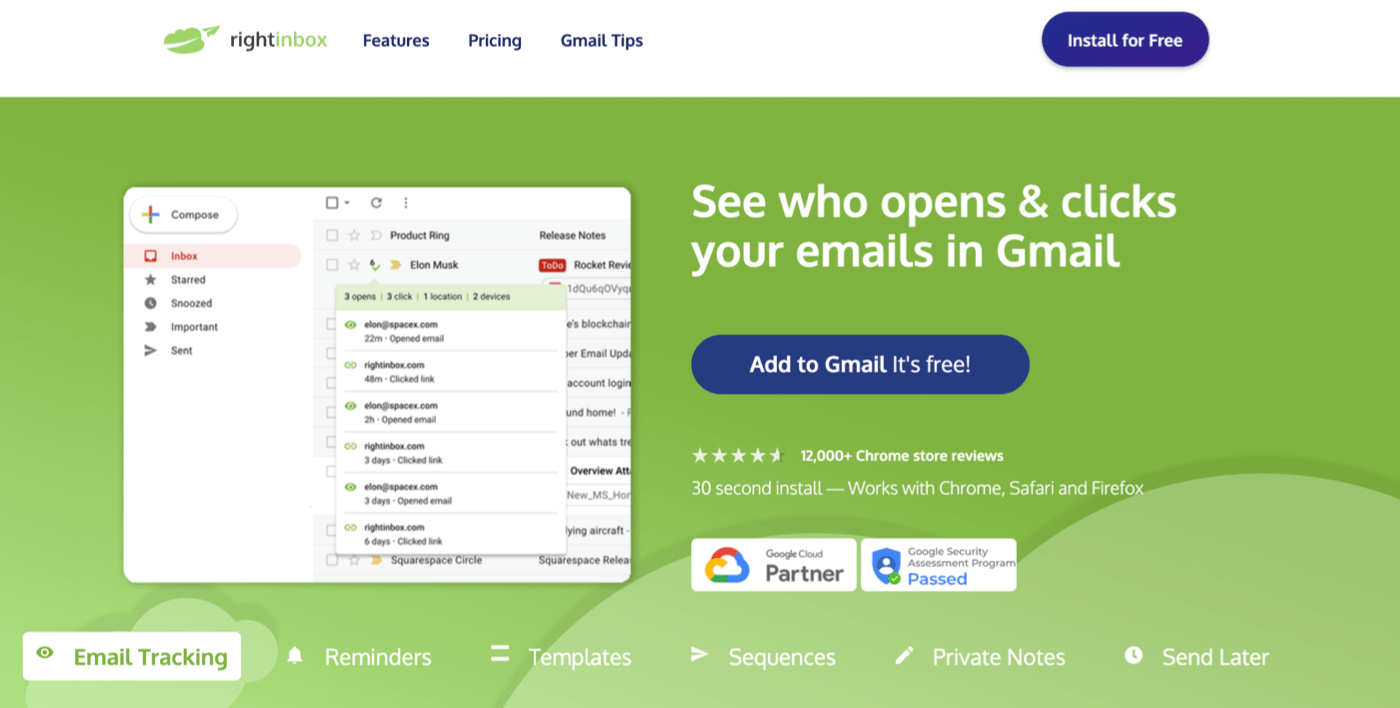
Right Inbox has similar features to Mailbutler, but I immediately preferred the layout of this extension over the previous one. The panel you work in is wide enough to fit in additional tools, and the most useful features sit around your usual Gmail compose screen.
Right Inbox tracks email opens, allows you to create reminders, and lets you make private notes on emails. The productivity side is interesting too. Right Inbox allows you to pause incoming emails while you’re busy.
I had an issue with the layout, which forced all my emails to expand horizontally and wasn’t easy to work with. On the plus side, I liked being able to schedule emails and label them so I could keep track of which reminders will fire and when. The only thing I found odd was the feature to add animated GIFs, which felt out of place in a Chrome extension aimed at businesses and sales teams.
Pros
- Tracks email opens
- Private notes feature is handy
- Automatic labeling helps you monitor your reminders
- Good layout that doesn’t feel cramped
Cons
- Free trial is extremely limited
- Doesn’t reveal sender information
- Some layout issues in Chrome
Pricing
The free version of Right Inbox is not useful. Most features are limited to just 5 uses. The Professional plan costs $9.95/ mo and unlocks unlimited usage of all features. For $19.95/ mo, you can step up to a team license.
7. Streak Email Tracking for Gmail
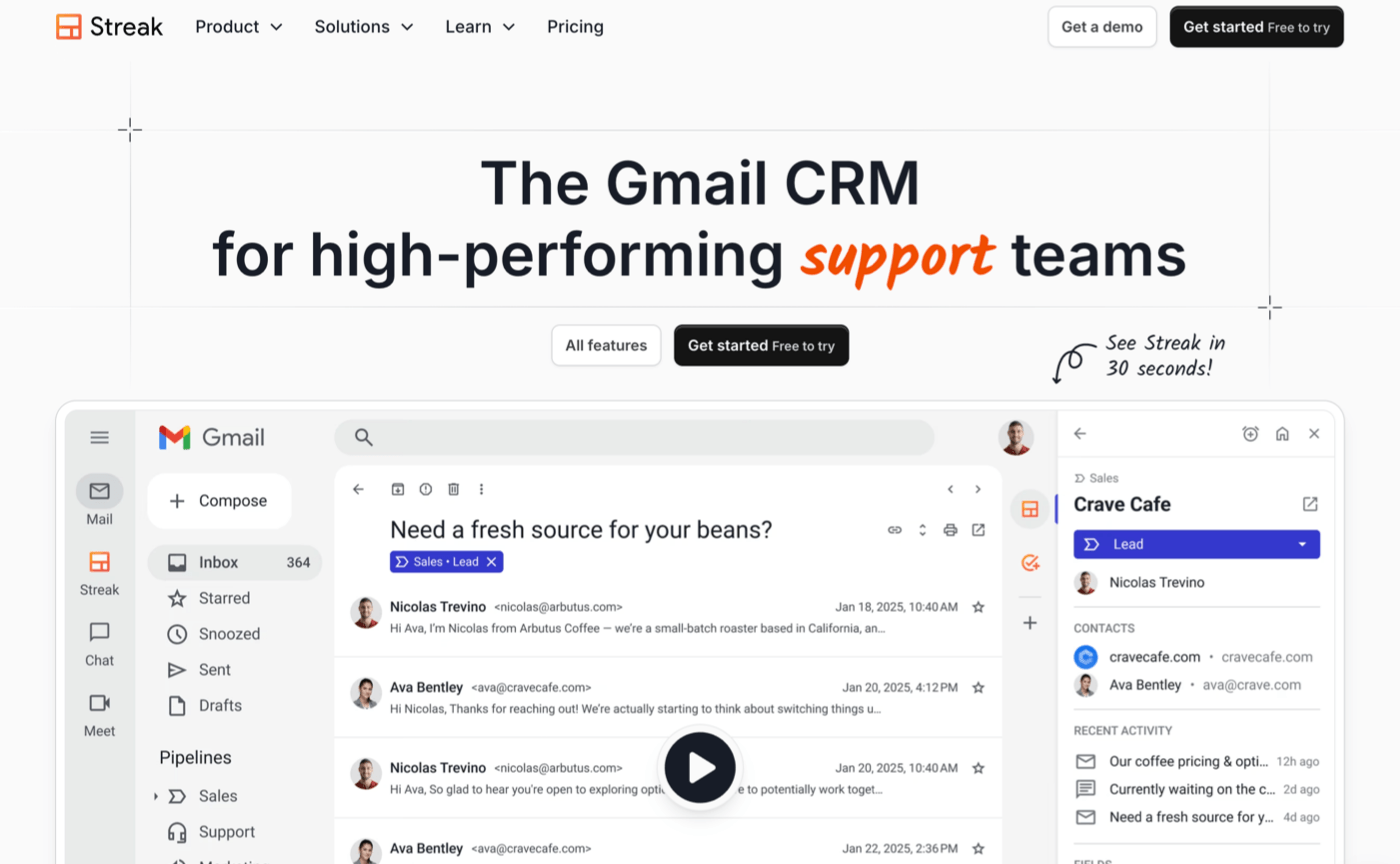
Streak Email Tracking for Gmail is aimed at teams who want to use Gmail as a control center for their projects. It combines tools for CRM, email tracking, and mail merge in one Chrome extension.
If all you need is email open tracking, the free version will do that out of the box. You can choose which features you would like to enable when you install it. In fact, the entire onboarding flow is really well designed.
I created a project management flow for an influencer marketing campaign. Streak uses AI to create a pipeline for you. All the stages and columns are filled out, so you can set up the pipeline in a click. And it all integrates with Gmail’s user interface, which is very smart.
I also tested the email tracking, which was accurate. However, keep in mind that this Chrome extension is pretty complex. If you just want an email tracker for Gmail, this won’t be the right fit for your needs because the additional features might get in the way.
That said, I really enjoyed the fact that the entire interface is contained within Gmail, but without disrupting the normal email flow, so I could continue to use my email as I had before.
Streak needs extensive permissions to your Google account to work, and this is true of all the CRM extensions I’ve used in the past. It makes sense since these services need deep integration to manage your appointments and documents. If you’re not comfortable granting an extension access to your emails, Google Drive, contacts, and calendar, a simpler extension would be a better fit.
Pros
- Intuitive interface
- Email and link click tracking is free
- Powerful tools to manage pipeline
- Automatic pipeline creation
Cons
- Overkill if you only need email tracking
- Pro version is expensive
Pricing
Email open tracking and link click tracking are free. You’ll get a 14-day trial of the Pro plan when you sign up, which starts at $49/ mo after the trial period.
My Recommended Email Tracking Extensions for Chrome
As a small business owner, I don’t need to know every single time someone opens an email. I’m happy using a free extension like Email Tracker + Pixelblock Detector & Blocker to check that important emails have reached the recipient and have been read. It feels lightweight compared to some competing extensions and didn’t need permissions to Google Drive.
However, if you need to scrutinize email opens and optimize sales outreach – and you’re willing to pay for that – I’d recommend Hunter’s MailTracker Chrome extension. It has an impressive level of control over email tracking and notifications and a sharp focus on what sales teams need.
For email marketers, Email Detective is a must-have tool. I didn’t find any other comparable extension in testing. I once had to advise a client who had set up BIMI but wasn’t sure if it was working, and if I’d had Email Detective back then, I could have checked their authentication in seconds.
If you need to track the technical information in your emails, remember to download our free email deliverability checklist and use it along with Email Detective to make sure you’re set up to land in the recipient’s inbox every time.
The authors
Learn more about us

Our Methodology
This article has been written and researched following our EmailTooltester methodology.
Our Methodology