


For newsletter publishers, a bump in subscribers is usually something to celebrate.
So when we logged into the EmailTooltester newsletter one day and saw a sudden wave of new signups, we initially thought we’d hit the jackpot. Maybe our “I hacked Joe Biden’s email address” YouTube video had gone viral? Or one of our lead magnets had taken off?
But a quick look at the new signups – with email addresses full of random letters and numbers – delivered quite the reality check.
And that was our introduction to the frustrating world of spam newsletter signups.
If you’ve found this article, chances are one of two things is happening:
- Your signup form is suddenly attracting fake subscribers
- Your email list metrics are dropping, and you suspect spam signups are polluting your list
The good news is that this problem is extremely common – and fortunately, it’s also very fixable.
In this guide, I’ll explain how to spot the telltale signs of spam newsletter signups, and the most effective ways to stop them from happening.
Let’s start with what’s really going on behind the scenes.
What are spam newsletter signups (and why are they a problem)?
Spam newsletter signups happen when bots or automated scripts submit fake email addresses to your signup forms.
Instead of real people joining your list, your database fills with contacts that don’t exist or will never interact with your emails.
These fake subscribers are typically generated automatically by bots scanning the web for forms to exploit – usually to inflate subscriber numbers, test vulnerabilities, or create fake activity that can be used for malicious purposes like spamming or flooding databases.
And without safeguards like CAPTCHA, form validation, or email confirmation, bots can submit the form repeatedly using fake or disposable email addresses.
At first glance, fake subscribers may not seem like a big deal. After all, you can always delete them later. But spam signups can actually cause several serious issues for email marketers.
Deliverability problems
One of the biggest risks is damage to your sender reputation.
If you send emails to fake addresses, several things can happen:
- Emails bounce
- Domains reject messages
- Spam filters become suspicious
Over time, this can hurt your email deliverability, meaning fewer of your emails reach real subscribers’ inboxes.
If enough emails bounce or trigger spam signals, mailbox providers like Gmail and Outlook may start filtering your campaigns into spam folders.
And if your business relies on email marketing, this can become a serious issue.
Higher email marketing costs
Most email marketing platforms charge based on:
- Number of contacts
- Number of emails sent
If bots add hundreds or thousands of fake subscribers, your list size grows artificially, meaning you could be paying for contacts that don’t exist.
For businesses with tight marketing budgets, this wasted spend adds up quickly.
Misleading analytics
Spam subscribers distort your marketing data. They never open emails, never click links, and most importantly, never convert.
This can cause your key metrics like open, click, and engagement rates to drop. When this happens, it becomes harder to understand what’s really working in your campaigns.
Suspension of your email marketing account
At EmailTooltester, we regularly hear from readers who say: “Our email marketing account got closed because we had a bunch of spam signups through our web form.”
It’s a frustrating situation, especially when the spam contacts weren’t added intentionally.
From the email service provider’s perspective, however, a list containing many invalid or suspicious addresses can pose a serious deliverability risk.
If a campaign generates too many bounces or spam complaints, the platform may temporarily suspend the account to protect its sending infrastructure.
Signs your newsletter has been hit by spam signups
Not sure whether spam signups are affecting your list?
In many cases, the problem isn’t obvious at first. Fake subscribers often slip into your database quietly and only become noticeable once they start affecting your email performance.
Here are some common warning signs that bots may be submitting your newsletter signup forms.
Sudden spikes in subscribers
One of the first red flags is unexpected list growth.
If your list suddenly grows overnight without any clear reason (e.g. you haven’t run any campaigns or promotions), bots could be responsible.
For example, you might notice:
- Dozens or hundreds of subscribers appearing within a short period
- Signups happening at unusual hours (for example, in the middle of the night)
- Steady traffic on your site, but a sudden surge in newsletter registrations
Automated bots can submit forms extremely quickly, so they often create these unnatural bursts of subscribers.
If your signup numbers spike but your website traffic hasn’t changed, that’s a strong signal that something unusual is happening.
Strange or suspicious email addresses
Another common indicator is the type of email addresses being submitted.
Spam signups often include addresses that don’t look like they belong to real people. Examples include:
- Long strings of random characters such as asd87623@test.com
- Generic names combined with numbers like user94823@email.com
- Unusual or unfamiliar domains
- Disposable email services
Disposable email domains are particularly common in spam signups. These services allow users or bots to create temporary inboxes that exist only for a short period of time.
If you start seeing multiple contacts from temporary email providers, it’s a good sign that automated scripts may be targeting your form.
Low engagement from new contacts
One of the clearest signals of spam newsletter signups is a group of new subscribers who never interact with your emails.
After sending a campaign, take a look at how your most recent subscribers behave.
If dozens of new contacts appear in your list but don’t open your emails, click your links, or visit your website, there’s a strong chance they aren’t real people.
Bots typically submit email addresses without ever accessing the inbox, so they never open the emails you send.
This often leads to a noticeable drop in your engagement metrics, especially if the number of fake contacts is large.
High bounce rates from new subscribers
Another sign that fake addresses are entering your list is an increase in email bounces.
A bounce happens when an email cannot be delivered because the address doesn’t exist or the receiving server rejects it.
Because spam bots frequently submit fake or temporary email addresses, campaigns won’t be delivered to these accounts.
If your bounce rate suddenly increases, particularly among newly added contacts, spam signups may be the cause.
Patterns in signup activity
Bots often behave differently from human subscribers.
Instead of natural, sporadic signups, you may see patterns such as:
- Dozens of signups within the same minute
- Many registrations from the same IP address
- Clusters of signups using similar email formats
- Multiple submissions using identical or blank names
These patterns are difficult for humans to reproduce but very common for automated scripts.
Looking at your signup logs or contact creation timestamps can often reveal these patterns.
Confirmation emails that are never clicked
If you use double opt-in, another sign of bot activity is a large number of unconfirmed subscribers.
For example, you might see many people submitting the signup form, but very few confirming their email address.
Because bots typically don’t access inboxes, they rarely complete the confirmation step. This means most of their signups remain stuck in the “pending confirmation” stage.
If you have a large number of unconfirmed subscribers, it can be a signal that bots are attempting to abuse your form.
When several signs appear together
A single one of these signals doesn’t always mean bots are involved. But if you notice several of them at the same time, the chances are much higher.
The good news is that once you identify the problem, it’s usually possible to stop spam signups quickly by adding a few simple protections to your forms.
How to stop spam newsletter signups
Fortunately, preventing spam signups is usually straightforward. Most marketers can eliminate the majority of bot signups by implementing a few simple protections.
1. Enable double opt-in
In our experience, this is one of the most powerful ways to stop spam signups.
With double opt-in, subscribers must confirm their email address before joining your list. The process works like this:
- A user enters their email in your signup form
- They receive a confirmation email
- They click a confirmation link
Once we implemented double opt-in across our signup forms, we found the number of suspicious contacts dropped significantly. Bots could still submit the form, but because they don’t typically check email inboxes, they never completed the confirmation step. In other words, they were stopped before entering our actual mailing list.
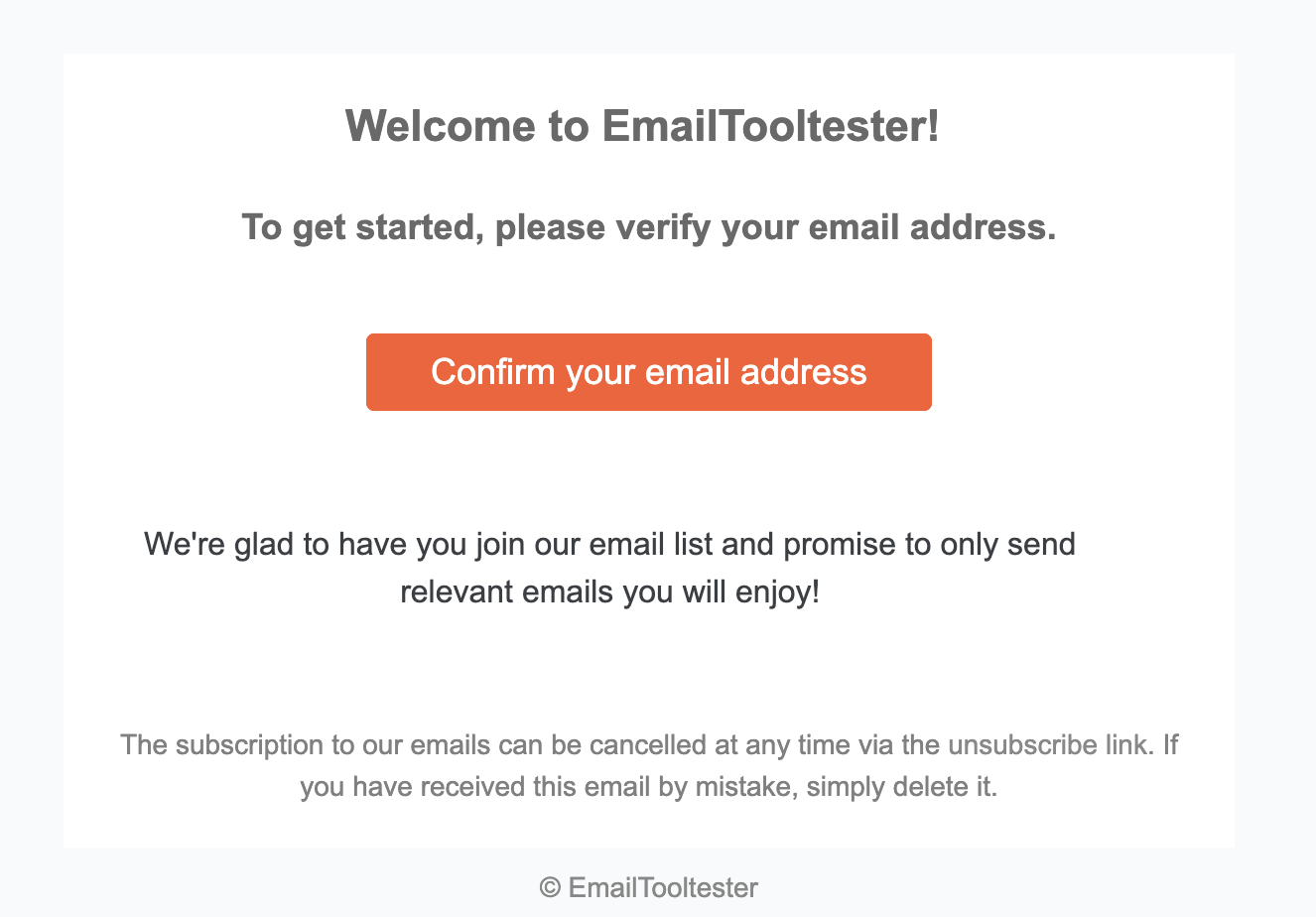
The double opt-in confirmation email we send to our newsletter subscribers
Besides blocking spam signups, double opt-in also improves overall list quality. It ensures that the people joining your newsletter genuinely want to receive your emails, which usually leads to better engagement and fewer deliverability problems.
Just note that double opt-ins aren’t foolproof. Our newsletter list was once hit by a listbombing attack where the bots could click our double opt-in confirmation links, and therefore ended up on our lists. Which is why it’s important to use it alongside other safeguards, too.
2. Add CAPTCHA to your signup forms
Another effective way to reduce spam newsletter signups is to add CAPTCHA protection to your forms.
CAPTCHA systems are designed to distinguish humans from automated bots by requiring users to complete a simple challenge before submitting a form. You’ve probably seen examples like:
- “I’m not a robot” checkboxes
- Image selection puzzles
- Simple logic challenges
These tasks are easy for humans but much harder for automated scripts to complete.
Many signup tools (including ones offered natively within email marketing platforms) support built-in CAPTCHA options, including:
- Google reCAPTCHA
- Invisible CAPTCHA
- Bot detection systems
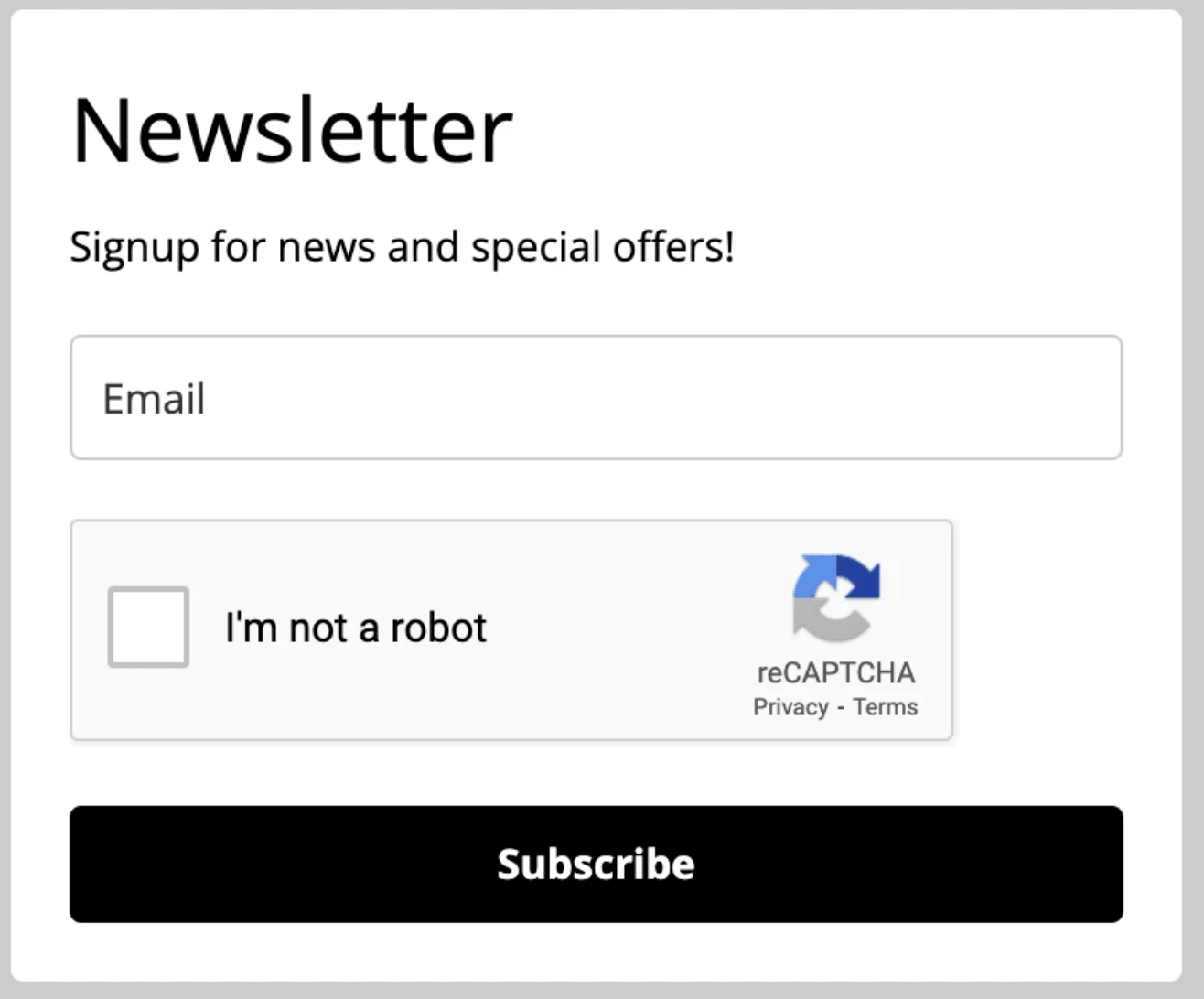
An example of a CAPTCHA form built into MailerLite’s form builder
Adding CAPTCHA has been shown to block up to 80% of basic bot traffic, especially when forms would otherwise be completely unprotected.
That said, CAPTCHA works best as one layer of protection rather than a complete solution. More advanced bots can sometimes bypass CAPTCHA challenges, which is why it’s usually recommended to combine it with other safeguards like double opt-in, form validation, or honeypot fields.
For most newsletter signup forms, using both CAPTCHA and double opt-in is already enough to eliminate the vast majority of spam signups.
3. Use honeypot fields
A honeypot field is a simple but clever anti-spam technique used by many developers to catch bots without affecting real users.
The idea is straightforward. An extra field is added to your signup form, but it’s hidden from human visitors using CSS. Real users never see it, so they leave it empty. Bots, however, tend to fill in every field they detect in a form, including hidden ones.

A honeypot field is a hidden form field that real users don’t see but bots fill in, allowing the system to identify and block automated submissions
When the field is filled, the system knows the submission came from a bot. The signup is then rejected automatically.
Because real visitors never interact with the hidden field, honeypots can stop a large number of bot submissions without adding friction to the signup experience. They are invisible to legitimate subscribers, and unlike CAPTCHA challenges, users don’t have to solve anything or complete extra steps.
While honeypot fields are effective against many simple bots, they aren’t 100% effective. More advanced bots can sometimes detect hidden fields and avoid filling them in.
There’s also a small risk that browser autofill tools may accidentally populate the hidden field, which could block a legitimate signup.
For this reason, honeypots work best when combined with other protections such as double opt-in or CAPTCHA.
Most email marketing platforms don’t offer native honeypot fields in their form builders, but you can still implement them by adding a custom hidden field (via HTML or CSS) and rejecting submissions where that field is filled, or by using an external form builder like Gravity Forms or WPForms that supports honeypots and connects to your ESP.
4. Block disposable email domains
Many fake subscribers use temporary email services – disposable email addresses that exist only briefly and are often used exclusively for spam.
You can reduce spam signups by blocking known disposable domains. Some email marketing tools offer built-in filters for these domains, but there are also third-party email validation tools that detect and block temporary email addresses.
Check out our list of the best free list validation tools to help you remove disposable domains from your list.
5. Regularly clean your email list
If spam contacts have already made their way into your list, it’s worth cleaning them up sooner rather than later. Leaving fake or low-quality contacts in your database can drag down your engagement metrics and, over time, harm your sender reputation.
First, start by identifying contacts who never engage. Spam subscribers typically never open or click your emails because the addresses are either fake or belong to bots.
Start by creating a segment of subscribers who:
- Have received several campaigns, and
- Have never opened or clicked any emails
If these contacts also joined your list around the same time or appear alongside other suspicious signups, they’re strong candidates for removal.
Before removing a large number of inactive contacts, you may want to send a short re-engagement email asking subscribers if they still want to receive your emails.
Anyone who opens or clicks the message can stay on your list. Subscribers who ignore it are likely inactive or fake and can usually be safely removed.
While the thought of removing a large number of “subscribers” may be daunting, there are actually a couple of benefits. Cleaning out inactive contacts not only improves your email metrics, but also helps protect your sender reputation by ensuring you’re only emailing people who genuinely want to hear from you.
Final thoughts on managing spam newsletter signups
Spam newsletter signups are frustrating, but they’re also extremely common. As email marketing continues to grow, bots will keep scanning websites for vulnerable forms.
The good news is that preventing fake subscribers doesn’t require complicated technology. Most of the time, a combination of double opt-in, CAPTCHA, basic spam filters, and good old list cleaning is enough to stop the problem.
If you’ve recently noticed strange subscribers appearing in your list, now is a good time to review your signup forms and add these protections.
> Keep your email campaigns out of the spam folder by downloading our free deliverability checklist
> Use our email deliverability checker to see if there are any problem areas in your setup
The authors
Learn more about us

Our Methodology
This article has been written and researched following our EmailTooltester methodology.
Our Methodology