


Deciding between Keap vs ActiveCampaign for your CRM? You’re not alone — they’re both big names with loyal fans, especially among small businesses that need more than “just a contact list.”
In broad terms, ActiveCampaign is best known for email marketing + powerful automations (with a built-in CRM layer for deals and pipelines). Keap (formerly Infusionsoft, and recently acquired by Thryv) has a strong reputation as an all-in-one platform for small businesses. Features include CRM, marketing automation, sales pipeline, and even payments-focused features, depending on your setup.
Although these tools might sound similar on paper, they actually feel very different day-to-day. The general consensus is that ActiveCampaign is better suited to marketers who love building smart journeys (this would be me!), whereas Keap often appeals to owners who want a guided, business-first system.
But after testing both platforms, I’ve learned that it’s not quite as simple as that. There are plenty of nuances when it comes to comparing the two, so the question is, which one is right for you? To help you find out, I’ll show you how Keap and ActiveCampaign stack up in terms of ease of use, pipelines, automations, reporting, pricing, and more.
Ease of Use
Ease of use sounds fluffy… until you’re trying to quickly add a contact, move a deal forward, and send a follow-up without clicking through 12 screens. So let’s see which one is easier to get up and running with.
ActiveCampaign is generally clean and modern, but it can feel like a power tool. The left-side navigation keeps core areas (Campaigns, Automations, Deals/CRM, Reports) within reach, yet the sheer depth means beginners may need a bit of ramp-up time.
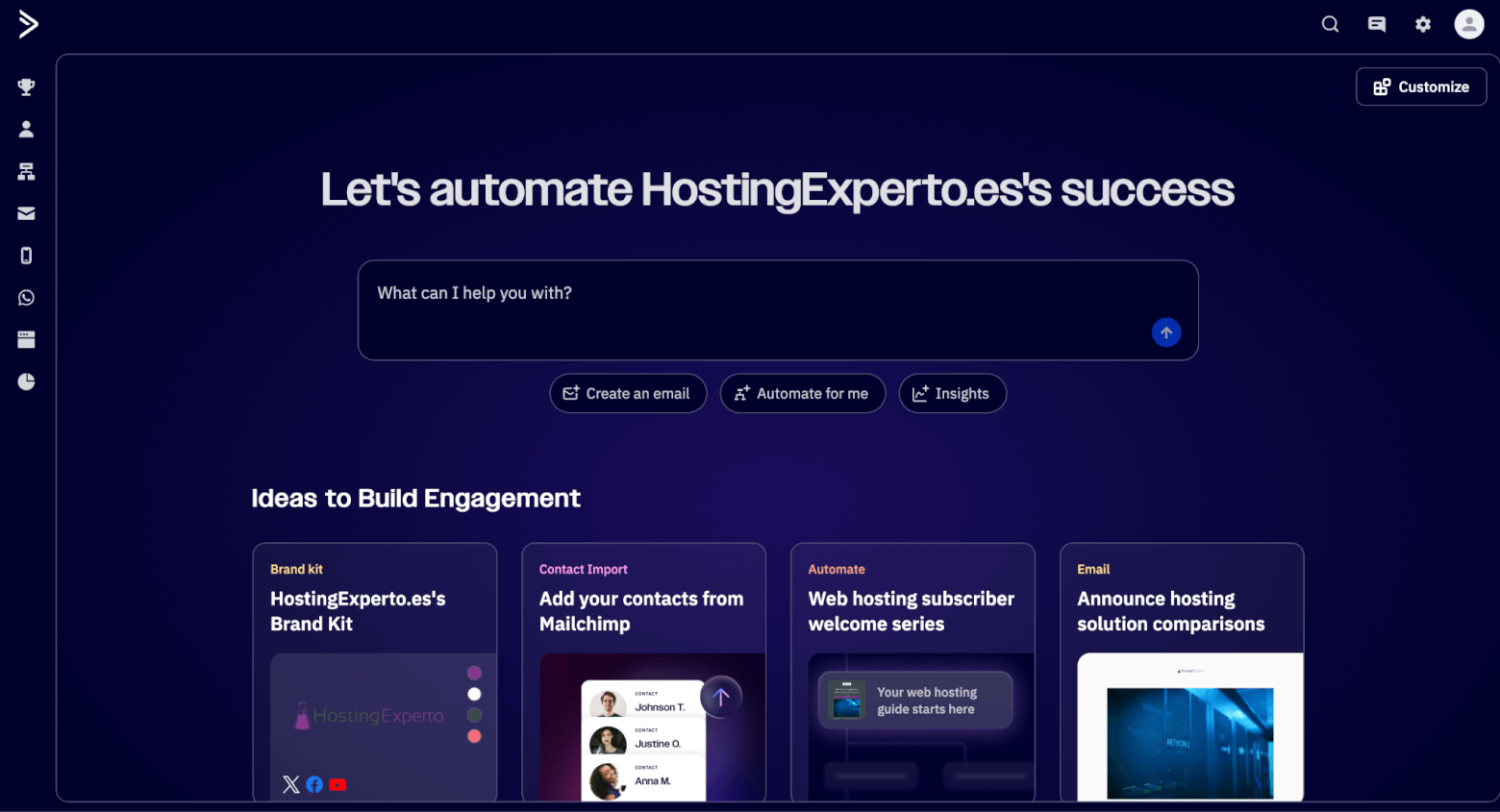
The good news is that there are helpful in-app hints and a strong Help Center. However, the platform really shines once you already know what you’re trying to build (segments, tags, automations, deal stages, etc.).
Performance-wise, it’s typically snappy, but in my experience, complex automation-heavy accounts can feel busy visually.
Keap feels more like an operating system for a small business. On sign-up, there’s a trial guide that walks you through the steps to take to get started. The UI is built around practical outcomes: capture a lead, follow up, book, invoice, and close. It’s usually easier to understand what to do next, especially if you’re a solo operator or small team.
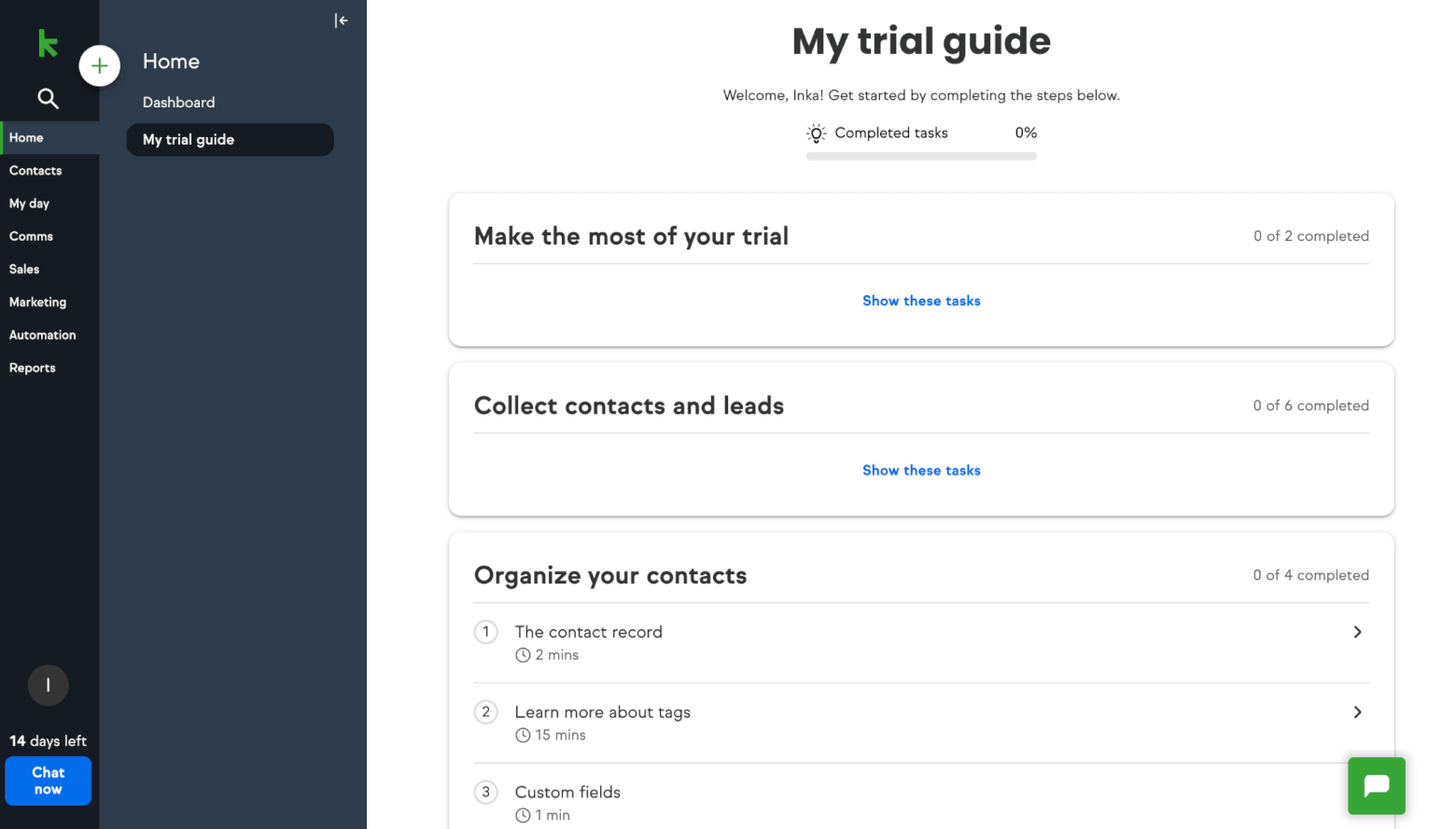
Keap also invests heavily in training (Keap Academy is a big part of their ecosystem), which helps make next steps clear. I also found that basic tasks like creating contacts and moving opportunities through a pipeline are pretty straightforward.
Winner: From my perspective, Keap is the more beginner-friendly CRM day-to-day, while ActiveCampaign is the more “learn it once, then build anything” system.
Score: Keap – 1, ActiveCampaign – 0
Email Marketing
Email is where these two platforms overlap the most — but they approach it with different priorities.
ActiveCampaign is, first and foremost, an email marketing and automation platform. You get access to hundreds of templates, campaigns/newsletters, segmentation, and extremely strong automation-based emailing (which we’ll dive deeper into in the next round).
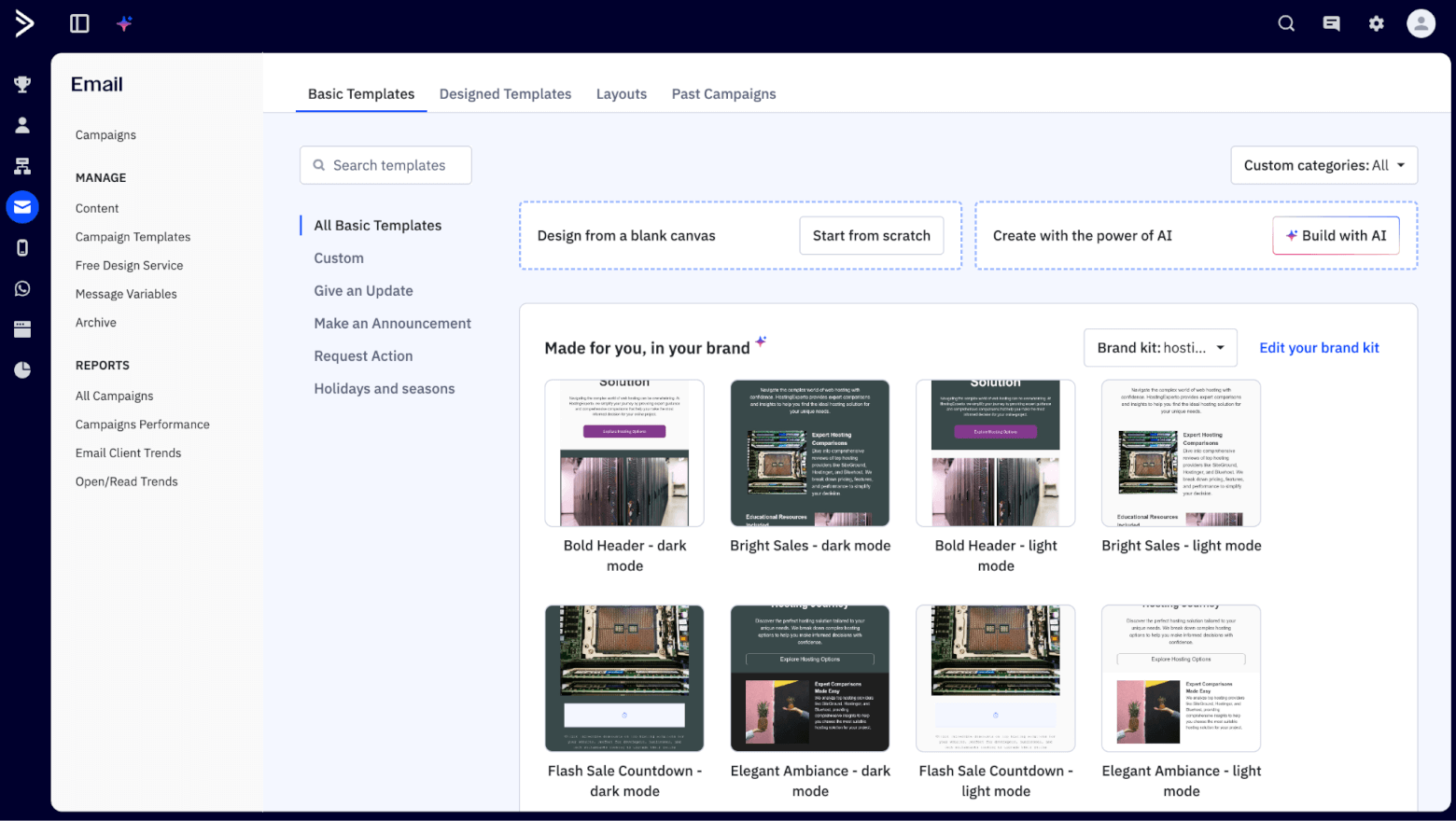
It also supports triggers based on engagement (opens/clicks/replies) and can connect email activity to deals. If you’re running a weekly newsletter (like I do), ActiveCampaign is built for that rhythm: build segments, test messaging, automate follow-ups, and iterate.
Advanced features include predictive sending, dynamic content, spam checking, inbox previews, and even AI-powered generation tools – all of which are designed to help you send more personalized, targeted campaigns.
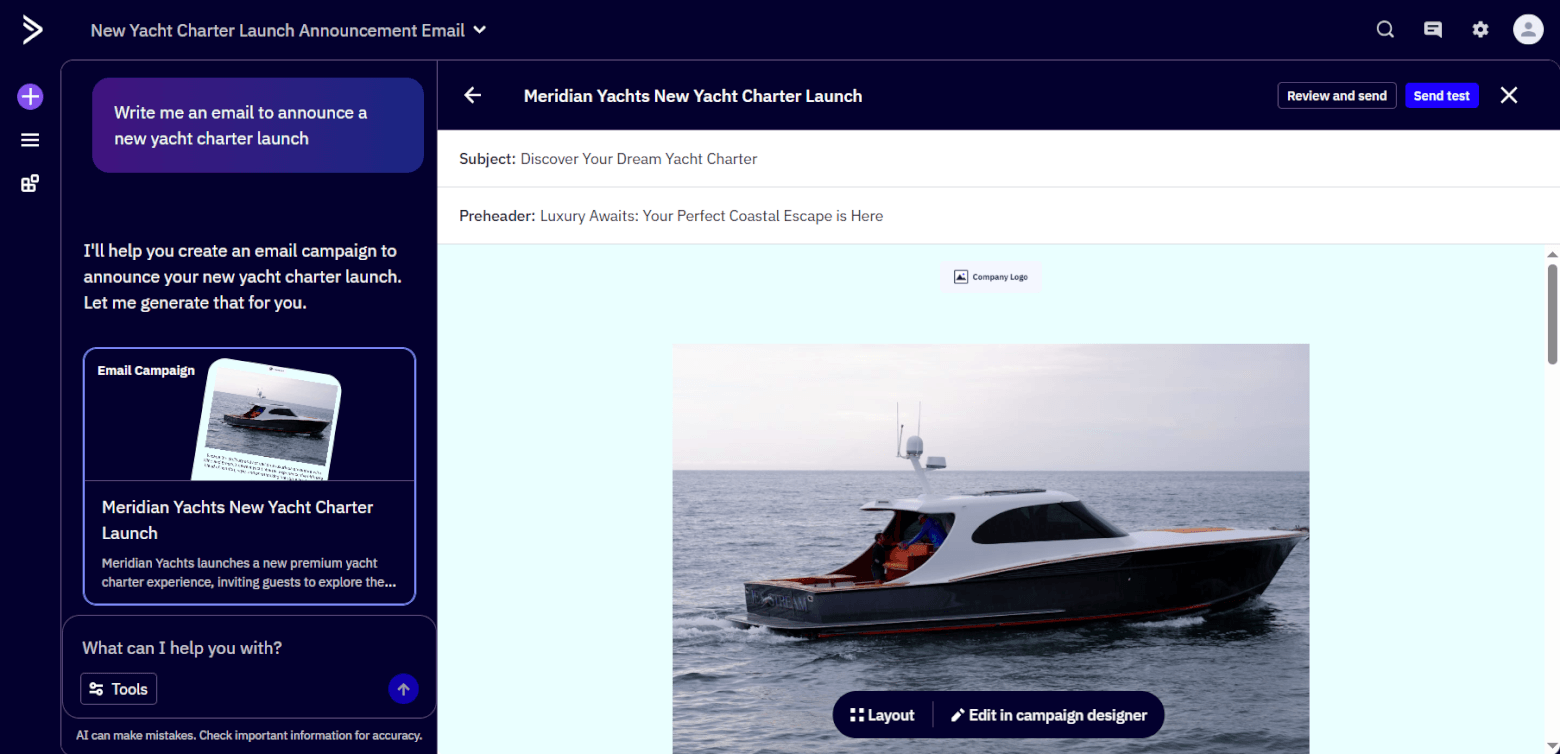
For example, if you're a SaaS company looking to promote a new feature in your product, you could use the predictive sending feature to send the email at the best time for each user, based on their past engagement. Dynamic content would tailor the message depending on the user’s plan or activity, while the AI-powered tools could suggest optimized subject lines and content to boost engagement.
Keap includes email marketing as part of its all-in-one approach. You can send broadcasts and build automated follow-ups that connect to pipeline stages — which is great for small businesses that want leads to move forward without manual chasing.
However, straight off the bat, you’ll notice that its email marketing capabilities are a lot less sophisticated than ActiveCampaign’s. For one thing, it only includes around 80 email templates, with designs that aren’t as modern as what you’ll find in ActiveCampaign.
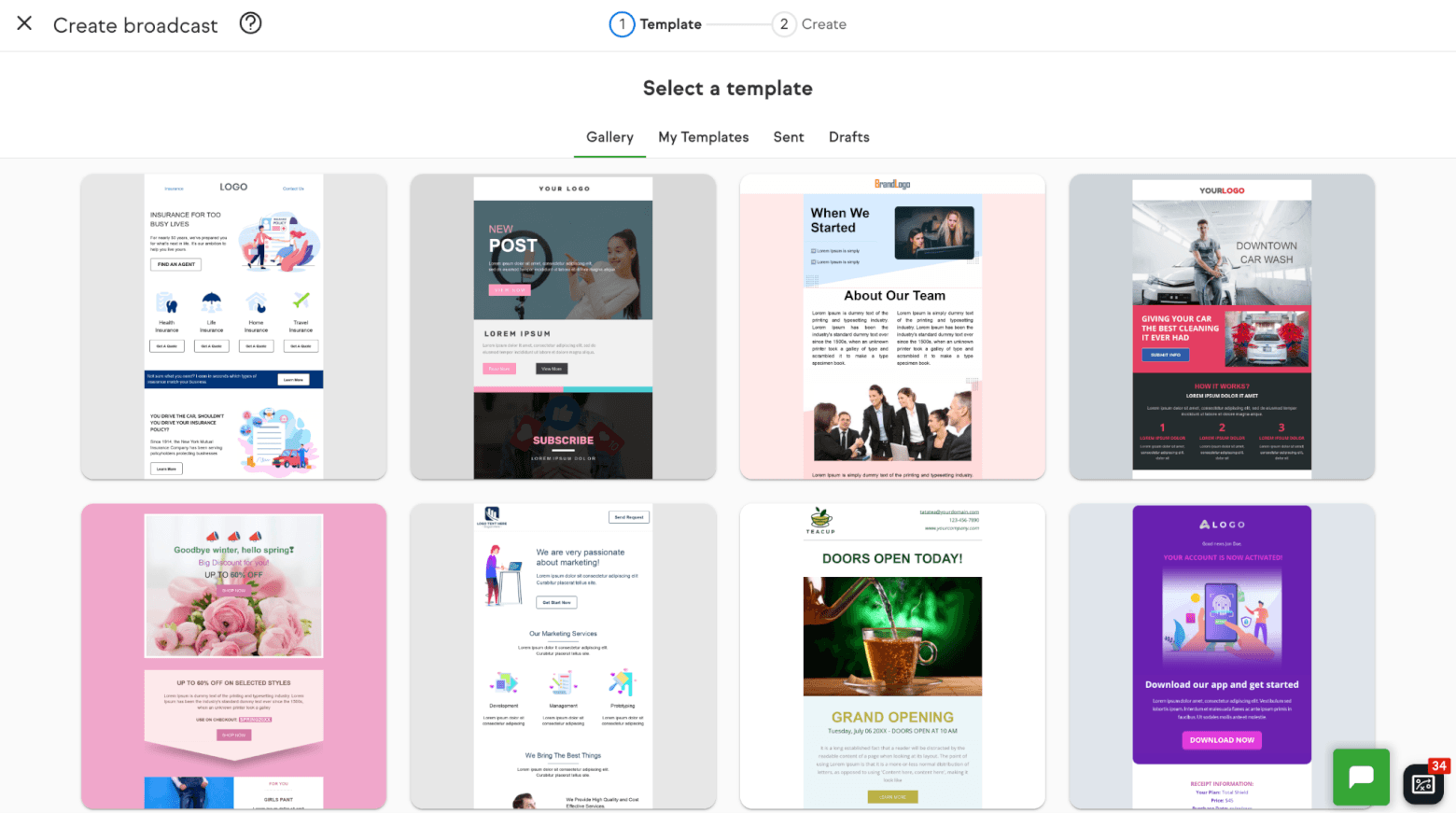
The editor also feels more restrictive than ActiveCampaign’s, with fewer AI capabilities (which for the moment focus only on writing and editing email copy), and personalization that’s limited to merge fields (which I didn’t find very intuitive to set up). It also doesn’t support A/B testing, which ActiveCampaign does.

Like ActiveCampaign, Keap also offers Email Sync with Gmail/Outlook for one-to-one emails, although there is a limitation: emails synced into Keap are tracked, but emails sent from Keap don’t sync back to your Gmail/Outlook inbox (so it’s not always a perfect two-way mirror).
Winner: If you mainly need sales follow-up emails tied to pipeline stages, Keap is very good. But if email marketing is a core channel — segmentation, testing, personalization, long-term nurture — ActiveCampaign is the stronger email tool overall.
Score: Keap – 1, ActiveCampaign – 1
Automations
Automation is where you save the most time — and where you can also waste the most time if the builder is clunky.
ActiveCampaign is famous for automations, and it earns that reputation. It comes pre-loaded with hundreds of “recipes” to help you launch automated workflows quickly. It even includes an AI assistant that can build an automation for you from just a single prompt.
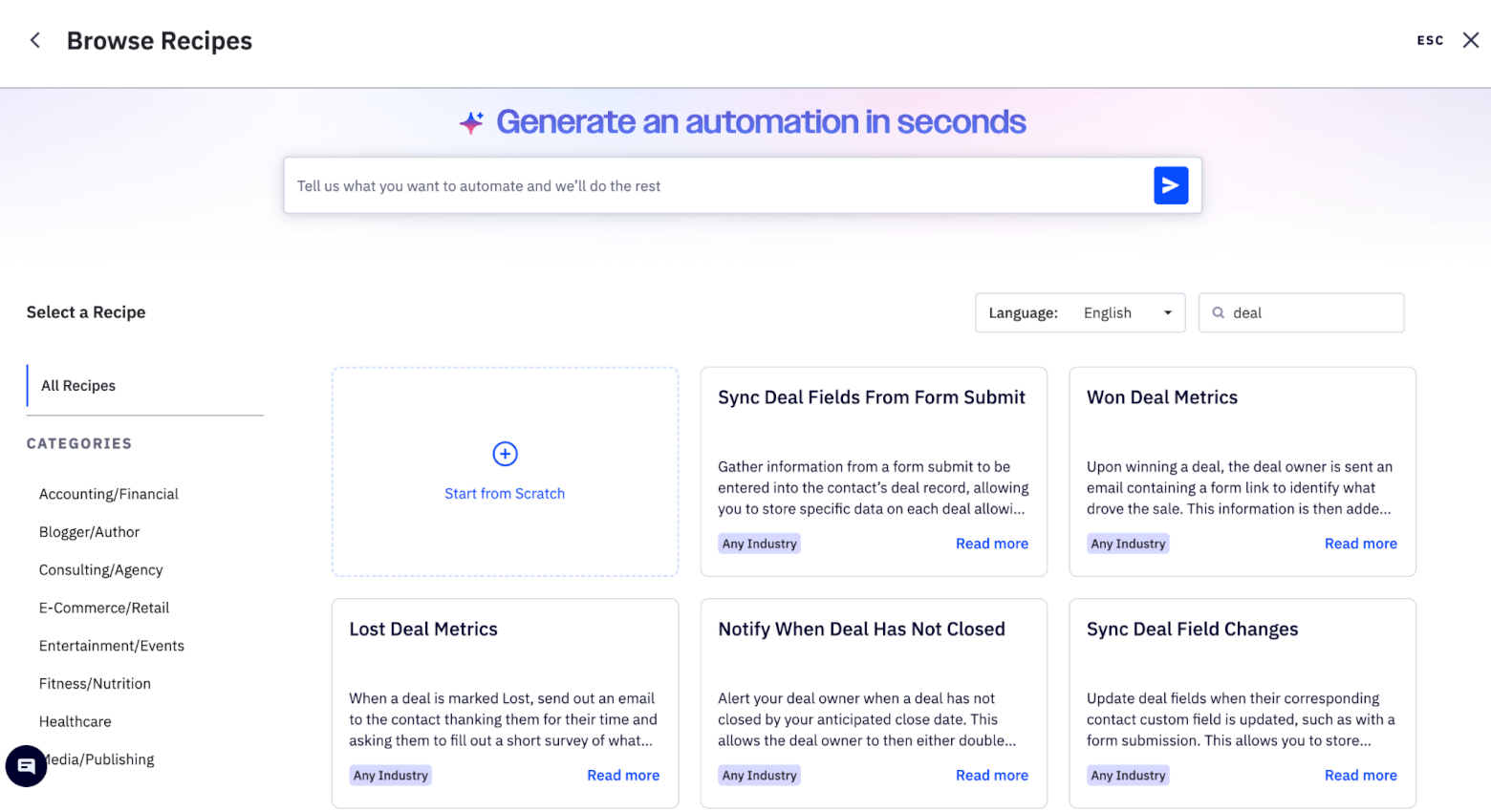
The automation builder is visual, flexible, and packed with triggers (email opens/clicks/replies, form submissions, tag changes, deal stage changes, score thresholds, and even webpage visits). With these, you can automate actions such as sending emails, updating contact data, tagging users, moving deals in the pipeline, assigning tasks to sales, and notifying your team based on user behavior.
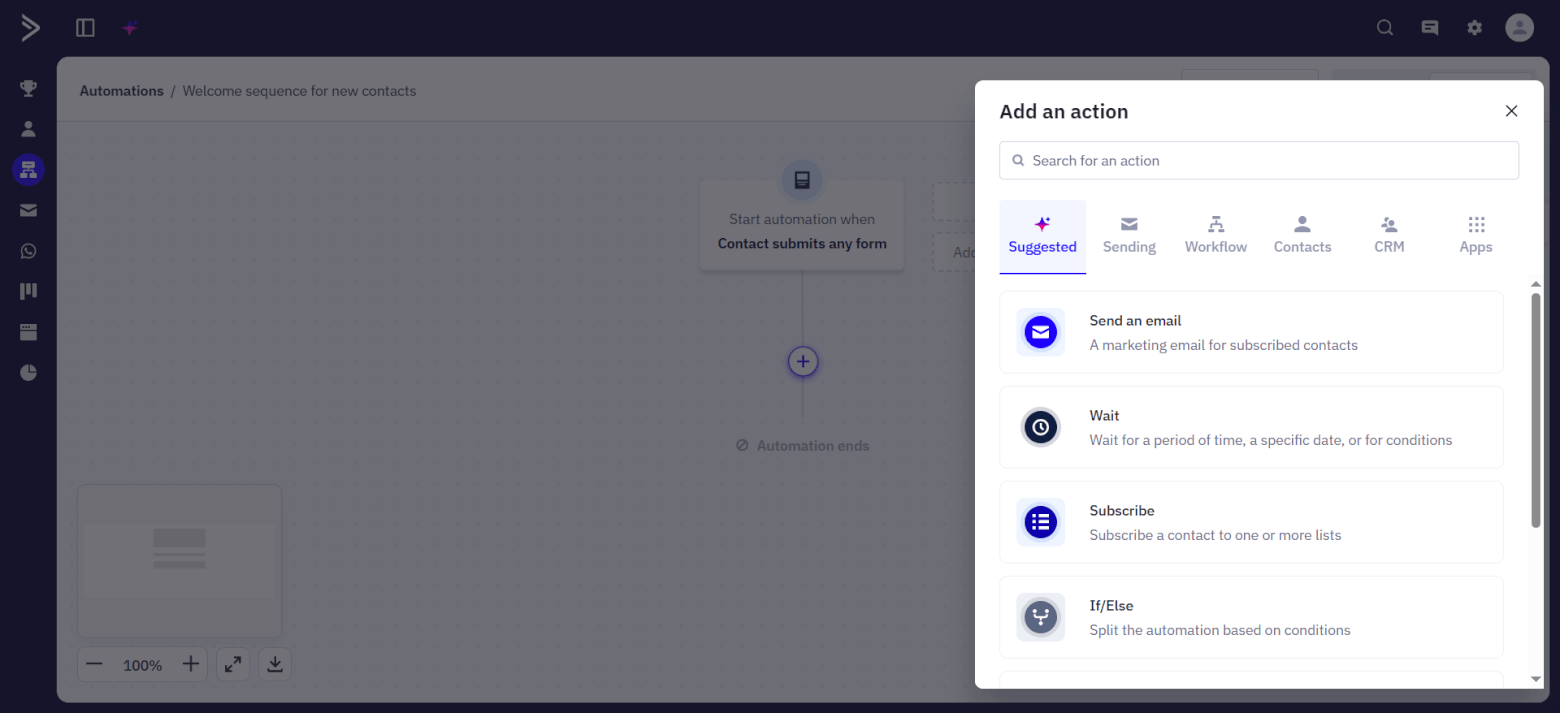
It also supports webhooks (so you can push data to other systems), and it’s easy to build multi-step journeys with conditions and branching logic. For marketers, this is gold: you can build behavior-based funnels that feel personal without manually running them.
Keap also offers a visual drag-and-drop Automation Builder, and Keap has been modernizing it with a more guided experience. But it’s a lot more limited than ActiveCampaign’s. For starters, you only get a dozen templates to start off with, which focus mainly on automated follow ups and notifications:
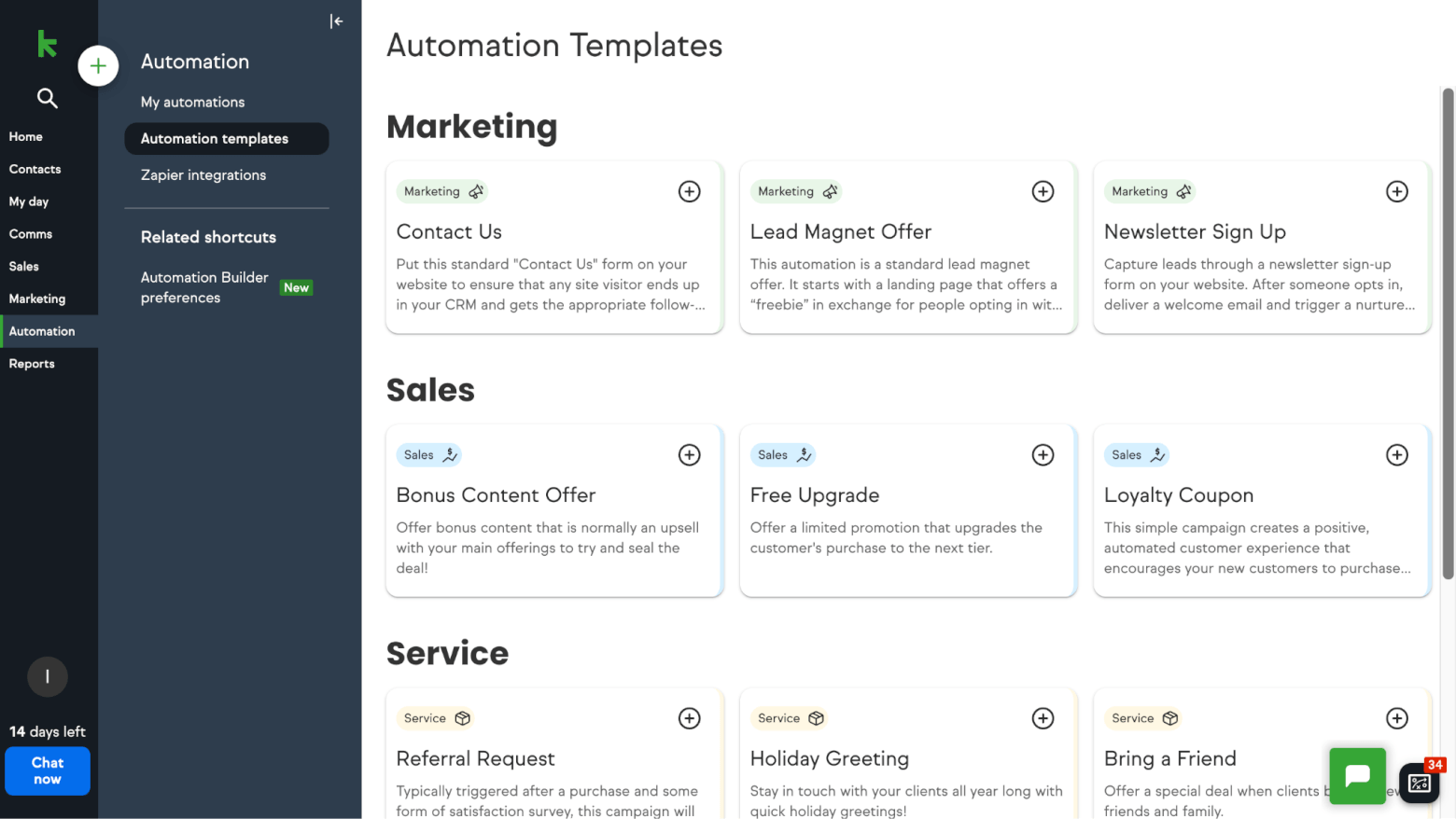
Switching from the “easy” to the “advanced” automation builder (yup, Keap has two) does give you more options, including a wider range of triggers and actions. But it doesn’t support branching logic, split testing, or conditional filters in the way ActiveCampaign’s automation builder does, which can be frustrating if you’re looking to build sophisticated, behavior-driven workflows.
However, one bonus is that you can easily set up Zapier integrations, thanks to a built-in library of Zapier-powered workflows.
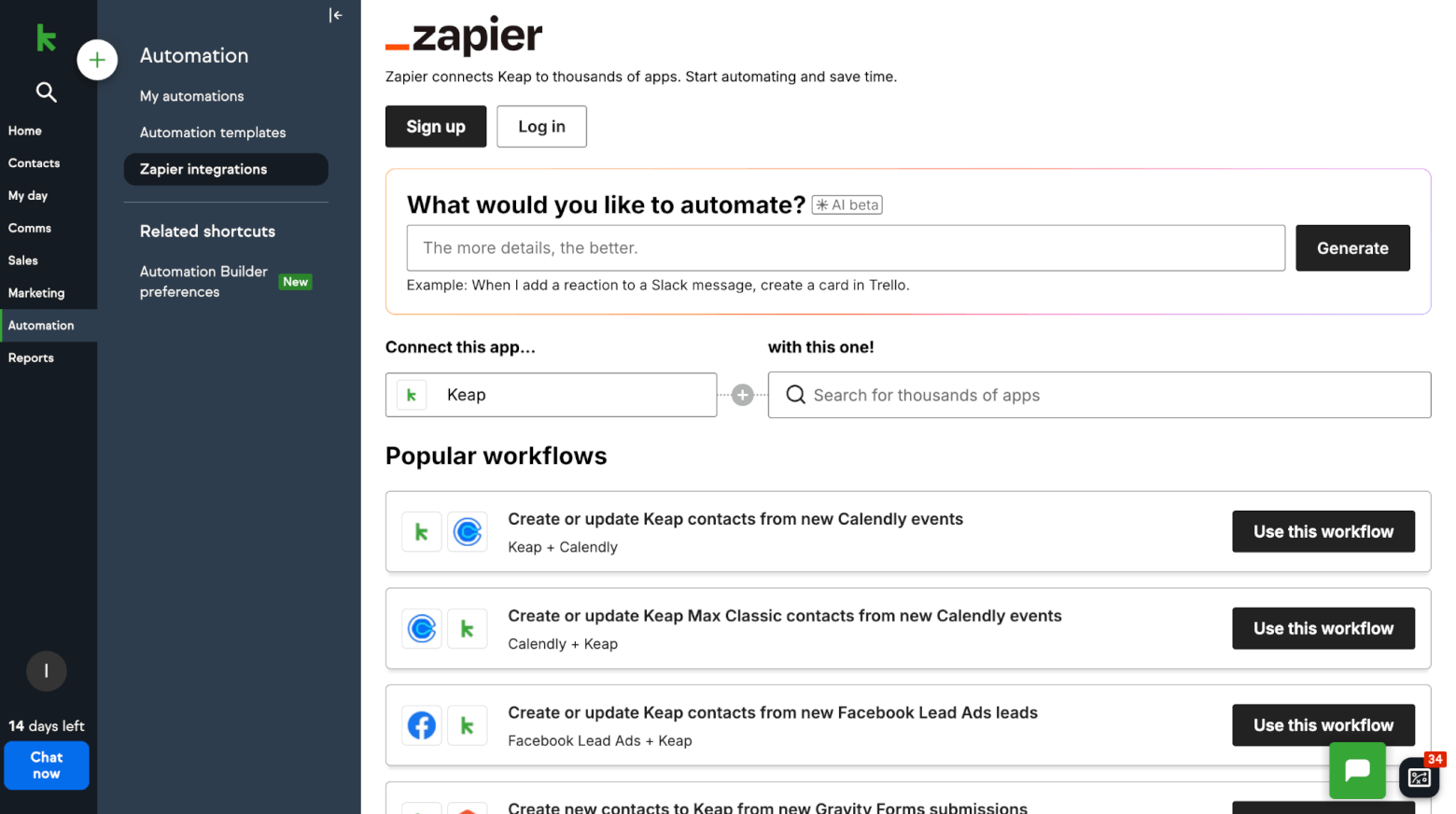
Overall though, ActiveCampaign tends to win when you want deeper marketing logic, more granular triggers, and a more “marketing lab” style of workflow building.
Winner: Given how much flexibility ActiveCampaign offers (especially for behavior-driven marketing), it takes this round.
Score: Keap – 1, ActiveCampaign – 2
Pipeline Management
Pipeline management is the heart of a sales CRM: how clearly you can see deals, customize stages, and keep opportunities from going stale.
ActiveCampaign’s CRM is an add-on that lets you manage deals through a kanban-style pipeline. Stages can be customized to suit your sales process, and deals can be dragged and dropped across stages easily. You can also build multiple pipelines for different products or teams.
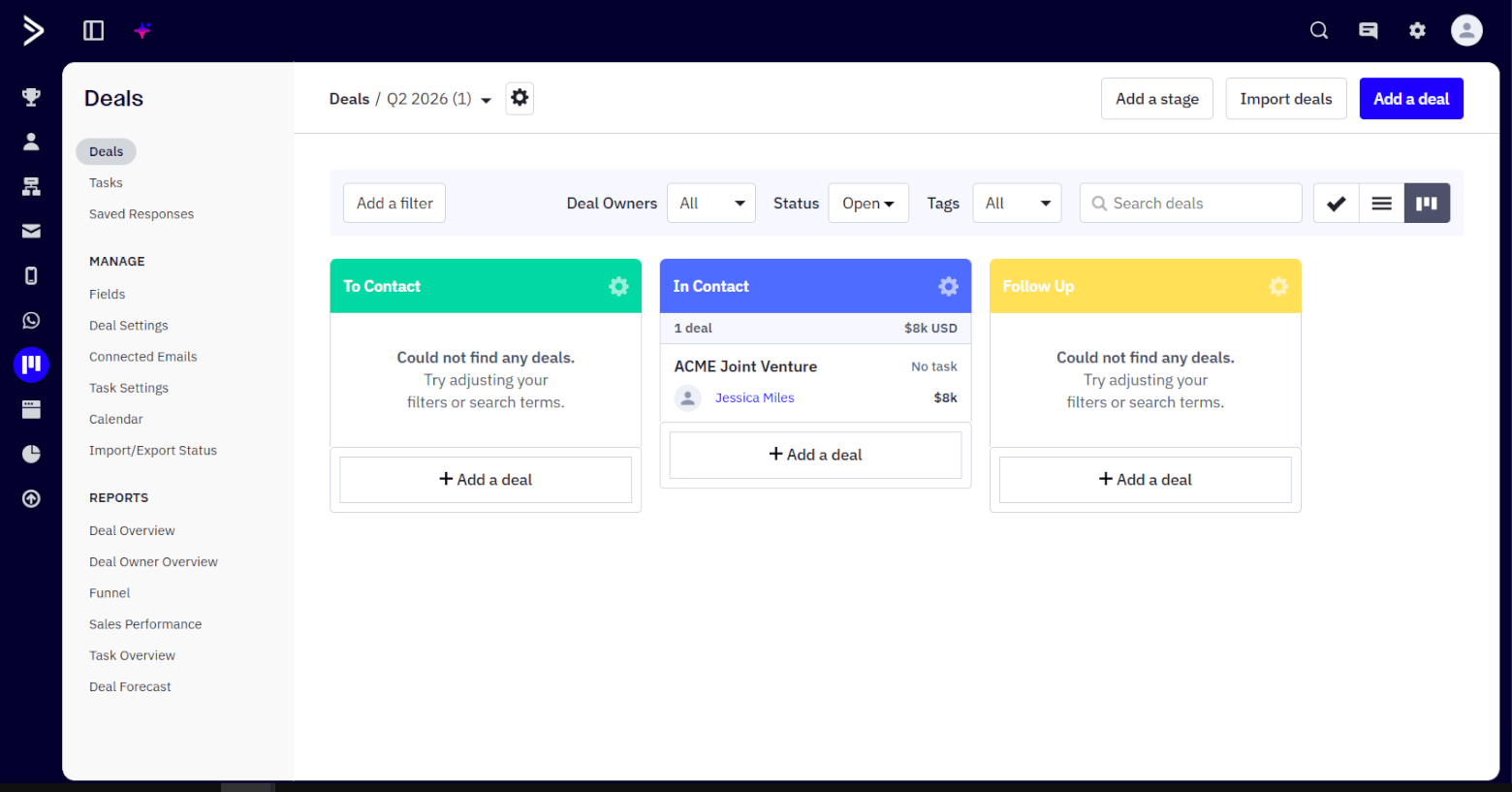
It’s flexible enough for teams that want pipelines tied tightly to automations — for example, moving a deal stage can trigger tasks, emails, sales rep assignments, or internal notifications.
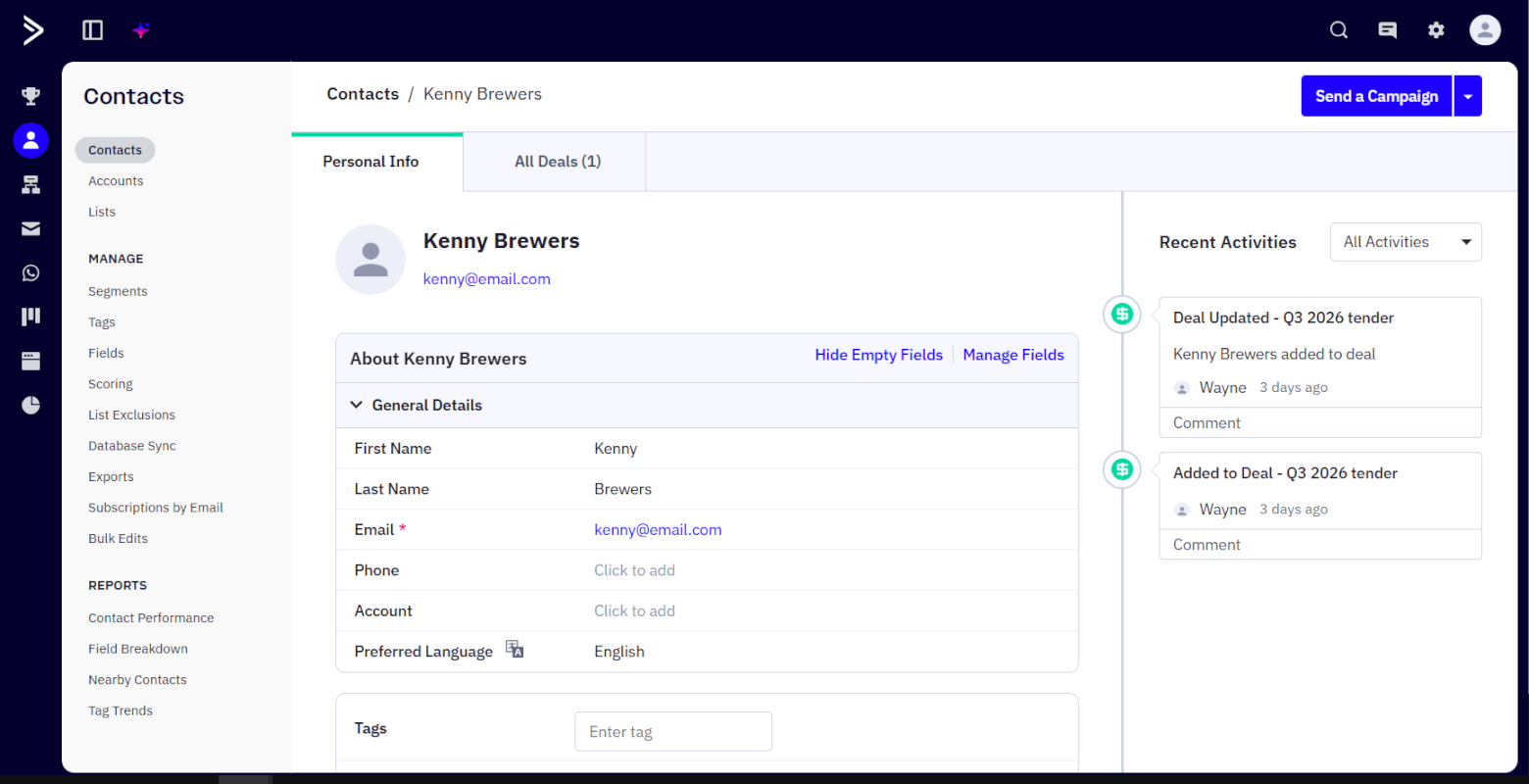
ActiveCampaign is also good at blending sales activity with marketing behavior, so you’re not managing deals in a vacuum. For example, within ActiveCampaign, sales teams can see not only deal data – they’ll also see if contacts have opened/clicked emails, visited the website, and shown interest in a product. All of this helps sales teams act with the right movement.
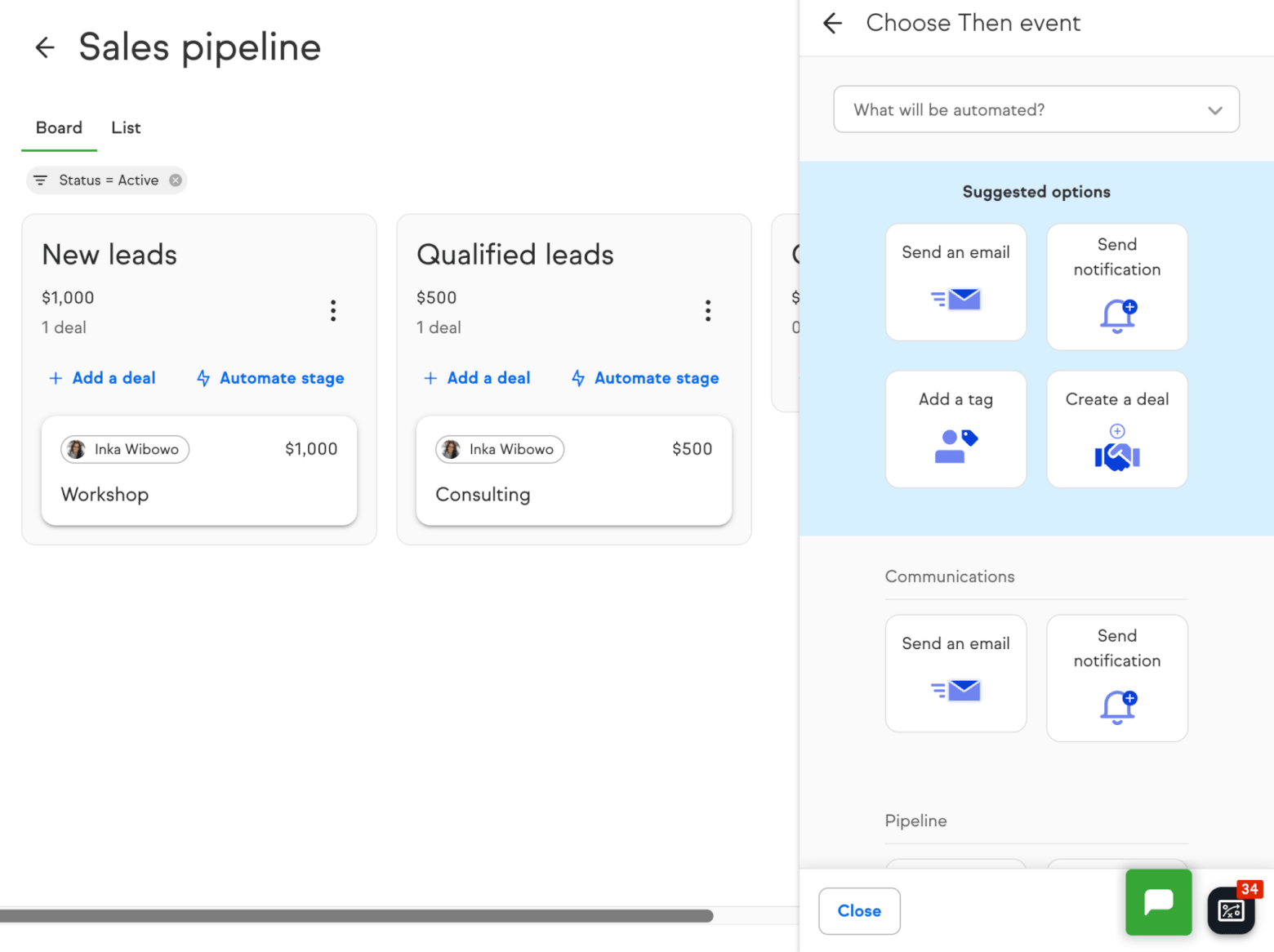
Keap focuses on keeping pipelines simple and visual. Like with ActiveCampaign, you can also customize stages, drag and drop deals, and create multiple pipelines (useful if you sell different services or have separate funnels, or even want to manage projects out of Keap).
One great feature is how easy it is to automate actions directly from the pipeline (bypassing the automation builder altogether). For example, you can trigger email sends and notifications, create/move deals, and create tasks automatically.
However, where Keap often feels limited is in visibility. Deals tend to sit somewhat passively in the system, without giving you an idea of context or urgency. For example, you won’t automatically see whether a deal has gone cold, how long it’s been inactive, or whether engagement has dropped off, unless you actively build that logic yourself.
ActiveCampaign does a better job of tying deal progression to real-time behavior and automation. You can trigger actions based on inactivity or engagement, automatically move deals between stages, and surface high-intent leads without manual intervention.
It’s also stronger when it comes to predictive sales insights and forecasting. Through its AI-powered Win Probability feature, you’ll get a score on how likely each deal is to close based on engagement, deal stage, and historical outcomes.
Not only that: there is also lead scoring, which lets you score both leads and deals based on engagement and behavior. Score thresholds can then be used to trigger automations (e.g., create a deal, assign an owner, notify sales, move stages). Note however that these features are only available on higher tiers.
Keap doesn’t offer any kind of predictive deal scoring, making it more reliant on manual judgment. While it does offer contact-based lead scoring, this is limited to actions such as tags applied, web forms submitted, links clicked, and emails opened. What’s more, it’s only available on Keap’s highest-tier plan, Max.
Because ActiveCampaign’s scoring is tightly connected to its broader automation + segmentation engine (and is generally more flexible), it gets the edge. In my experience, Keap scoring feels more “small business practical” than “deeply customizable marketing science”.
Winner: Both platforms let you customize stages to match your process, but if you want deeper visibility and automation of your pipeline, ActiveCampaign has the edge.
Score: Keap – 1, ActiveCampaign – 3
Deal and Contact Management
A CRM lives or dies by how well it handles the basics: contacts, companies, deals, and the context around them.
ActiveCampaign has rich contact profiles that naturally connect marketing data (opens, clicks, site visits if enabled) with sales data (deals, tasks, notes). It’s very segmentation-friendly, and it pairs well with lead scoring so your database doesn’t become a junk drawer.
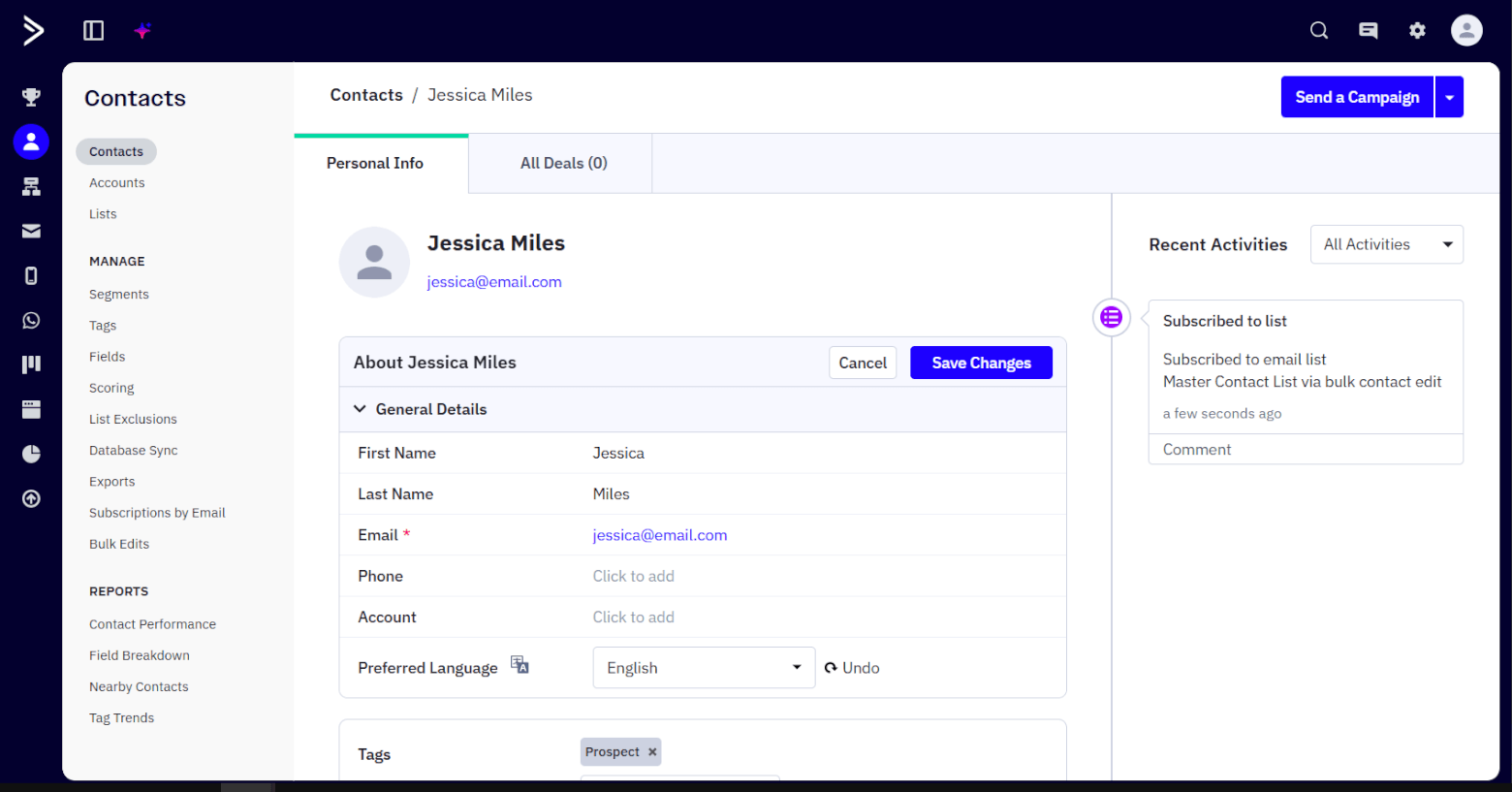
Custom fields are another big strength (you can create as many as you like), and overall the system is built for marketers who want to slice and filter audiences in smart ways.
Keap is strong on practical contact history: contact details plus a record of interactions, and it’s designed for business owners who want one place to manage relationships. That said, Keap does have a limit of 100 custom fields for contact and company records, which can matter if you like heavily customized records.
I also found Keap’s deal records a little on the simple side. Sure, it’s easy to view all the important information at a glance, but I found it strange that I couldn’t associate tasks to a deal – instead, tasks need to be attached to a contact. If you have multiple open deals associated with a contact, this could get messy.
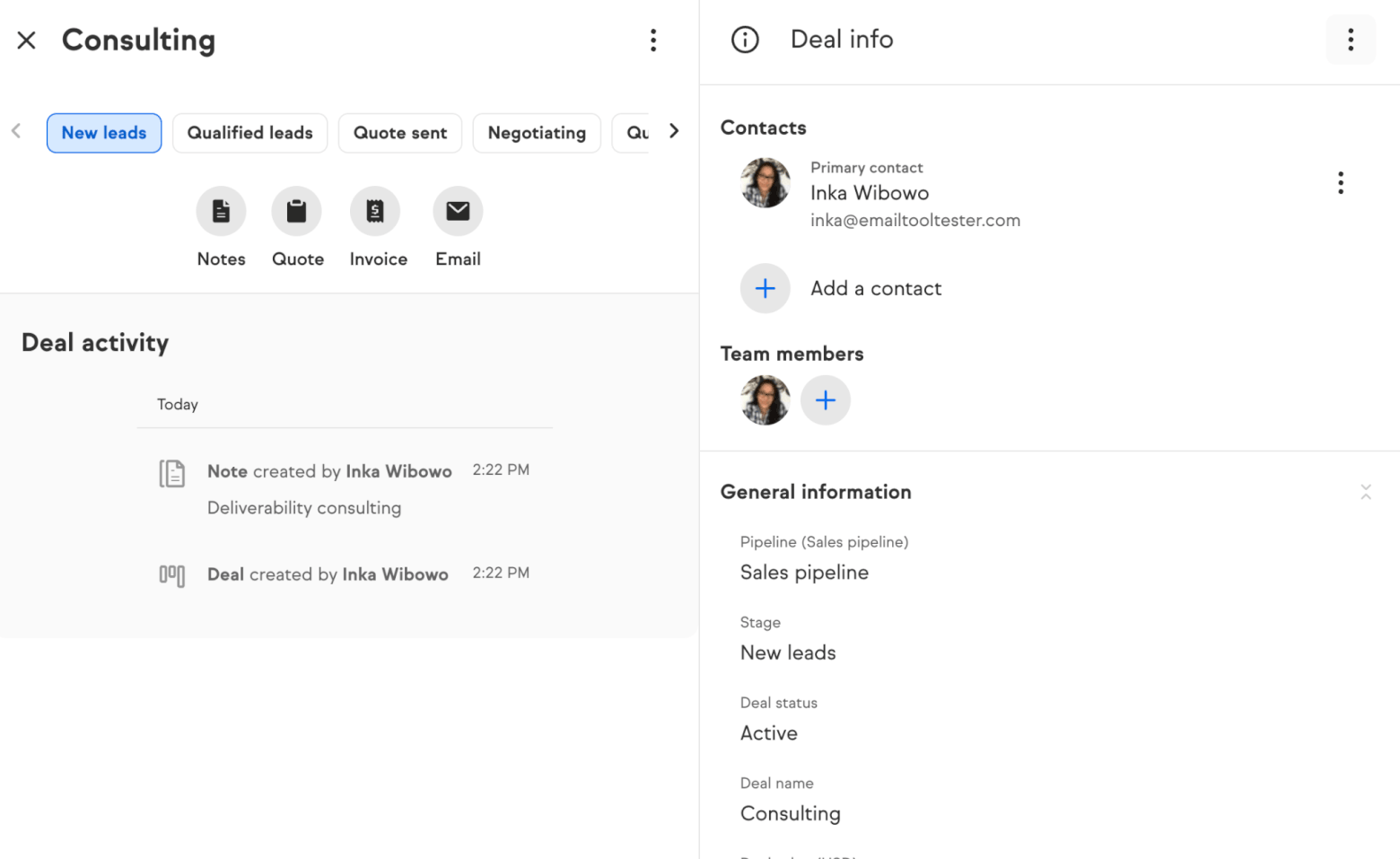
Similarly, deals don’t show any information about the company associated with them – instead, they require you to attach them to a contact. Again, I feel like this is important context to include.
Another important distinction: if you’re moving from another CRM, Keap will only let you import some information (contacts, notes, and tags) for free. Anything else – including deals – requires the purchase of a paid import package (more details on that in the pricing section below). ActiveCampaign lets you import deal data on your own via CSV, and doesn’t require any paid extras to do so.
Winner: When it comes to managing tags, segments, behavioral data, and lifecycles, ActiveCampaign feels a lot more powerful and flexible than Keap.
Score: Keap – 1, ActiveCampaign – 4
Sales and Billing Tools
When it comes to payment, monetization and commerce features, the difference between Keap and ActiveCampaign is quite stark, as they’re built with very different priorities.
Keap offers a genuinely all-in-one approach. You can create quotes, turn them into invoices, set up products, build checkout forms, and accept payments, all within the platform. It also supports recurring payments and automated reminders, making it possible to manage the entire “quote-to-cash” process without relying on external tools.
In practice, this works well for service-based businesses, coaches, or small teams selling directly to customers, where simplicity and having everything in one place may matter more than flexibility.
ActiveCampaign focuses heavily on marketing automation and CRM, but does not natively support billing features like invoices, payments, or checkout flows. Instead, it relies on integrations with external tools (for example Stripe, Shopify, or other payment platforms) to handle transactions.
Its focus is mainly on what happens around the sale: you can build automations tied to purchases, track revenue back to campaigns, and personalize follow-ups based on buying behavior.
Winner: If you’re after built-in sales and billing tools, Keap is the clear winner. ActiveCampaign won’t replace your billing software, but instead focuses more on driving conversions, upsells, and retention through automation and data.
Score: Keap – 2, ActiveCampaign – 4
Landing Pages and Forms
When you start looking more closely at how forms and landing pages are actually built and used, the gap between Keap and ActiveCampaign becomes even more apparent, especially around templates and builder flexibility.
With ActiveCampaign, you can choose from a wide range of pre-built, conversion-focused landing page templates, and adapt them using a drag-and-drop builder with structured elements like rows, columns, buttons, forms, and images. In practice, this means you could take a webinar registration template, swap in your branding, tweak the sections, and have a professional-looking page live in under an hour.
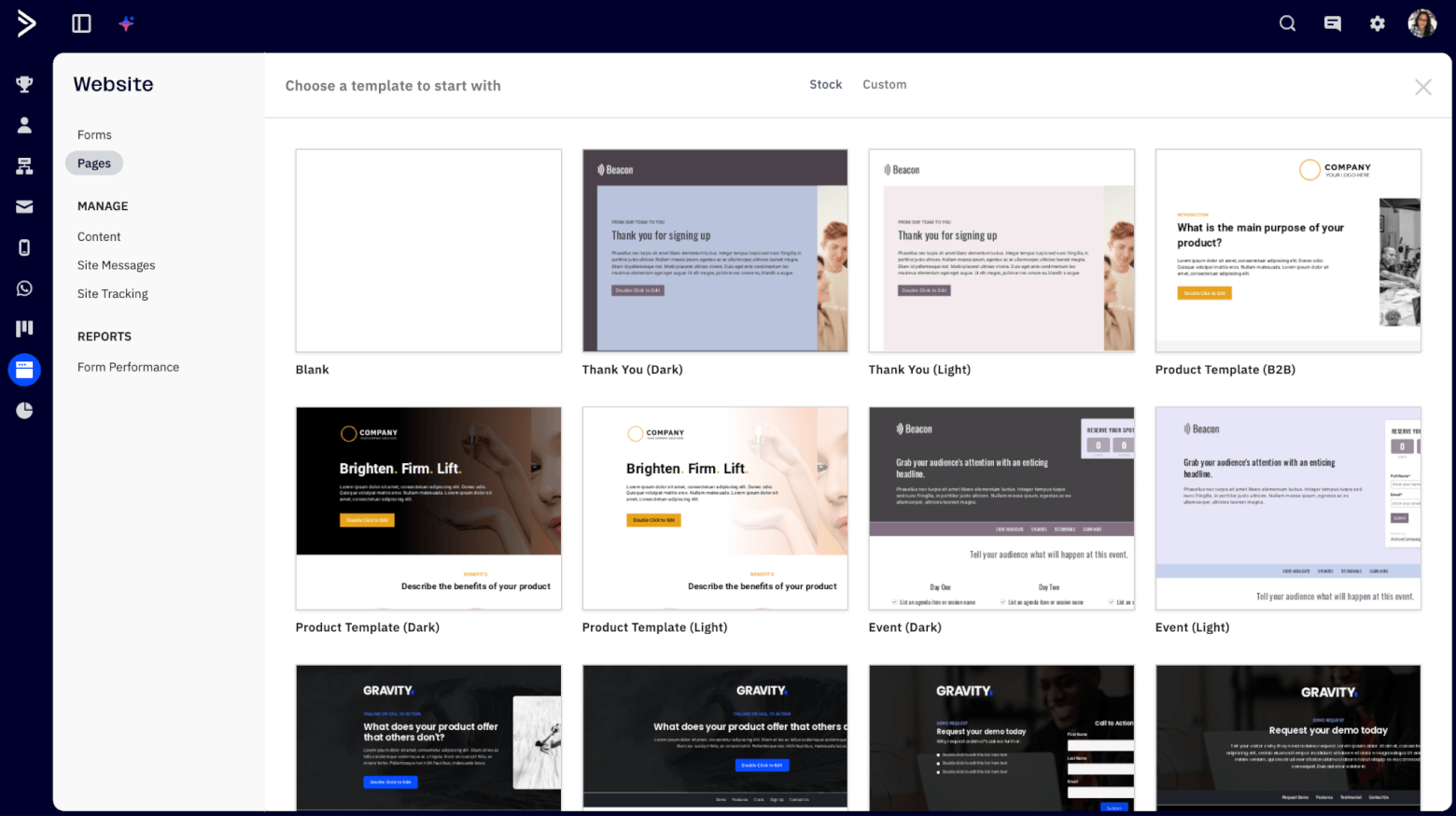
If you don’t like how a section looks, you can simply drag in a new block, rearrange the layout, or duplicate elements to create variations.
That flexibility also carries over to forms. You can adjust fields, add custom data points, and trigger multiple actions, like tagging the contact, adding them to a deal, and triggering a follow-up sequence all at once.
This becomes particularly useful when it comes to optimization. Because the builder is modular, small changes are quick to implement.
Keap, by comparison, tends to feel much more constrained. You can still create forms and basic landing pages, but the range of landing page templates is more limited, and the builders themselves offer fewer layout and design controls.
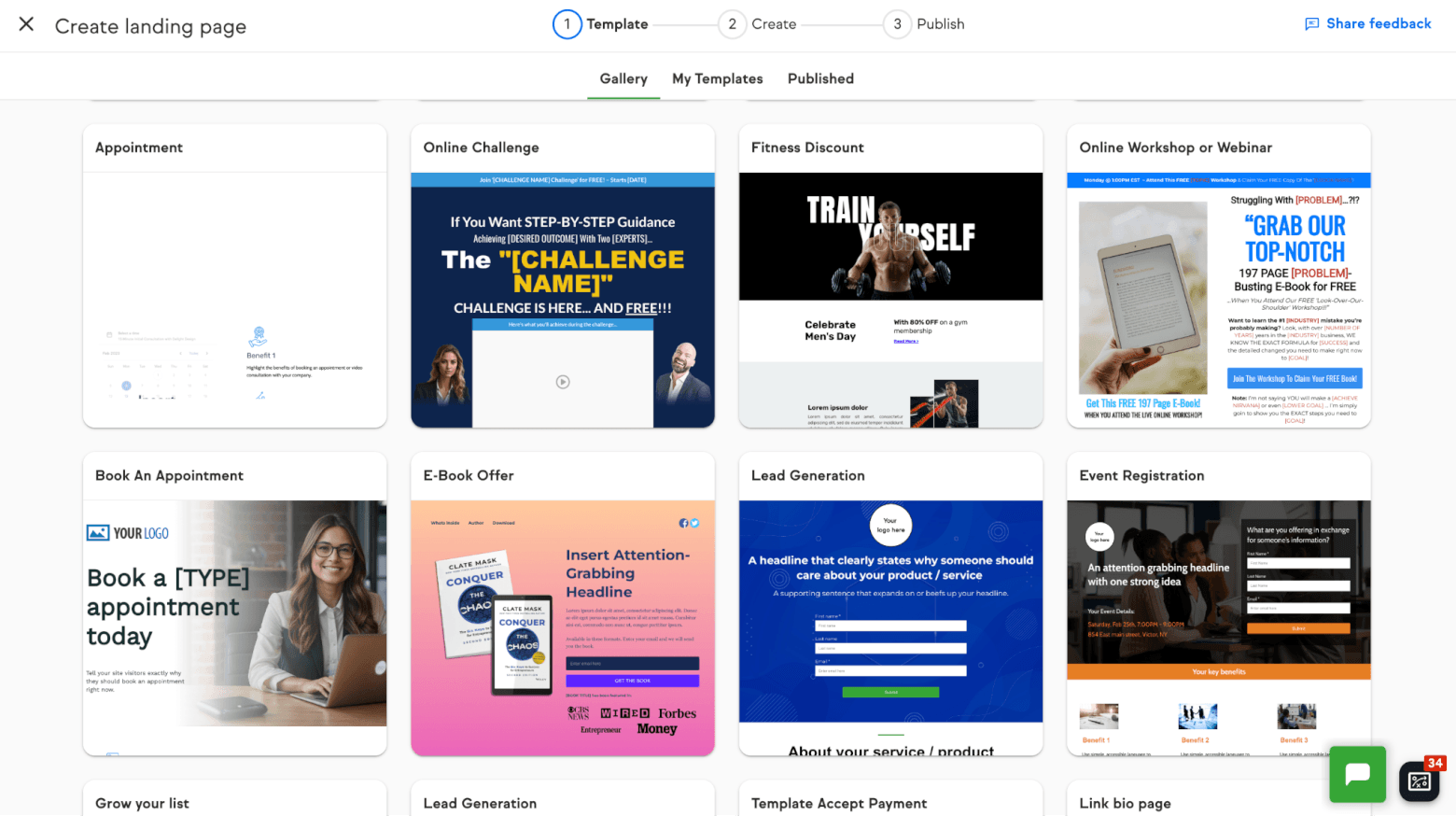
If you want to significantly change the layout of a page, like adding more complex sections, multi-step flows, or more tailored designs, you’ll likely hit a ceiling fairly quickly.
The same applies to forms: while Keap handles basic data capture well, it doesn’t offer the same level of customization or flexibility in how forms look, behave, or connect to more advanced workflows.
One novel feature within Keap is virtual fields, which can capture form responses without needing to create additional custom fields. It can be a convenient way to tag responses and run automations. However, the trade-off is flexibility: because these fields don’t get synced to contact records, it can be harder to use these for segmentation, and to trigger behaviour-based experiences.
Winner: If your goal is just to get a form on your website and start collecting leads, Keap will get you there quickly. But if you want to build and continuously improve high-converting landing pages, experiment with different layouts, or tailor the experience to different audiences without rebuilding everything each time, ActiveCampaign’s templates and builder give you far more room to work with.
Score: Keap – 2, ActiveCampaign – 5
Reporting
Reporting is how you stop guessing: what’s converting, what’s stuck, and what’s actually driving revenue.
ActiveCampaign offers solid reporting across marketing and sales. It’s especially useful if you want to connect email engagement and automation performance back to pipeline outcomes, with detailed views into email campaigns, automations, and contact behavior. There are also a handful of deal-related reports included by default, including:
- Deal overview
- Sales performance
- Task overview
- Deal forecast
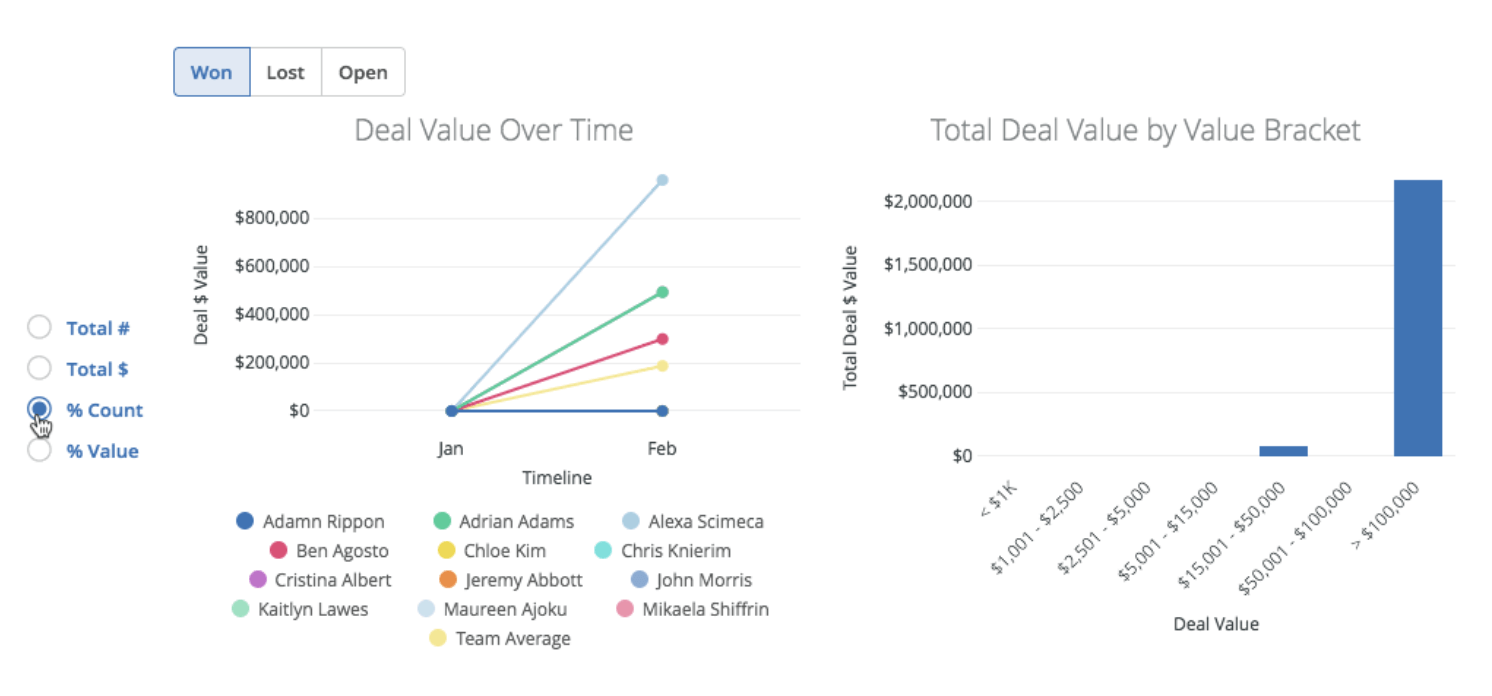
There’s also a Custom Reports feature that lets you build more tailored views of performance, although note that this is a paid add-on.
Keap has built-in reporting designed for small business visibility. You get a handful of sales-based reports by default (including an “all sales” report, plus payments and receivables reports).
There are also a longer list of engagement-based reports that is grouped under “Contact tracking”, which dive deeper into email performance, form conversions, contact behavior, and more:
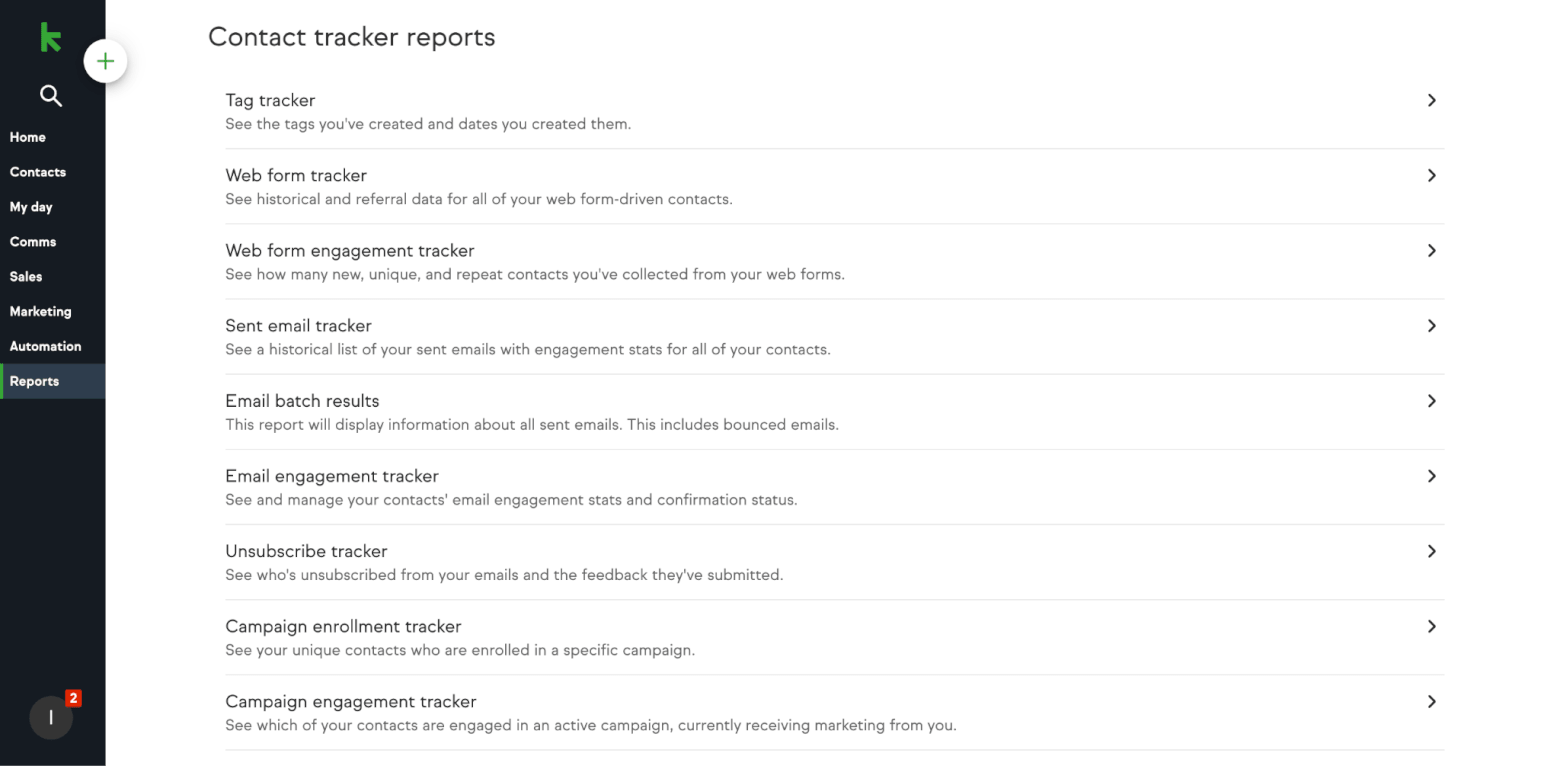
But the pipeline and deal reporting feels light, especially if you’re on Max Classic (the lowest tier). On this tier, I couldn’t see any kind of reporting relating to sales performance, win rates, deal conversions etc. And according to their website, you’ll need to be on Keap’s Max plan to access this kind of advanced reporting.
Winner: For many teams, Keap’s reporting may be enough. But if you’re the type who wants more granular, build-your-own reporting across marketing + CRM dimensions, ActiveCampaign tends to go further.
Score: Keap – 2, ActiveCampaign – 6
Integrations and Apps
Integrations decide whether your CRM becomes your hub… or a silo. So, which tool can slot more seamlessly into your existing tech stack?
ActiveCampaign has 1,000+ integrations and supports connectors like Zapier and Make, plus popular direct integrations across ecommerce, ads, forms, calendars, and more. For marketers with a busy stack, this is a big plus.
Keap has a solid integrations ecosystem too. Keap offers thousands of apps via Zapier, and it has its own marketplace plus an open API approach. Keap also has notable small-business-friendly connections (e.g., QuickBooks Online sync).
Winner: In this case, it’s a tie! If you want the broadest “marketing stack” flexibility, ActiveCampaign usually edges it. However, if you’re more ops/payments/accounting heavy, Keap’s ecosystem holds up well.
Score: Keap – 3, ActiveCampaign – 7
Support
Support can be the difference between “quick fix” and “lost afternoon.” So it’s important to pick a platform that will be there for you when you really need it.
ActiveCampaign offers a strong Help Center (where you’ll find setup guides, how-to articles, and troubleshooting documentation), and in-app support options. Live chat (English only) is available Mon–Fri (3am–11pm CT) and also Sunday hours (limited). That’s decent coverage, though not full 24/7. However, phone support isn’t available.
Keap’s support is very accessible: you have chat support 24/7, and they also list phone support hours by region/time zone (with long weekday coverage). Keap additionally offers Keap Academy training, which is genuinely useful if you want structured learning rather than just troubleshooting.
My only gripe with Keap’s support is that its help documentation is combined with content from other products like Thryv. This makes it harder than it should be to find relevant answers, as search results often include articles that don’t apply to Keap.
Winner: While both do a good job of providing comprehensive help documentation, Keap has the edge if you value near-always-on access and phone availability.
Score: Keap – 4, ActiveCampaign – 7
Prices
We’ve come to the all-important final round of pricing… and here, one platform is a lot more “small business-friendly” than the other.
ActiveCampaign:
- No free plan, but they do offer a 14-day free trial (for up to 1,000 contacts and 100 email sends, and trial features aligned to their Professional set).
- Entry pricing is far more approachable than Keap. Their Starter plan starts at around $15/month for 1,000 contacts, and Plus (the tier where key features like advanced automations and landing pages show up) starts at $49/month.
- Prices go up based on how many contacts you have, and you can also upgrade to higher-tier plans to access features like predictive and conditional content, attribution/conversion tracking, and custom objects.
- CRM features and custom reporting are not included – each of these requires a separate add on (starting at $49 and $159/month respectively)
- Annual discounts are available
- Best for: teams who want strong email + automation and are okay paying more as they add advanced sales features.
Keap:
- No free plan, but Keap offers a 14-day free trial
- Keap tends to be priced as a premium all-in-one, asking for a bigger monthly investment. It starts at $299/month for 2 users and 1,000 contacts – a big price jump from ActiveCampaign’s plans.
- However, this includes all of Keap’s tools, including email marketing, landing pages, CRM/pipelines, payment processing features, appointment booking, and reports.
- With Keap, you need to pay a little extra attention to the fine print. It charges a mandatory implementation fee and is not very clear on how much it costs. What’s more, there are additional charges for optional services like data imports, email list cleaning, and membership to its monthly support services. More details are available here.
Winner: ActiveCampaign is usually the better value if you mainly want email marketing + serious automation with CRM on top. Keap’s pricing only makes sense if you truly want an “all-in-one small business machine” and you’re comfortable with the higher starting cost (and onboarding fee).
Score: Keap – 4, ActiveCampaign – 8
Keap vs ActiveCampaign: Final Thoughts
Adding up the rounds, ActiveCampaign wins overall. It’s stronger in the areas that matter most to marketers and digital teams: email marketing depth, automation flexibility, web tracking, lead scoring, reporting, integrations, and language support.
That said, I wouldn’t call Keap a “loser” here. Keap is fantastic if you want a guided, small-business-first CRM where pipelines and follow-up are easy to run. It also wins on ease of use and support, and its all-in-one approach can be a relief if you’re trying to reduce tool sprawl.
If you’re like me — always trying to automate your way to more free time — ActiveCampaign is usually the better long-term engine.
My advice: take both for a spin with their 14-day trials, map your real workflow (lead → pipeline → follow-up → reporting), and choose the one that feels easiest to maintain for the next 12 months.
> Try ActiveCampaign for free for 14 days
> Try Keap for free for 14 days
Want more options? Check out other CRM reviews and comparisons before you commit.
The authors
Learn more about us

Our Methodology
This article has been written and researched following our EmailTooltester methodology.
Our Methodology