

Writing a welcome email often seems so simple. A prospect or lead subscribes to your list. You send them a “welcome” message and deliver the freebie you promised. But that assumption is exactly why many welcome emails underperform.
Yes, welcome emails get 4x higher open rates and 5x clickthrough rates than regular campaigns. But you get those numbers only if your welcome email copy is well-written. Otherwise, subscribers ignore or skim your welcome email and disappear.
A great welcome email isn’t just a quick “thanks for signing up” message, a coupon delivery, or a generic introduction. It’s the first real interaction subscribers have with your brand and shapes how they’ll engage with you moving forward.
That’s why writing a welcome email isn’t just saying “welcome.” It’s delivering immediate value to subscribers, setting clear expectations, and building trust from day one. Get it right, and your subscribers will engage better, click more, and take action faster.
In this guide, you’ll learn how to write a welcome email that subscribers open, read, and click. We’ll break down the steps for writing the core elements of a welcome email, from the subject line to the body copy and CTA.
Let’s get started.
The Anatomy of a Welcome Email That Gets Opens, Clicks, and Replies
Every high-performing welcome email follows the same core structure. Whether it’s an ecommerce brand, a SaaS product, or a creator business, the anatomy doesn’t change. Once you understand each part, you can write a welcome email copy that engages your audience and drives action.
1. The subject line
Your welcome email subject line has one job: get the open. If subscribers don’t open the email, nothing inside it matters. Not the copy, the offer, nor the CTA.
The good news is that welcome emails have an added advantage. Subscribers have just taken action – they signed up, downloaded something, or created an account. So they’re expecting to hear from you, and that expectation boosts open rate.
But expectation isn’t a guarantee. Plenty of welcome emails still get ignored, especially when the subject line feels generic or automated. Subject lines like “Welcome to [Brand Name]” or “Thanks for signing up” are so overused that they blend into the inbox and give subscribers no real reason to click.
To earn the open, your welcome email subject line needs to do three things:
- Confirm the email is connected to their signup action
- Signal that they’ll get the value they were promised
- Sound human, not automated
Proven welcome email subject line style
The best subject lines are clear and specific. Because this is the first email a subscriber receives from you, clarity matters more than being clever. People are most receptive when they know exactly why you are emailing them.
To do this, anchor the subject line to the signup context. Did they sign up to get a free download? Created a free trial account? Joined for a discount offer? Whatever it is, reference it directly in your welcome email subject line.
Here are three subject line styles that work consistently:
- Clarity subject line
This welcome email subject line is simple, direct, and reassuring. It may seem almost generic, but the difference is specificity. It clearly confirms what just happened and what comes next.
Examples:
- You’re in, your trial starts now
- Your Webflow account is ready
- Welcome to Notion, let’s get you set up
- Value-forward subject lines
Use this type of subject line when subscribers sign up in exchange for a lead magnet. Whether it’s a discount offer, resource, or downloadable, let them know the email is delivering on your promise.
Examples:
- Your 10 percent discount code is inside
- Your free email templates, ready to use
- Curiosity-based subject lines
Curiosity can work in welcome emails, but only when it doesn’t come at the expense of clarity. The goal is not to be mysterious. It’s to spark interest while still grounding the subject line in the signup context.
Examples:
- One quick thing, before you dive in
- Read this before you start lesson one
- Before you use your discount code…
Speaking of non-generic subject lines, you can get creative with your subject lines, especially if you’re a personality-driven brand. Examples are these subject lines Chani Pollins used in her welcome email and confirmation email. “EAT THIS FROG…” certainly captures attention.

Image Source: Yemi Pelumi’s inbox
Remember to use preview texts to increase opens
The preview text is the short line of copy that appears next to or under the subject line (on mobile). It’s the second most visible part of your welcome email before it’s opened. Yet many businesses ignore it and miss the opportunity to significantly increase their open rates.
Strong preview text supports the subject line by adding context, urgency, or an extra benefit. Think of it as a continuation of the subject line, not a repeat.
Examples:
- Subject line: “Your free discount code is inside”
Preview text: “Plus, how to use it in under 10 minutes” - Subject line: “Here’s your free worksheet for [XYZ]
Preview text: “Plus a quick tip to get started today” - Subject line: “Welcome to [XYZ]”
Preview text: “Here’s how to get the most value in your first week”
One more reason to use a preview text…
When you leave the preview text box empty, your email service provider (ESP) automatically shows the first few lines of your email as the preview. This preview might not support the subject line or might give away the reason to open the email.
For example, if your discount code appears at the top of the email, subscribers may see it in the inbox preview and never open the message at all.
However, a blank preview text can still help you stand out.
This “blank preview” strategy isn’t the same as leaving the preview box empty. Rather, it involves typing a blank space in the preview box so nothing appears next to or beneath the subject line.
This can make your email visually distinct in a sea of emails in your subscribers’ inboxes. But if you choose this approach, your subject line must work on its own, because it will be doing all the heavy lifting.
An example is this email from Troy Ericson, which stands out because of the empty preview. Kristen Zavo’s email also stands out with the short preview text.

Image Source: Yemi Pelumi’s inbox
2. The hook (or intro)
The hook is the first line (or paragraph) your subscriber reads when they open your welcome email. In the millisecond it takes to read it, subscribers decide whether to keep reading or skim to grab the freebie they came for and move on.
Many businesses waste their welcome email hook. They open with a bland greeting like “Hi {first_name}, thanks for signing up,” followed by a long brand story that talks more about the business than the reader.
A strong hook does the opposite. It pulls subscribers in by making the email feel relevant, useful, or personally meaningful from the very first line. This makes them feel your welcome email is worth their time and gets them to keep reading.
Here are three ways to write your welcome email hook:
Identity hook
This welcome email hook taps into the human need for belonging. It reassures subscribers that they’re in the right place and that your email list exists for people like them.
Instead of focusing on your brand, an identity-based hook reflects the reader’s belief, goal, or frustration. To write one, focus on what your subscribers care about and name it directly.
Examples:
- “You signed up because growing an online store should feel simpler than it does.”
- “Congratulations on taking the first step to building better habits without burning out.”
- “You’re here because you want to send better emails, without overthinking every word.”
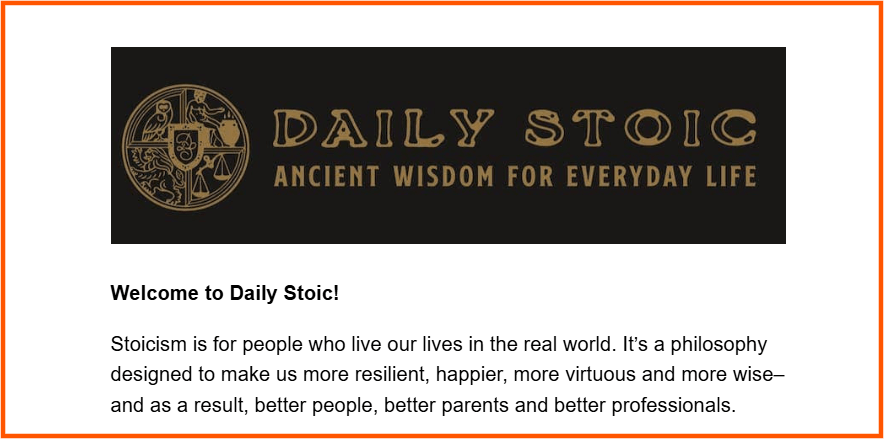
Image Source: Ryan Holiday
Clarity hooks
This hook style clarifies what’s in the welcome email and what subscribers should do next after joining your list. It’s also effective for when subscribers want confirmation that their subscription was successful, especially in SaaS tool sign-up.
Examples:
- “You’re all set! Here’s how to get started with [Product/Service Name].”
- “Your account is ready. Let’s walk through the first step.”
- “Here’s what you’ll find in this guide and how to use it today.”
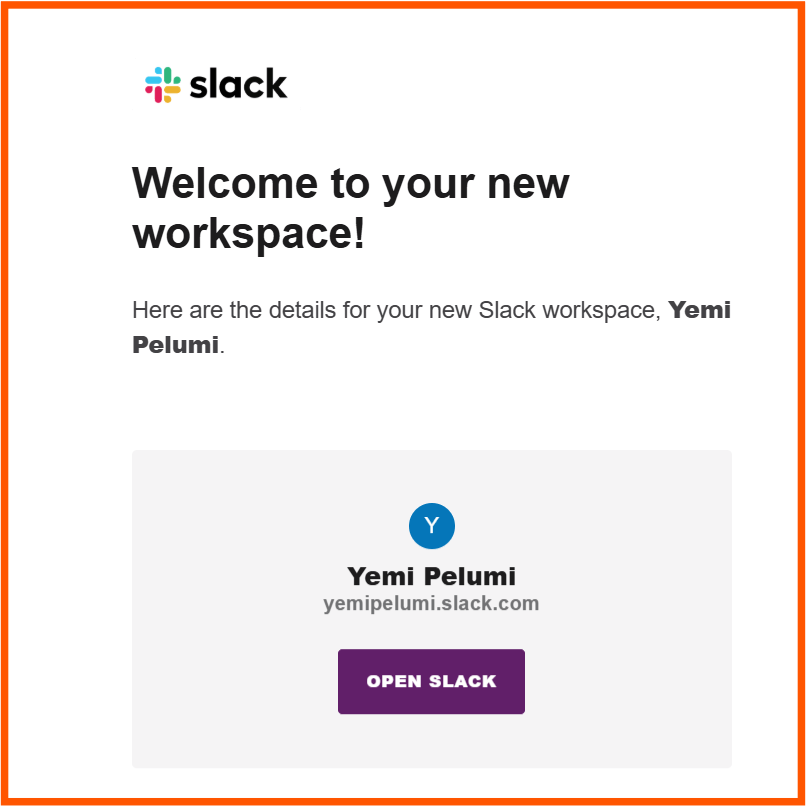
Image Source: Slack
Quick win hooks
This welcome email hook promises immediate value. It works when subscribers sign up to solve a specific problem and want results fast. The hooks signal that the payoff (solution) is coming now, and they should continue reading to get it.
Examples:
- Here’s your [freebie] to get started.
- Ready to take the first step to [specific outcome]?
- Your 10% off coupon is waiting.
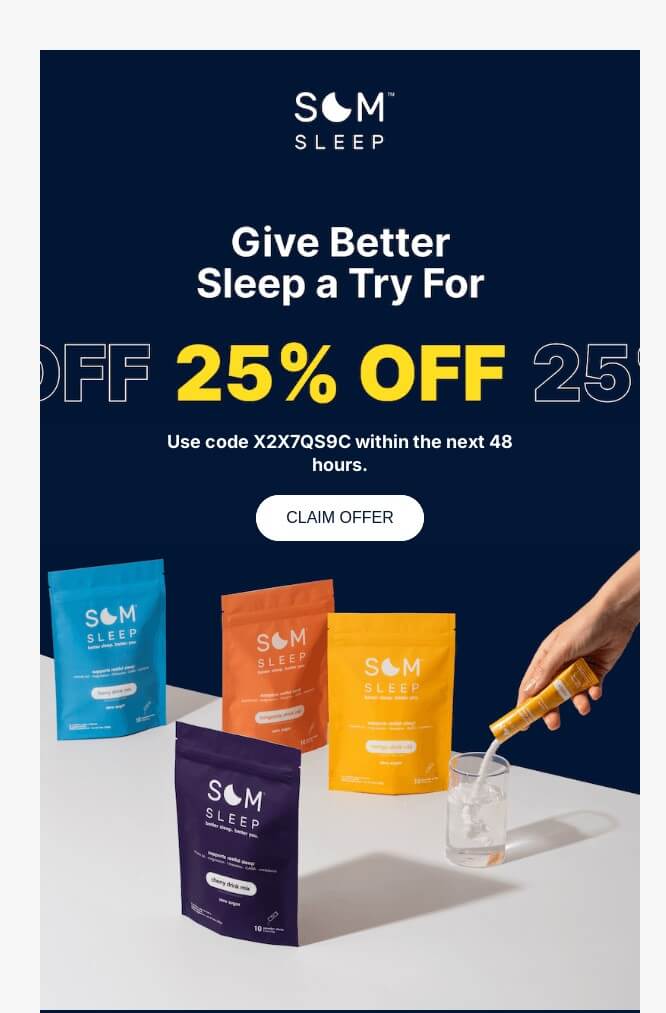
Image Source: Really Good Email
3. The email body
The body of the welcome email is where most businesses lose subscribers’ attention. They try to explain everything at once. They pile on links and talk too much about themselves. The result is an email that feels busy, vague, and exhausting to read.
When writing your welcome email, stop thinking of the email body as a place to “say more.” Start thinking of it as a place to do three specific things:
- Set expectations
- Deliver what was promised
- Guide subscribers to their first “aha” moment
When each of these is done well, the email feels focused instead of overwhelming. Let’s dig into how to do that.
Set expectations
New subscribers want to know the kind of relationship they just signed up for. Setting expectations answers their unspoken question of “what next?” And this helps build trust, reduces future unsubscribes, and improves long-term engagement.
At a minimum, you should tell them:
- What kind of emails you’ll send
- How often they’ll hear from you
Setting expectations doesn’t need to be long or overly formal. A single paragraph with a few clear sentences is often enough.
For ecommerce brands, expectations might be product launch info or discount sales. For SaaS businesses, onboarding tips and feature guidance. And for creators, lessons, resources, or behind-the-scenes insights.
Examples:
- You’ll hear from us once a week with practical email marketing tips, exclusive ESP discounts, and occasional updates when we release new tools or guides.”
- “We’ll send you short onboarding emails over the next few days to help you get set up quickly, then switch to weekly product updates.”
- “Expect one email a week with lessons, resources, and behind-the-scenes insights you can apply right away.”
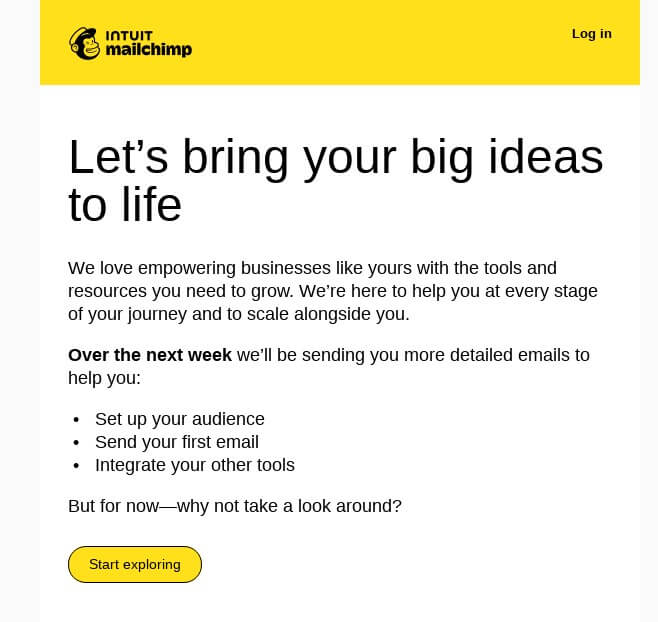
Image Source: Really Good Emails
Deliver what was promised
This is where trust is either reinforced or lost. If subscribers signed up for something specific, don’t bury it under long introductions, hide it in a paragraph, or make them wait for another email.
Deliver on your promise as early in the body copy, and make it obvious. If you promised a discount, include it in CAPS. If you promised a guide, link to it with a bold CTA button. If you promised access, show them exactly where to go.
Examples:
- “Here’s your 10% welcome discount: WELCOME10. You can use it on any item in the store.”
- “Your account is ready. Log in here and follow this three-step setup to get your account running today.”
- “Download your fee guide here. Start with page two, it outlines the framework we’ll build on.”
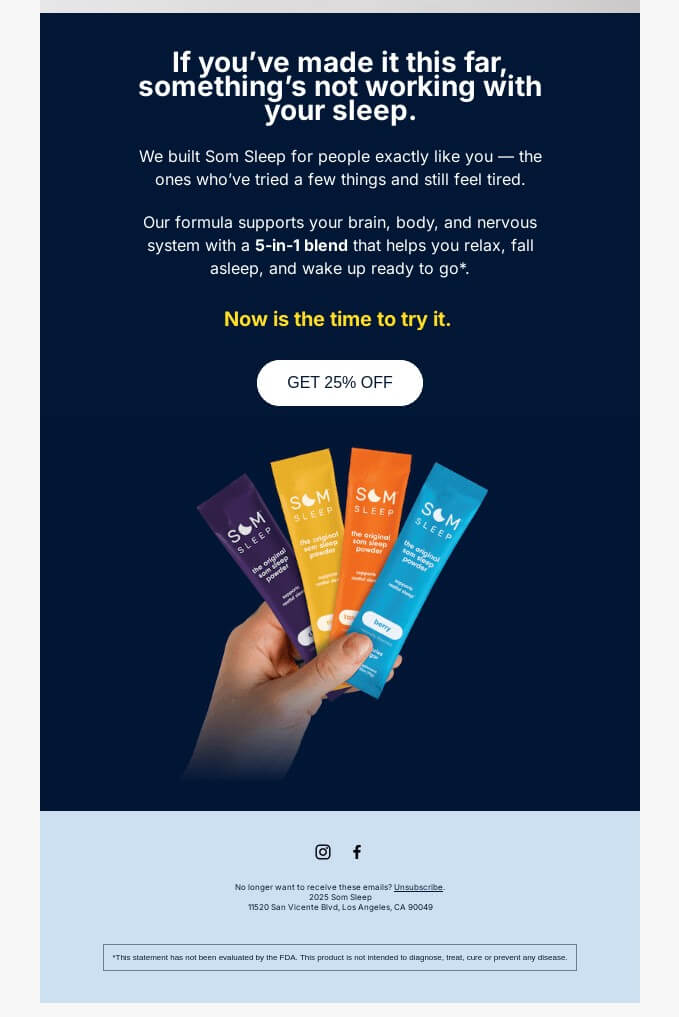
Image Source: Really Good Emails
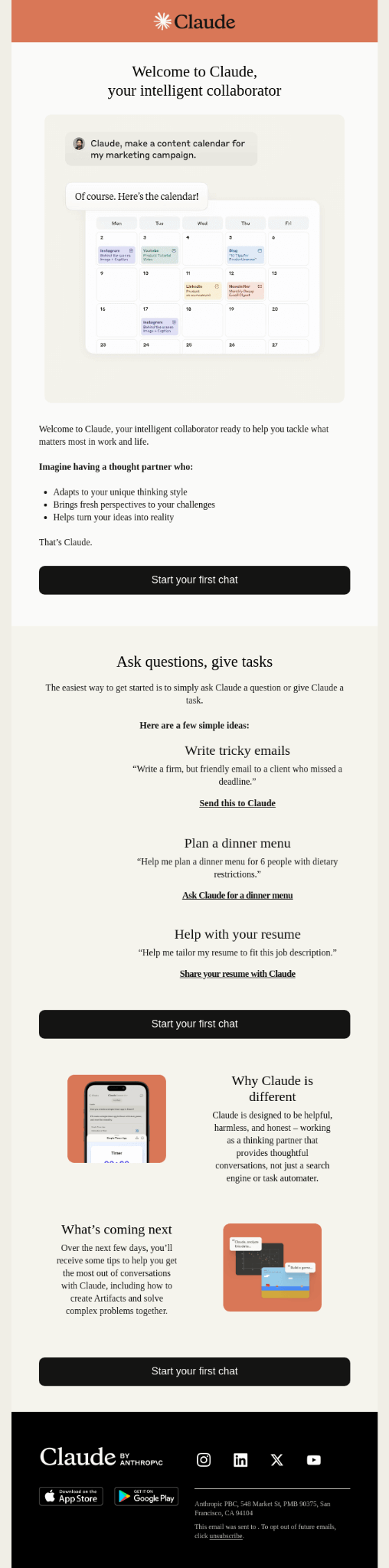
Guide subscribers to their first “aha” moment
After delivering the promised value, don’t stop there. Your welcome email’s next job is to help subscribers use it so they can experience their first “aha” moment.
The “aha” moment is the point where subscribers experience a quick win or a meaningful shift. It’s when they think, “this is actually useful” or “I’m glad I signed up.”
This turns your welcome email from informational into action-oriented. By guiding subscribers to a single, focused action, you help them experience value immediately instead of leaving them to figure things out on their own.
Examples:
- For an ecommerce brand, it could be guiding subscribers to use your discount code on bestsellers or items they showed interest in.
E.g., “Not sure where to start? These three bestsellers are customer favourites and the most popular items to use your discount on.”
- For a creator's brand, it could be pointing subscribers to the most helpful starting resource or lesson.
E.g., “If you want to get quick results, watch lesson one first. It covers the most common mistakes beginners make and how to avoid them.” - For a SaaS tool, it could be encouraging users to complete a key setup step that shows the product’s value.
E.g., “To get the most out of [Tool Name], we recommend starting with your first project. Most users complete this in under five minutes.”
 |
|---|
Image Source: Really Good Emails
4. The call-to-action (CTA)
The goal of the CTA in a welcome email is not to sell hard or offer a long list of options. Subscribers have just met you. They are still deciding whether your emails are worth their attention.
So, the action you ask them to take should feel simple, helpful, and closely tied to why they signed up in the first place. Think of the CTA as a nudge (not a shove) that guides them to take action.
High-performing welcome emails have one primary CTA – not a menu of five different things they could do next. Ask yourself, “What is the single action that would benefit the subscriber and move the relationship forward?” and make that your call-to-action.
When you give readers one obvious next step, you reduce friction and increase the chances they actually do something instead of postponing the decision.
Also, make sure the CTA is clear, specific, and outcome-focused. That means it should tell subscribers what will happen when they click. Avoid weak CTAs that make subscribers guess what’s next.
Strong CTA examples: Each of these tells subscribers what they’ll get or do next.
- “Use my 10% welcome discount”
- “Set up my first project”
- “Read the beginner guide”
- “Watch the first lesson”
- “Download the free checklist”
Weak CTA examples: These don’t motivate action because they don’t promise anything specific.
- “Click here”
- “Learn more”
- “Continue”
- “See details”
- “Get started” (without context)
When and how to use secondary CTAs
Although the best practice is to have a single, primary call-to-action, you can include secondary CTAs in your welcome emails. But make sure they don’t compete with the primary CTA for attention.
Secondary CTAs should feel optional and low-pressure. Their job is to give subscribers alternative ways to engage without distracting from the main action. You can place them as in-text links or in the PS section.
Examples of useful secondary CTAs include links to manage preferences, customer support, and social profiles. You can also have a “reply with questions” prompt below the main CTA.
That’s it – how to write a welcome email copy that performs well. If you get each core element right, your welcome email will grab the attention of new subscribers, engage them, and build trust.
Tips to improve your welcome email performance
Writing an engaging welcome email copy is only half the job. The other half is making sure that the email actually lands in your subscribers’ inboxes, feels relevant, and sets up your future emails for better engagement. Use the technical and strategic tips below to improve your welcome email performance.
1. Set up deliverability basics
No matter how well you write your welcome email, if it never reaches your subscribers' inboxes, they won’t even see it, let alone read and engage. So, you must do what you can to make sure your email delivers.
Because the welcome email is the first message sent to new subscribers, inbox providers pay close attention to its content. They use this to determine whether they’ll deliver the welcome email (and your future emails) to subscribers’ inboxes or send straight to spam.
In other words, your welcome email sets the tone not just for subscribers, but for inbox algorithms too. To ensure deliverability, your welcome email must be clean and compliant with email deliverability best practices.
Here are some deliverability basics to have in place:
- Use a clear sender name and photo
- Avoid overuse of sales-heavy language
- Include a visible and clickable unsubscribe link
- Enable double opt-in to get permission to send emails
- Add a short permission reminder at the bottom of the email
Examples of permission reminder:
- “You’re receiving this email because you signed up on our website.”
- “You’re getting this email because you requested our free guide.”
- “You signed up for updates from [Brand Name], and this is your first one.”
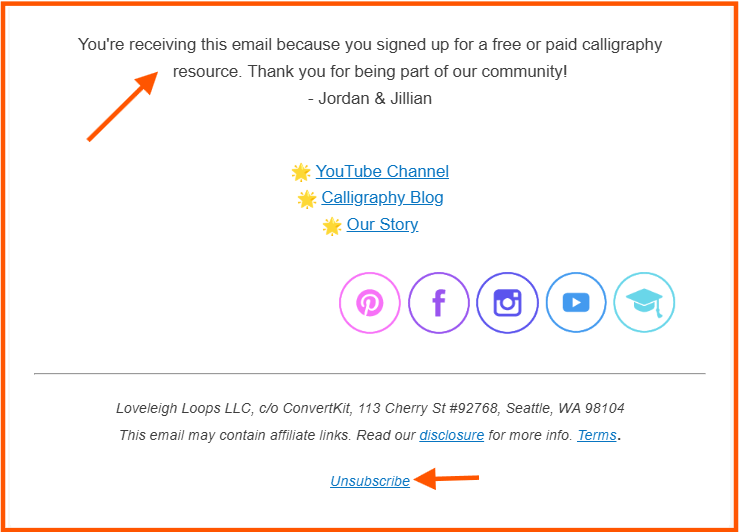
Image Source: Loveleigh Loops
2. Use double opt-in
Double opt-in adds an extra confirmation step before someone joins your list. It helps you make sure subscribers actually want to hear from you, improves list quality, reduces fake signups, and protects your sender reputation.
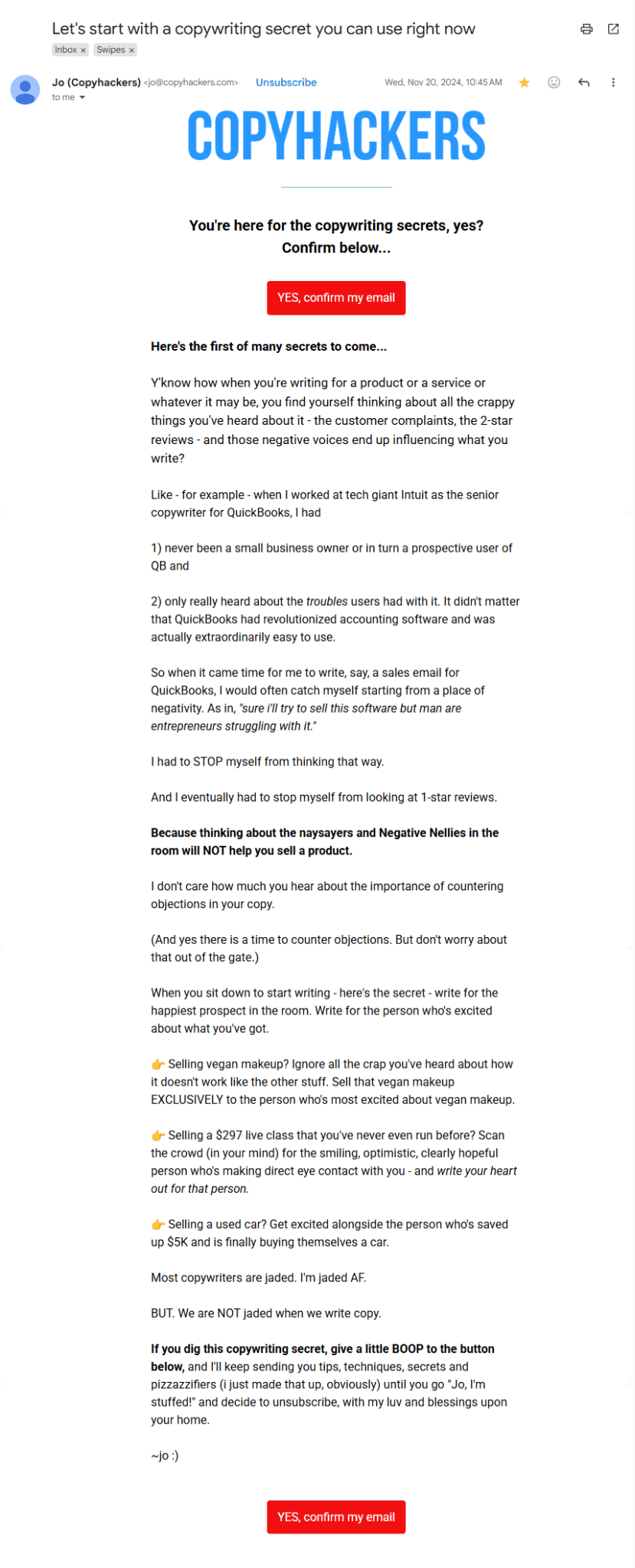
The downside is that some subscribers never open double-opt-in confirmation emails. One way to reduce that drop-off is to combine the confirmation step with your welcome email.
Instead of sending a regular “Confirm your subscription” message, write your welcome email to also serve as a double opt-in email asking subscribers to confirm their address. An example is this welcome email from Jo Wiebe of CopyHackers.
 |
|---|
Image Source: Jo Wiebe
3. Send the welcome email immediately
Delivery time matters. If your welcome email doesn’t arrive within a few minutes after signup, it’s already late. Because that’s when the subscribers still remember taking action and are most likely to engage.
Some businesses send only the confirmation email immediately and delay the welcome email because they don’t want to send “too many” emails. But this only confuses subscribers and leaves them thinking, “When did I subscribe to this?”
Most email platforms, including Mailerlite, Kit, Brevo, and Klaviyo, allow you to automate the delivery immediately after subscribers confirm. And again, you can edit the double opt-in email to serve as your welcome email.
4. Personalize beyond “Hi, {first name}
Subscribers are now used to seeing their first name in the salutation. It’s so common and expected that it almost doesn’t count as email personalization anymore.
To really make your email feel like it’s written for each subscriber, you have to personalize beyond “hi, {first name}.” Subscribers are more responsive when personalization feels relevant and intentional. And you don’t really need advanced data to do this.
Easy ways to personalise your welcome email:
- Reference the lead magnet, product, or page where they signed up
- Mention their stated goal or use case if you collected it
- Adjust the CTA based on signup intent
Examples:
- “You signed up to learn how to grow your store without spending more on ads.”
- “If your goal right now is to get your first campaign live quickly, watch this video.”
- “Most people use this template to organize their projects and stay on top of deadlines.”
5. Start segmenting subscribers early
Segmentation helps you to send more relevant emails to subscribers over time. Your welcome email is a great place to start basic segmentation. You don’t need complex workflows or complex to set this up.
You can easily segment subscribers based on where they signed up, their response on your sign-up form, or what they clicked in your welcome email. These small signals make it easier to tailor future emails for subscribers.
Simple segmentation ideas:
- Segment by signup source (blog, checkout, free trial, download)
- Segment by business type or role if you ask one onboarding question
- Segment subscribers who completed the action in the welcome email
Examples:
- An ecommerce brand tags subscribers based on product categories they browsed or purchased.
- A SaaS tool tags users who completed onboarding separately from those who didn’t.
- A creator tags subscribers based on which lead magnet brought them onto the list.
Conclusion: Turn your welcome email into a first win
Writing an effective welcome email copy takes more effort than a “thanks for signing up” message. But the effort is worth it because this is the one email almost every subscriber opens, and you can't afford to waste the opportunity.
Your welcome email is your chance to deliver value, engage subscribers, and give them a reason to stay engaged. That’s why it deserves to be written with intention, not treated as a simple “hello” or “welcome.”
With this article, you don't have to overthink it. Once you understand the anatomy of a welcome email, writing your welcome email copy becomes easy. Even if you’re sending a multi-email welcome sequence, the core elements remain the same (especially for the first email).
After writing your welcome email copy, use this checklist to review it before setting it up on your ESP. You can also explore 17 additional welcome email examples, plus 30+ elements you can borrow to make yours better.
The authors
Learn more about us

Our Methodology
This article has been written and researched following our EmailTooltester methodology.
Our Methodology