EmailTooltester is supported by readers like you. When you purchase through our links, we may earn a commission that helps keep our reviews independent and free.
If you've ever felt bogged down by the complexities of CRM systems like Salesforce or Microsoft Dynamics, you're not alone. Pipedrive, launched in 2010, aimed to tackle that problem head-on with a CRM that catered to the day-to-day needs of sales teams, rather than upper management.
100,000 customers later, it’s safe to say that Pipedrive has filled a crucial gap in the market, proving its ability to simplify the sales process for small-to-medium businesses worldwide.
With a user-friendly interface, Pipedrive offers intuitive sales features like its popular Sales Assistant, which recently got an AI-powered upgrade to help sellers more accurately predict deal won probabilities and identify the right deals to focus on.
And, while some have criticized its narrow focus on sales, Pipedrive has paid attention, with the recent introduction of Campaigns, an integrated email marketing solution.
But is all this enough to help Pipedrive beat the countless other all-in-one CRMs already on the market?
In this Pipedrive CRM review, we’re going to look at everything from its value for money, how easy it is to get set up, and the kind of support available, so you can make an informed decision on whether or not Pipedrive is right for you.
Pipedrive CRM Summary
In a nutshell, Pipedrive CRM is an affordable and easy-to-use cloud tool with a good range of features and customization options. Prices range from $24/month/user (Lite plan) to $99/month/user (Ultimate plan).
The Growth plan ($49/month/user) includes features such as two-way email sync, customizable email templates, email open and click tracking and automation workflows, making it the best plan for growing businesses.
Includes 30 custom fields, customizable pipelines and Sales Assistant. Up to 15 reports per user.
$ 49
Growth
Includes two-way email sync, automations, meeting scheduler, and web-to-mobile calls. Up to 30 reports per user.
$ 79
Premium
Includes project management features, phone support, unlimited dashboards and up to 250 reports per user.
$ 99
Ultimate
Includes security alerts and rules, plus unlimited reports, dashboards and custom fields.
Monthly pricing, discounts applied to annual subscriptions. Find out more about Pipedrive’s pricing in our complete guide.
Pros and Cons
Pros
Cons
Pros
Easy to Use
The software is well designed and easy to navigate – even for complete beginners!
Affordable
Prices start from $24/month/user and go up incrementally, making it an affordable service for small businesses.
Pipeline Management
You’re given unlimited pipelines and properties to help with the organization of your sales process.
Support
Pipedrive CRM provides support via chat and email around the clock on all plans.
Reporting
Offers customizable reports and dashboards that let you combine a wide range of filters. You can also generate reports using AI.
AI Sales Assistant
The Sales Assistant utilizes AI to analyze sales data and provide personalized recommendations, empowering sales teams to make data-driven decisions and achieve better results in their sales efforts. With over 60% of Pipedrive’s customers using it, it’s clearly a popular feature!
Cons
No free plan
Unfortunately, Pipedrive doesn’t have a free plan. Though you can try the software out for free for 14 days.
Limited workflows and automations
These are only available on the Growth plan and above, and the workflow editor isn’t as flexible as we’ve found in other CRMs
Is Pipedrive CRM the right CRM software for you?
Recommended if:
Not recommended if:
For those looking specifically for a tool to help them manage their sales process
Its clean design means that beginners will find it easy to navigate and make the most of the features available without getting overwhelmed.
If you’re looking for a free CRM then I’m afraid Pipedrive won’t be for you
Instead, check out HubSpot or Freshworks – though bear in mind that their free plans come with their own limitations. Also, if you’re in need of an all-in-one sales and marketing service, Pipedrive is lacking marketing features such as email marketing.
Rating Details
Ease of Use Info popup
Pipedrive has clearly invested resources into designing a user-friendly product. The main menu is accessible from the left sidebar and is well laid out and intuitive to navigate, even for complete CRM novices. In fact, it’s even possible to select what features you want to show in this menu, and which should be hidden – a level of customization that goes beyond what many CRMs offer.
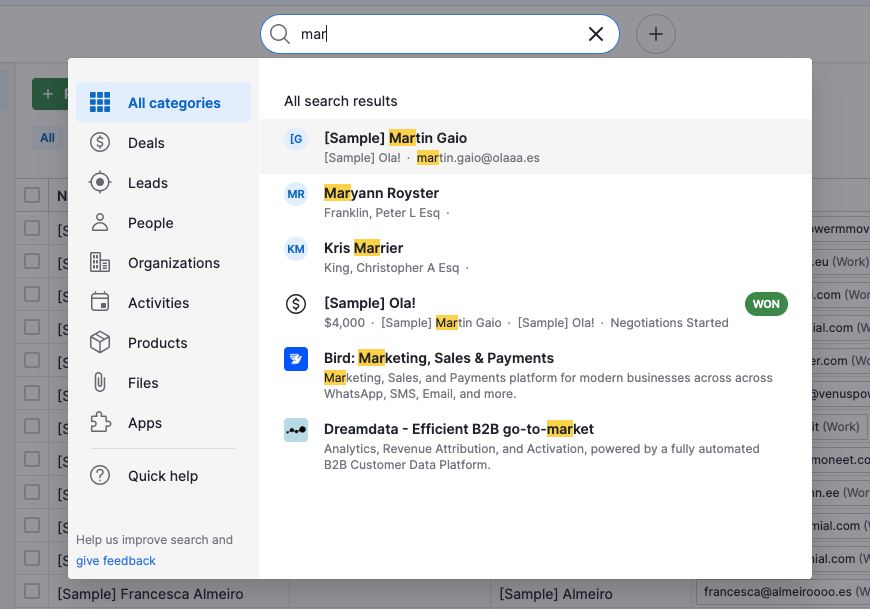
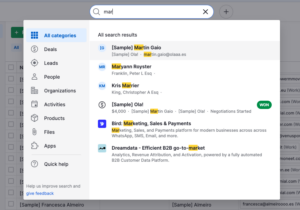
There’s also personalized onboarding to help users get started, and a universal search bar to locate contacts and deals quickly. The AI-powered Sales Assistant is also very useful, summarizing tasks to focus on and suggested next steps.
Pipeline Management Info popup
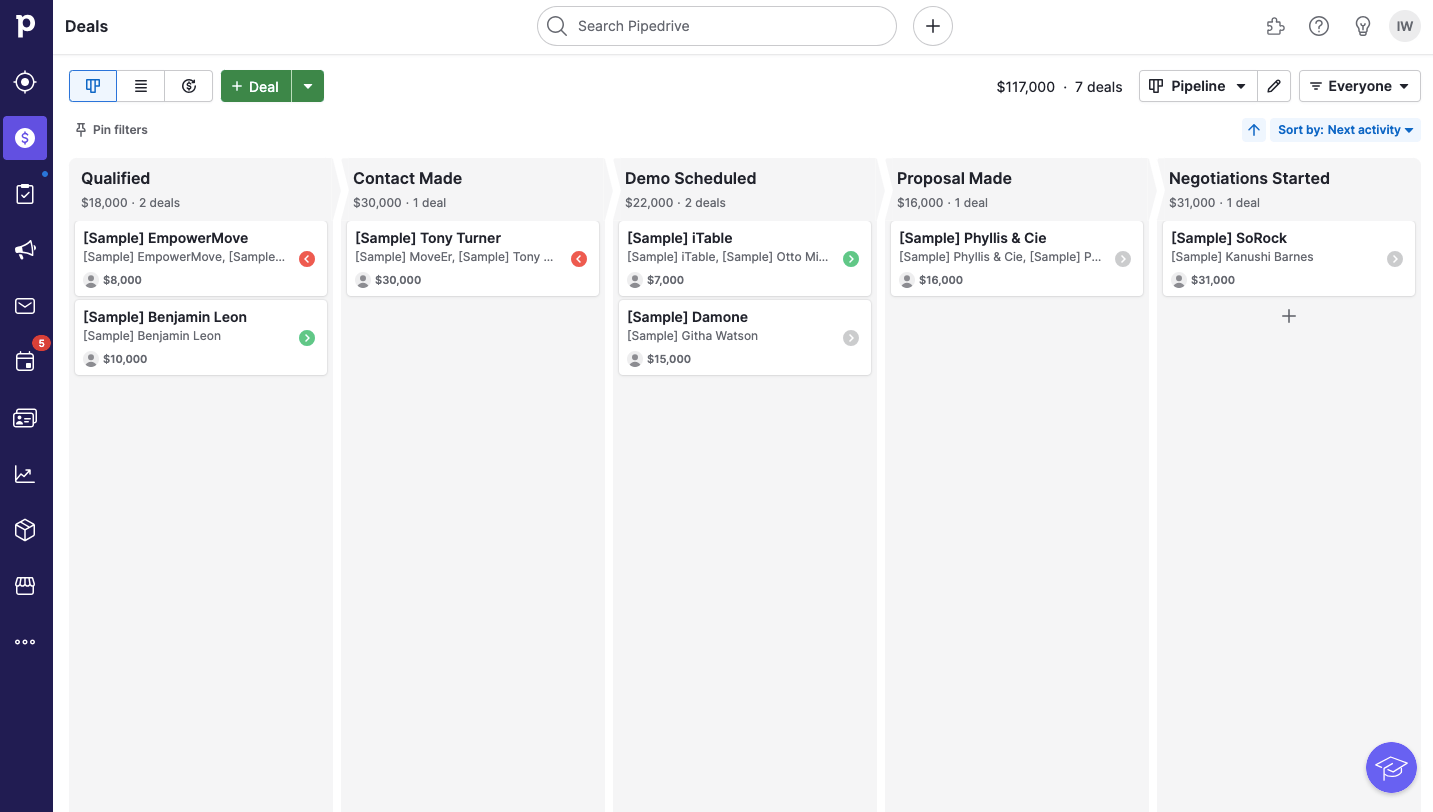
Unlimited customizable pipelines with deal cards that can be dragged and dropped to the right stage (both stages and the data shown on the deal card can be customized). You can easily change the names of the pipeline columns to reflect your sales process. You also have various views (pipeline, list, and forecast). The list view is great if you want to perform a bulk action like moving multiple deals over to the completed column, for example.
It’s easy to spot deals that have stalled with the Rotting Deals feature, and the pipeline also highlights which activities are overdue.
Contact/Deal Management Info popup
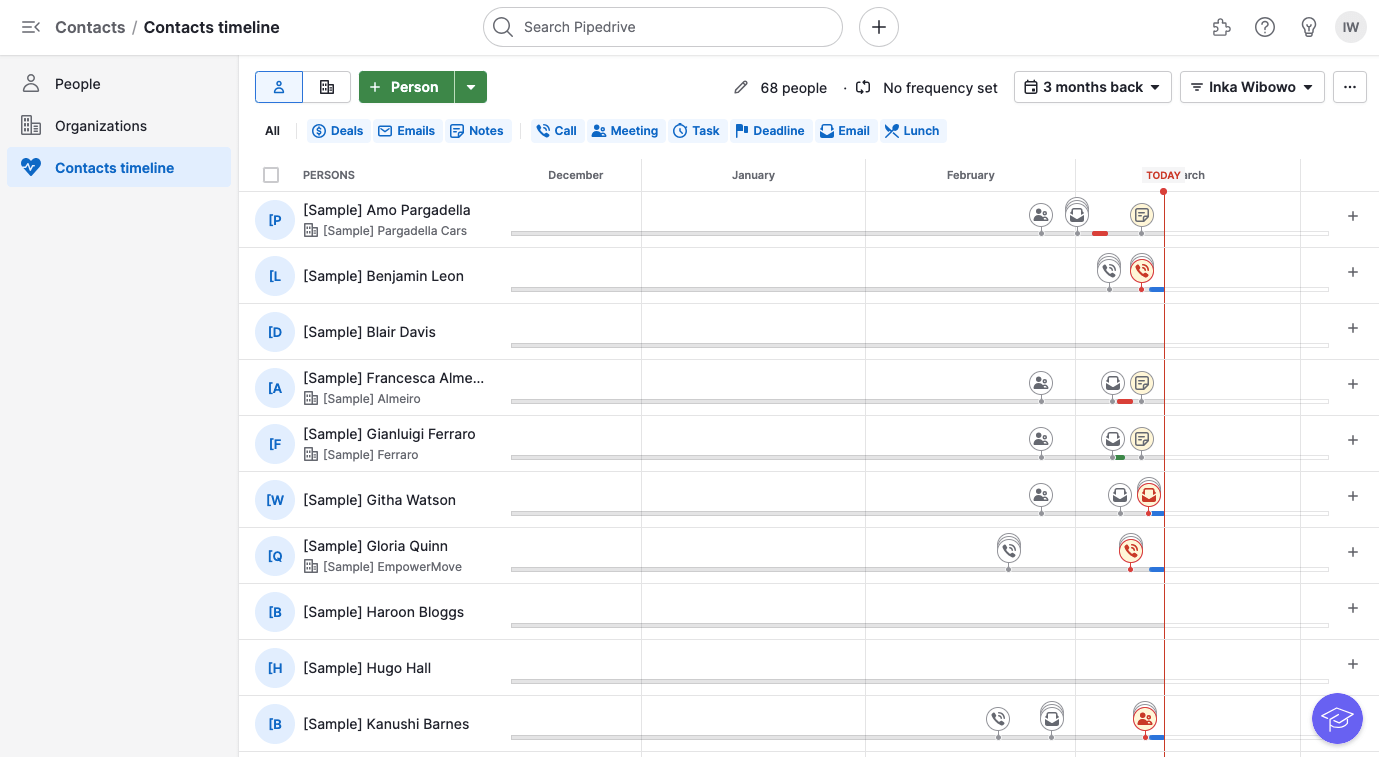
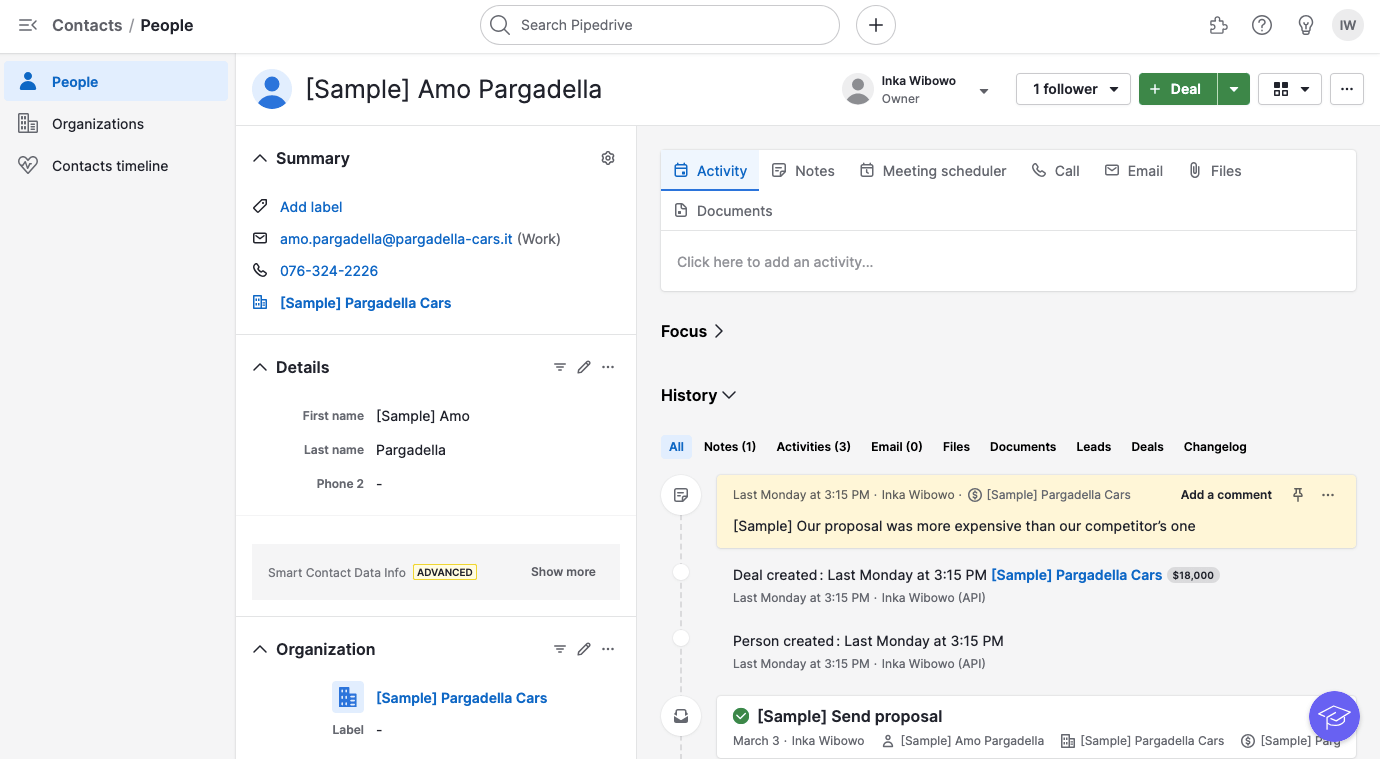
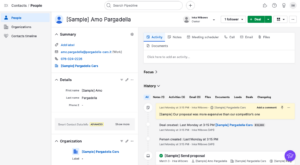
Add notes, tasks, additional information, files and invoices to each person/deal/organization. Unlimited properties to add/filter by. Leads, contacts and deals are separated so that you don’t end up with a lot of prequalified leads in your deal pipeline.
It’s easy to create custom fields, even in the middle of the contact upload process. You can also import deals and leads, although we noticed that it doesn’t always upload the deal stage accurately, even if you’ve mapped the field correctly.
One drawback is that it’s not possible to make fields mandatory unless you’re on a higher plan, which can cause issues for data quality and reporting.
Email Features Info popup
Syncing with your email client is reserved for higher plans ($49/month/user), which gives you the advantage of seeing any email correspondence linked to a specific contact or deal. There is an alternative called Smart Bcc although it’s a little fiddly. Group emailing and templates are available on higher plans.
Pipedrive’s email marketing add-on, Campaigns, is simple enough to use and offers a convenient way to keep your sales and marketing campaigns in one place. However, its drag-and-drop editor only includes a limited range of content blocks, and its automation feature also felt a little rudimentary.
Automation Info popup
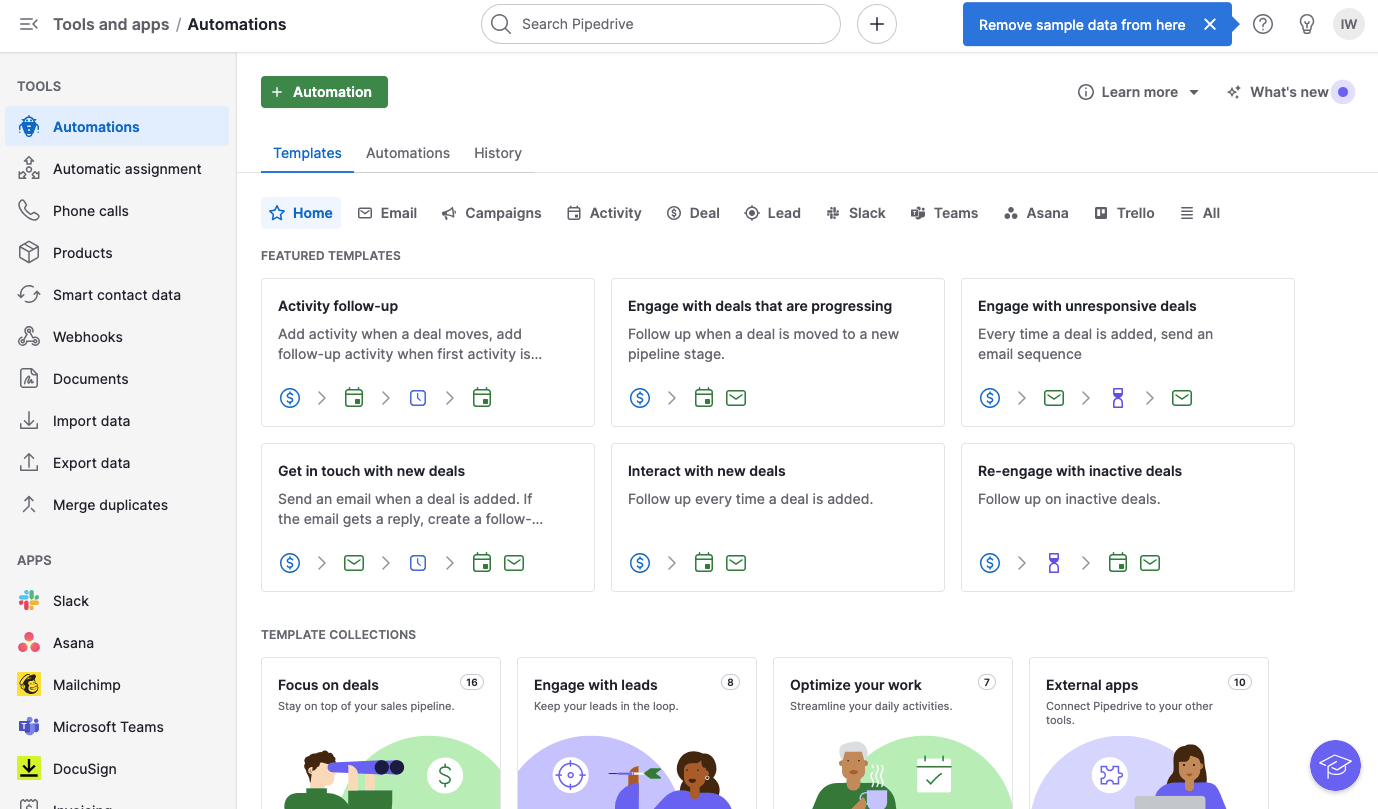
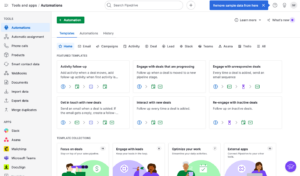
Workflow automations are available on Growth plan and above. There are 40+ templates to help you get started quickly, with automations such as email-based campaigns and automated follow-ups. You can also set up automated assignment rules to specify which salesperson a lead or deal should go to. Automations can also integrate with webhooks and trigger actions within Slack, Asana, Microsoft Teams and Trello.
However, the workflow editor is not as flexible as we’ve seen with other CRMs. It’s not possible to trigger automations based on contact actions or deal rotting, at least not without workarounds. You also can’t test automations, or easily see which contacts are currently in an automation and at which stage.
Reporting Info popup
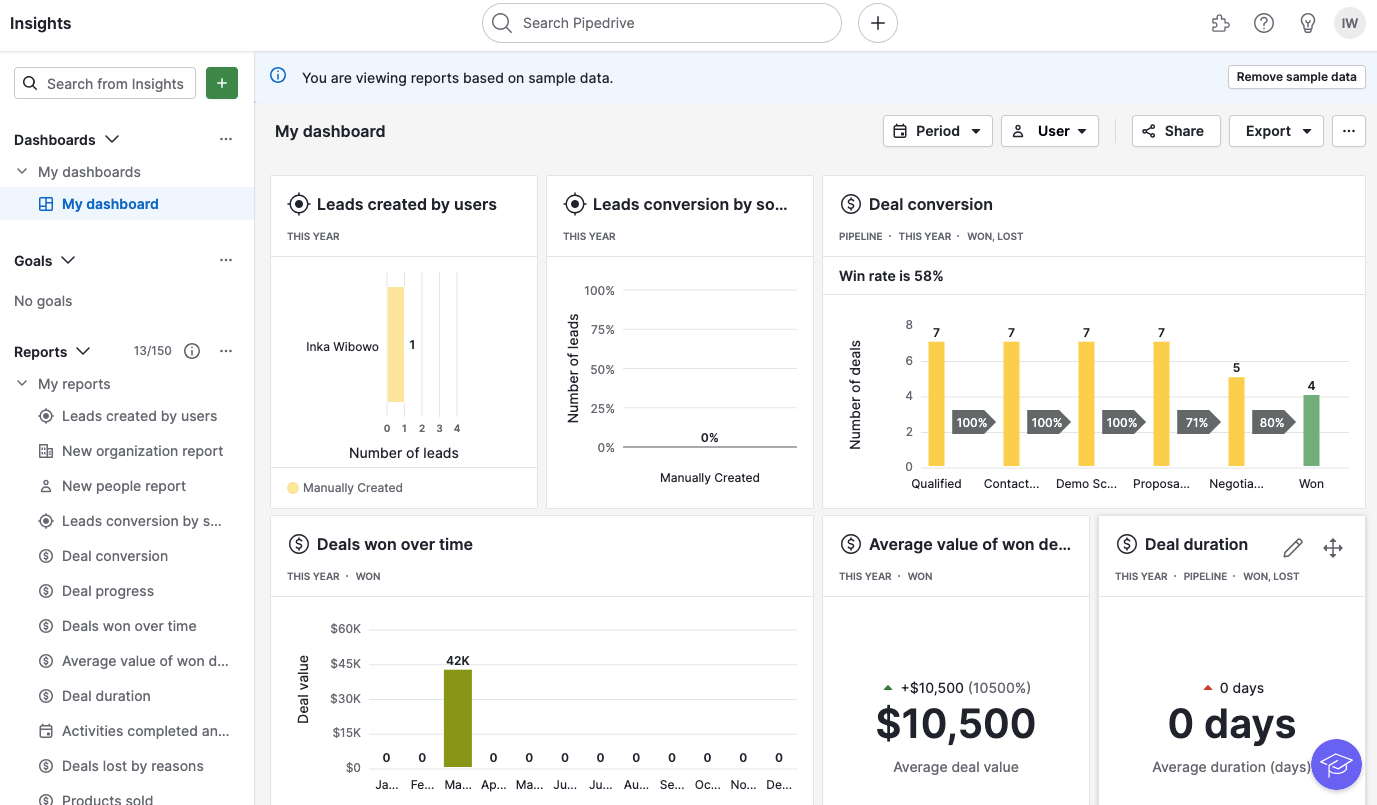
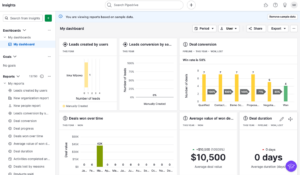
One of their strongest features. Customizable reports and dashboards are easily accessible from the Insights section of your main menu. There is a huge range of deal-based, activity-based and campaign reports to choose from, although your plan will determine the number of reports you can generate. Some reports are restricted to higher-level plans (e.g. custom field reports and goals), but generally you’ll be able to create and access most reports.
Lead Scoring
Pipedrive’s “Scores” feature (currently in Beta) lets you score deals. However, there are a few limitations. Only one scoring system can be active per pipeline, and you can’t score contact actions such as page visits or email clicks – you can only add scores based on deal and activity fields. You don’t get a lot of control over how many points can be added or subtracted, and it’s also not possible to trigger automated actions based on lead scores. In short, scores in this context are really more of an extra data point that sales reps can use to prioritize deals, rather than something that can automate follow ups.
Live Chat
Available with its LeadBooster add-on for $49/company/month. This includes a chatbot that can qualify and assign leads using pre-scripted conversation paths (“playbooks”). However, it’s not possible to directly trigger automations off the back of live chat conversations.
In my opinion, it’s quite a lot to pay for a relatively simple live chat tool – which is why I recommend checking out these dedicated live chat tools.
Web Tracking
The Web Visitors add-on (powered by Leadfeeder) lets you know which companies are visiting your website. This is available from around $41/month – which is not cheap.
While you can see detailed information about which pages were visited, it’s important to note that you can only see this information on an organizational level, which can make it difficult to trace back to individual contacts. It also relies on users to manually link visits to an existing organization within Pipedrive, although this only has to be done once – once completed, all visits from that organization will automatically be linked to their record.
Unfortunately, it’s not possible to directly trigger automations based on web visits.
Security Info popup
SSO and two-factor authentication can be enabled for all users. You can also configure permission sets to control access for individual users. There’s also a security dashboard where you can set up security alerts and view audit logs, although these features are restricted to the enterprise-level Ultimate plan.
Pipedrive’s certifications include ISO 27001, ISO 27701, SOC 2 Type II and SOC 3 Type II.
Languages
The platform in over 20 different languages, as is help center documentation. Live chat/phone support is available in English and Portuguese, plus live chat support in German, French and Spanish. 24/7 support is also available for some languages.
Pipedrive supports multiple currencies, and provides in-app translations for AI-generated emails.
Integrations & Apps
Around integrations with a wide range of tools are available in the Marketplace, which are cleverly categorized by revenue cycle stage. If it’s missing a particular app you need, there is an open API configuration to facilitate a connection with third-party services, and the option to integrate with Zapier. Mobile app available for download on both Android and iOS.
What’s great is that you can also choose between one or two-way sync when syncing contacts, email and calendars.
Support
Extensive knowledge base, courses, chat and email support around the clock on all plans.
Overall Rating
4.3
Pipedrive fulfills its promise to help users visualize their sales processes and get more done. It is easy to use whilst still offering a good deal of functionality, especially when it comes to pipeline visibility and reporting.
However, it charges more for extra features like email marketing, live chat and web tracking. It’s also missing advanced lead scoring and behavior-based automations – things that could sales teams make the work of prioritizing and nurturing leads a lot less manual.
Pipedrive's Top Features
As you can see from what we’ve already covered in this Pipedrive review, it offers a good range of pro features for sales and marketing teams. Let’s take a closer look at a few of the top features.
Lead/Deal Management
Pipeline management is a crucial factor when selecting a CRM, and Pipedrive excels in both functionality and ease of use. Its visually-rich interface features a drag-and-drop pipeline, providing users with a clear overview of sales priorities. Additionally, it simplifies the process of tracking calls and conversations with contacts, enabling you to focus on activities that drive conversions.
The smart docs feature is another valuable addition, allowing sales teams to automatically generate and send trackable documents, including new business proposals. This is a real plus as it allows you to contact your prospects at exactly the right time and hopefully win more deals.
AI Features
Pipedrive offers its own AI-powered Sales Assistant tool (available on the Premium plan and higher), which is a valuable resource for sales forecasting, task management, and data insights. The Sales Assistant can identify patterns, provide recommendations for optimizing performance, and suggest actions to prioritize. It can also help you craft personalized emails from simple prompts, which is a real time-saver.
In terms of automation, it will guide you through the workflow and provide useful automation tips as you go.
Conclusion
In my opinion, and after extensive testing, Pipedrive CRM is an excellent CRM software for small to medium-sized businesses, especially if your campaigns are primarily sales-driven. It has all the features you need to manage your contacts, leads, and deals with ease, and it’ll help save you time with its templates, group emails, and workflow automation.
The LeadBooster add-on is a little pricey in my opinion, especially since you’ll need to purchase extra credits if you want to contact more than 10 people from the Prospector feature. Web forms, part of this feature, should really be included on the Lite plan.
While the lack of standard features such as lead scoring might be off-putting at first, the AI-powered Sales Assistant acts as a useful alternative, offering customized advice on deals and activities that may need more attention.
In terms of bang for buck, despite the fact that it doesn’t offer a free plan, the prices are very reasonable and on par with other popular small business CRM tools. For me, the fact that it’s so easy to use is a big plus. Pipedrive removes the complexity that often comes with CRM software, making it a great option for those with little experience.
We really rate both these CRM tools for their variety of features and excellent user experience. You can see exactly how each service faired in our Pipedrive vs HubSpot comparison.
Yes! You can easily manage your contacts and sales processes with Pipedrive.
If you’re looking for an easy-to-use but powerful CRM tool, you’ll also want to look at the alternatives to Pipedrive.
I’d say HubSpot is the most well-known, offering a very generous free CRM plan. What’s not so attractive is the price jump when you move onto a paid plan.
EngageBay is another solid alternative, offering a wide range of features (including email marketing, landing pages, live chat, SMS marketing, and a helpdesk) at an affordable price.
Zoho CRM is a big name, and though it’s been around for a while, we don’t necessarily recommend it due to some user experience issues.
Hey, I'm Roberta! Having worked as a digital marketer for a host of online businesses, I've tried, tested, fallen in love with and despaired with so many marketing tools. I'm excited to help you find the email marketing and CRM tools you need to thrive. I know the ins and outs of tools like Brevo, MailerLite, and Hubspot, so let me know if you need help picking the right one!
Hi, I'm Inka! I spent the earlier part of my career in agency land, helping businesses of all sizes get their email marketing campaigns up and running. Now, at EmailTooltester, I'm using my experience to help businesses like yours find the best email marketing services for your needs. Although I've used dozens of different tools, I'm most familiar with Mailchimp and Kit (I use the latter for my personal newsletter!).
16 Feb 2026 – General update, new features, updating scoring
30 July 2025 – Updated prices
09 Jan 2025 – Prices updated
01 Aug 2024 – Price increase for Advanced plan
16 Jul 2024 – Top features section added
10 Jul 2024 – Pricing updates
20 Mar 2024 – Email marketing now available; general update
20 Sept 2023 – Prices updated
20 Jan 2023 – Logo and Blog banner update
30 Aug 2022 – Prices updated
10 Nov 2021 – General update
15 Jul 2021 – Added FAQ
01 Dec 2021 – Added video
Our Methodology
This review has been written and researched following our EmailTooltester methodology.
Comments