


Between ActiveCampaign and Ortto (formerly known as Autopilot), ActiveCampaign has been the more well-known name in email marketing. But Ortto has popped up on marketers’ radars recently, especially after its April 2026 acquisition by Canva.
Both platforms share many features, from email campaigns to automations and contact management. So, which is the better email marketing platform?
To find out, I tested both platforms personally to evaluate their strengths and areas for improvement. Here are my findings on the winner of the ActiveCampaign vs Ortto comparison.
ActiveCampaign vs Ortto: Main Differences
The main differences between ActiveCampaign and Ortto are that:
- ActiveCampaign has more extensive automation and CRM features, which small businesses that want to put their email marketing and sales operations on autopilot will value.
- ActiveCampaign has a lower starting price. It’s the more affordable option if you’re just starting out with email marketing.
- Ortto has built-in funnel reports for visualizing your sales touchpoints’ effectiveness, while ActiveCampaign doesn’t. Users who prioritize sales funnel optimization will find these reports helpful.
- Unlike ActiveCampaign, Ortto offers more email form customization options. They’ll appeal to marketers who want to create polished-looking forms even with limited design experience.
ActiveCampaign vs Ortto: In-depth Comparison
Here’s how ActiveCampaign and Ortto compare over these eight comparison rounds:
- Ease of use
- Email marketing & automation power
- CRM capabilities
- Funnels & landing pages
- AI features
- Reporting
- Integrations
- Pricing & value
1. Ease of Use
There’s no point in having a feature-packed email service provider if you can’t figure out how to use it. So, I have to credit Ortto for its well-designed, consistent interface.
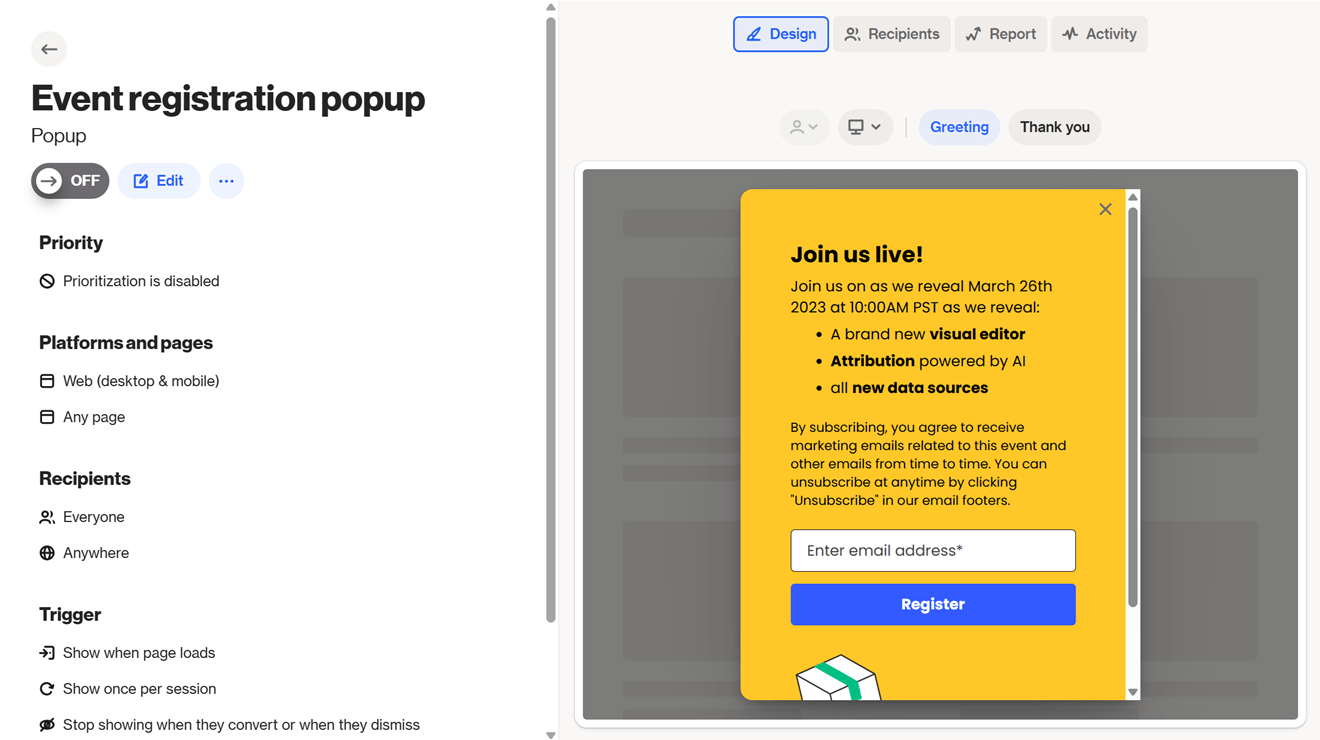
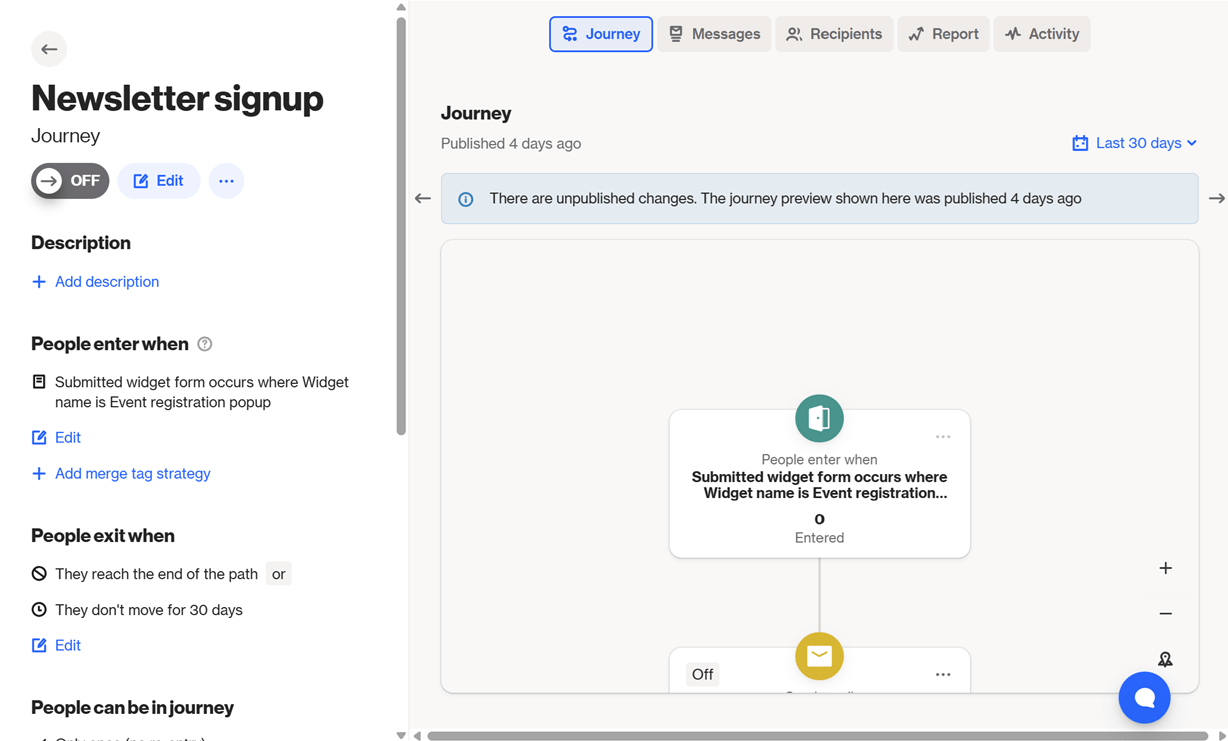
All features generally have the same look. To the left, you’ll see the feature’s main settings and information. Then, to the right, you’ll get a preview of your email marketing asset — like a marketing email or an email automation, for example — with tabs at the top for viewing reports, activity, and other insights.
Here are screenshots of Ortto’s capture widget and journey builders to illustrate:
My only criticism is that Ortto’s features could have more intuitive names. For example, I didn’t understand what “capture widget” was at first — it refers to lead capture assets like email signup forms.
Likewise, if you’re new to marketing and sales, you might not know what “CDP” in Ortto’s navigation sidebar means. (It’s short for “customer data platform.”) “Contacts” might have been a less technical name.
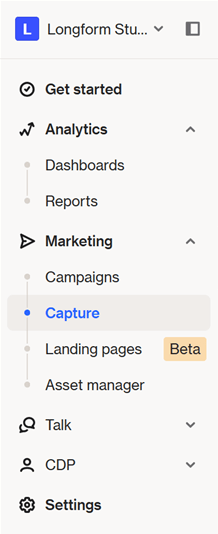
ActiveCampaign’s navigation sidebar is a lot easier to figure out, with feature categories for “Contacts,” “Automations,” “Email,” and so on. Once you click into any category, you’ll see a long list of features. They can look intimidating, but you don’t have to master them all right away.
Instead, use this feature, which will make your life a lot easier: Active Intelligence.
This AI engine looks a lot like ChatGPT’s or Claude’s interface. Type what you need, click the send button, and Active Intelligence will get it done.

For example, when I asked it to create an email, I got a draft — with a subject line, images, and call-to-action buttons — in less than a minute. If I were creating the email manually, I’d probably still be opening the email builder!
Active Intelligence can also build automations, analyze your email marketing performance, suggest ways of growing your email list, and more.
Winner: It’s a close fight, but ActiveCampaign edges out for its more intuitive feature names. And also because Active Intelligence makes tackling email marketing tasks super easy.
ActiveCampaign 1 – Ortto 0
2. Email Marketing & Automation Power
This is a big section, so I’ll split it into email marketing and automation, respectively.
Email marketing
For email marketing, I’ll evaluate how well each platform lets you create email subscription forms and send email blasts to subscribers.
Ortto offers 32 email form templates in a variety of form types. The usual popup, bar, and inline forms are there, and I especially like the “spin the wheel” form — it’s perfect for gamifying the subscription process.
To customize your form, you’ll add and arrange content blocks to the left of the builder, and the preview to the right will automatically update with your form’s new look. Content blocks you can add include text, buttons, images, and countdowns.
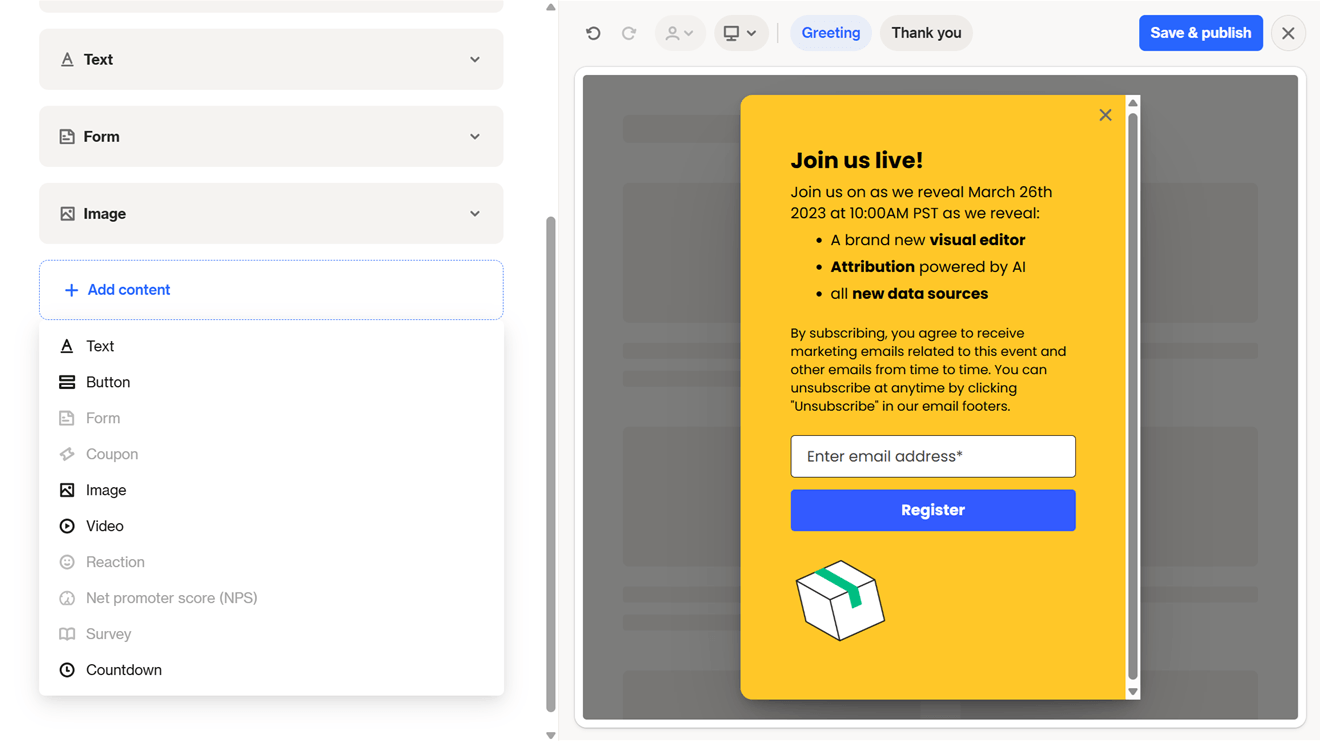
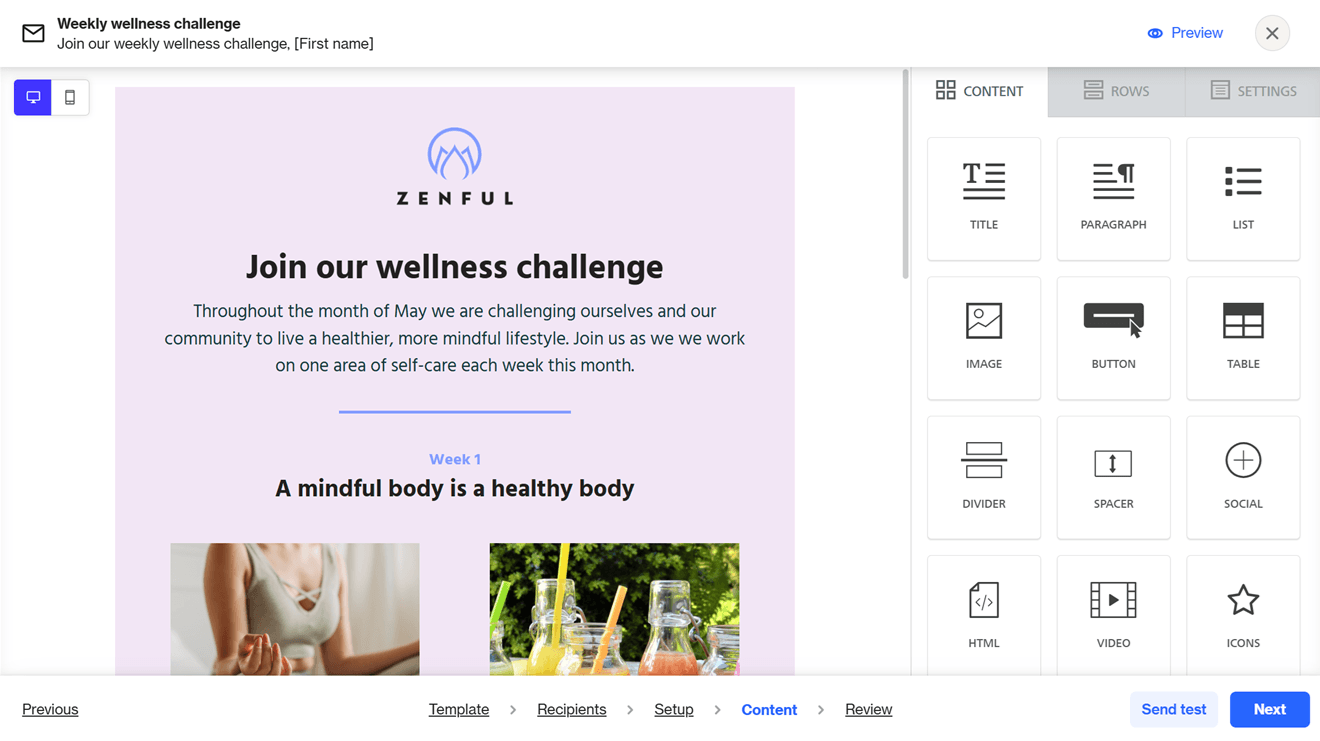
As for sending one-off emails, you can start with one of Ortto’s 75+ email templates, and then configure your recipients, sender info, and content. Uniquely, you can add CC and BCC email addresses — not many email platforms I’ve tested offer this.
Ortto’s email builder offers a modest number of content blocks, including titles, images, buttons, and videos. Unlike how the capture widget builder works, you’ll drag these blocks directly into your email. You can also set up dynamic content to change the content you show to contacts who meet certain conditions.
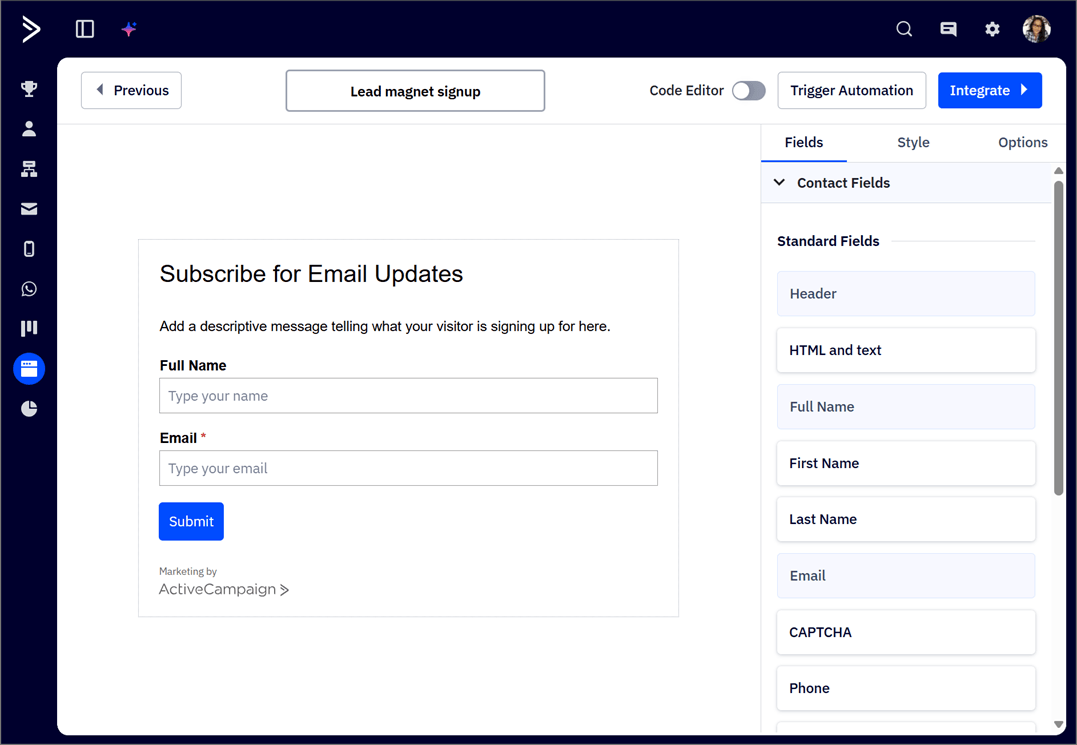
ActiveCampaign’s form design capabilities are basic. You can choose from inline, preference center, floating bar, floating box, and modal-type forms, but there’s only one template for each type. At least you have a (somewhat) bigger content block selection than in Ortto.
In contrast, I’m a fan of ActiveCampaign’s email builder. You can pick a pre-made template or an AI-generated template to fill out with your own content. Or, just get Active Intelligence to create the whole email for you — complete with text and images.

I prompted Active Intelligence to create my email, then scrolled my phone’s messages for less than a minute…and when I looked back at my computer screen, my email draft was already done.
From there, I just needed to tweak the content to my liking in the drag-and-drop email builder.
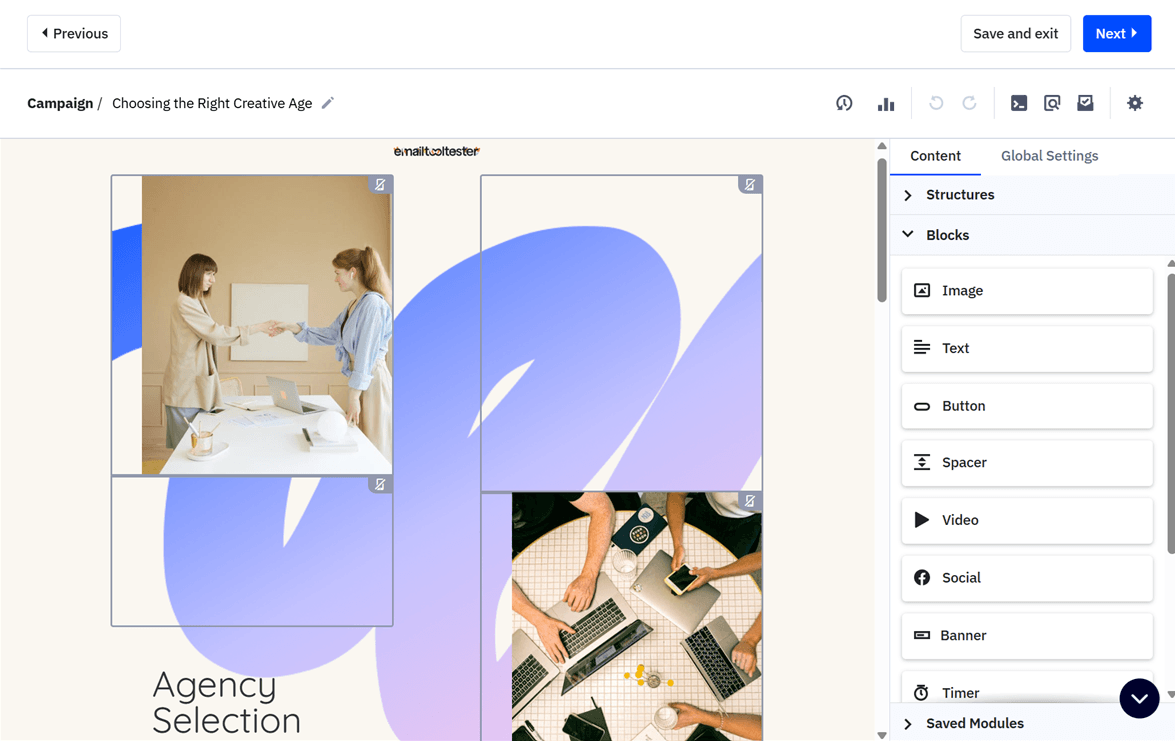
Just like Ortto, ActiveCampaign supports conditional email content. It also lets you preview emails in a variety of email clients (e.g., Google, Yahoo, and various Outlook versions) and device types (e.g., desktop, iPhone, and iPad). Ortto limits you to previewing your emails on generic desktop and mobile devices.
Automation
ActiveCampaign is one of my top recommendations for email automation software. It offers over 900 automation templates (called “recipes”), and you can also generate custom automations with Active Intelligence.
To get your automations to run, you’ll add triggers — ActiveCampaign supports many of them, from form submission to clicking email links, opening an email, visiting a webpage, and more.
Similarly, the platform offers a whole range of automation actions, including sending emails, updating a contact’s tags or fields, and pushing a contact to another automation.
You can also add if/else conditions for customizing contacts’ automation paths based on whether they meet various conditions.
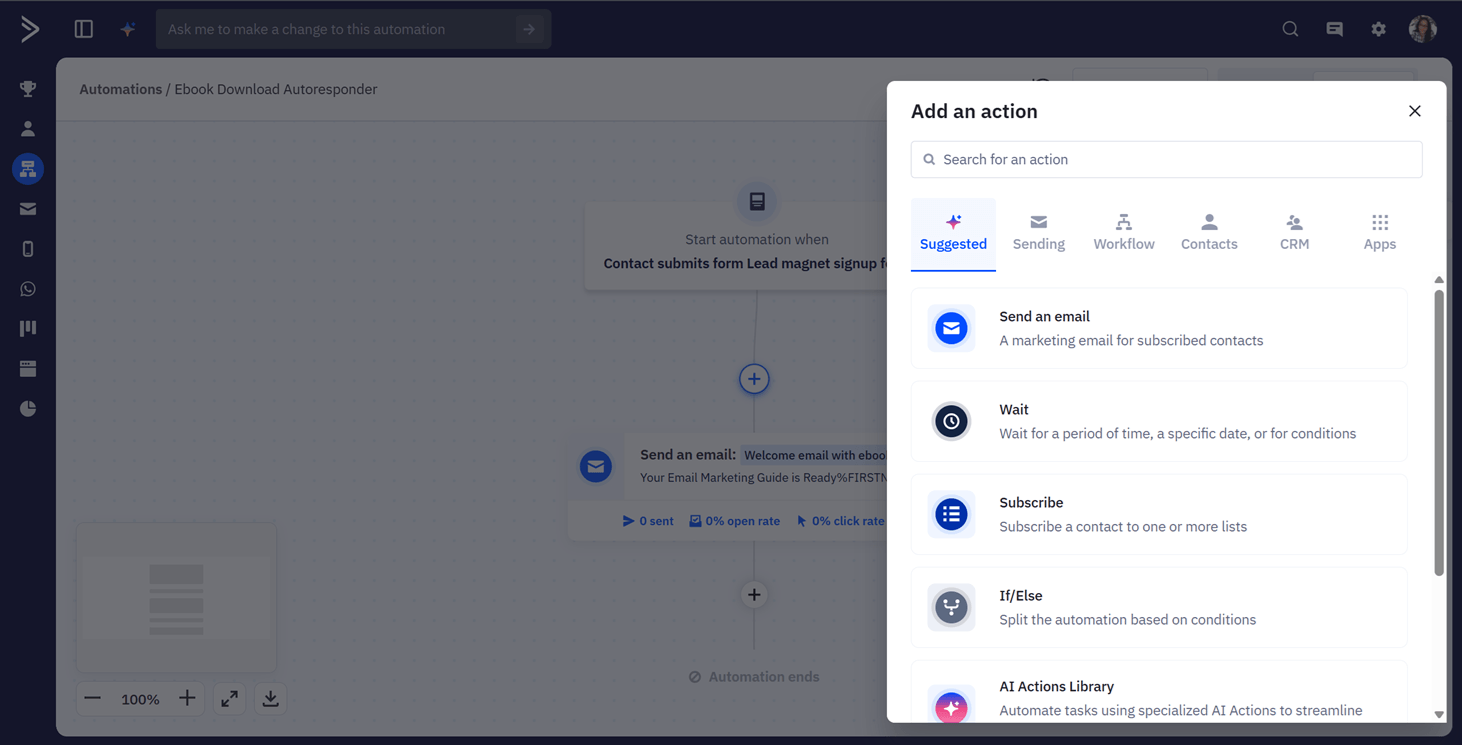
In Ortto, marketing automations are called “journeys.” Pick from 50+ journey templates with various use cases, from welcome journeys for new users to bot subscriber cleanups. There’s also a nice range of triggers to choose from, but unlike ActiveCampaign’s multi-trigger automations, Ortto journeys can have only one trigger.
Once you’ve added a trigger, add up to 120 “shapes” — another somewhat esoteric term — to flesh out the journey. (In contrast, ActiveCampaign’s automations support unlimited actions. This is unless you’re on the Starter plan, which allows for five actions per automation.)
Ortto’s journey shapes include email sends and rules (like conditions and filters) for sending contacts down different automation paths. There’s also an AI decision shape, which I’ll cover in the “AI Features” round below.
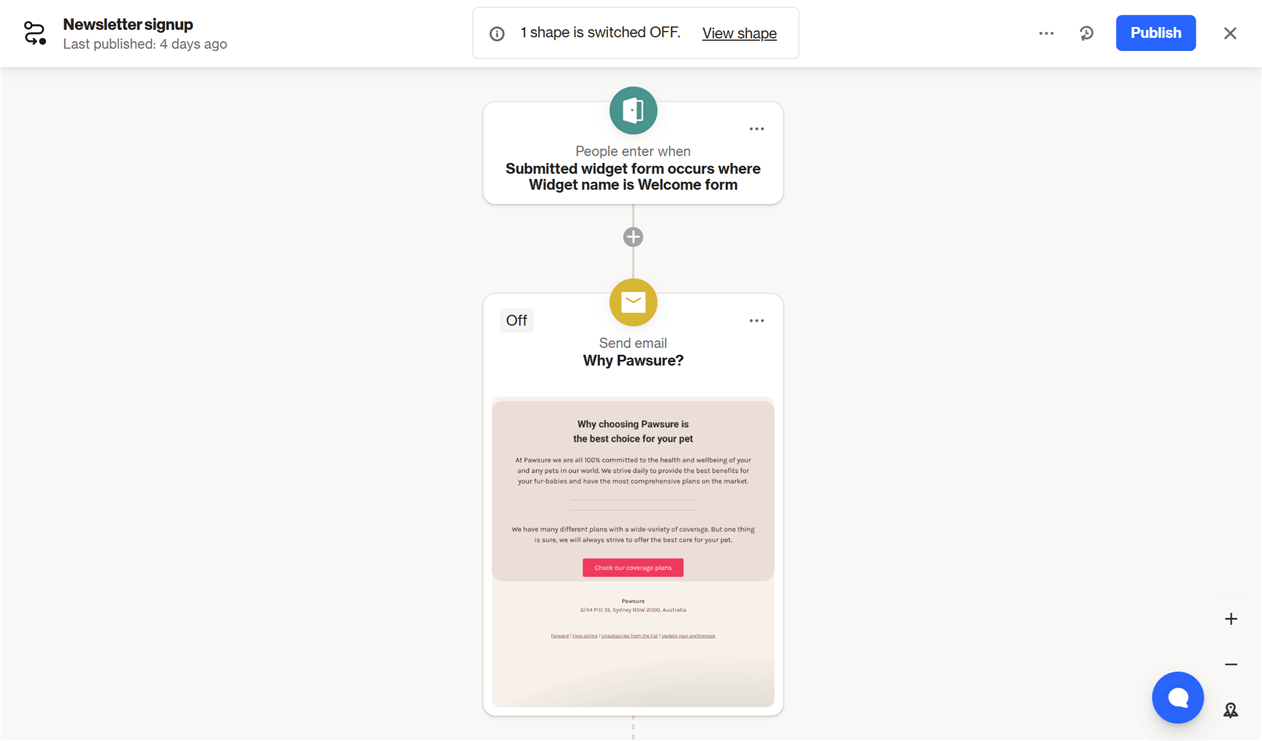
Winner: Ortto’s email form features are more comprehensive, while ActiveCampaign has more sophisticated one-off emailing and automation capabilities. This makes ActiveCampaign the overall winner of our email marketing and automation round.
ActiveCampaign 2 – Ortto 0
3. CRM Capabilities
Customer relationship management (CRM) capabilities are especially important if your sales process involves one-on-one interactions with leads. Your email platform should be able to:
- Store info on your leads for future reference,
- Score your leads so you know who to prioritize following up with, and
- Help you track your deals’ progress, so you know how close you are to getting the sale.
ActiveCampaign meets all three requirements. It provides profiles for viewing contacts’ information at a glance. The basic details, like names and email address, are there, and you can also track your contacts’ preferred language, tags, deals, recent activity, and more.
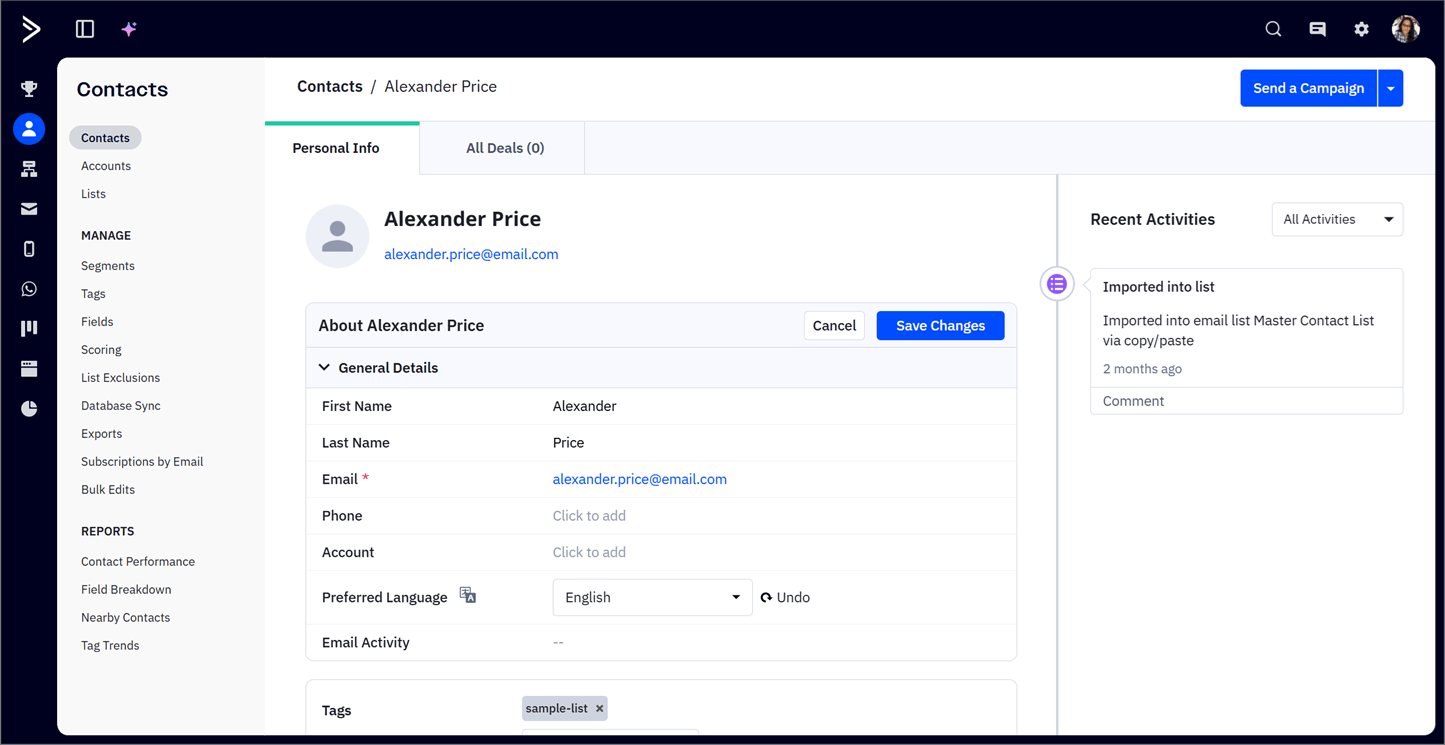
Finally, a notes section at the bottom lets you type notes about the contact — anything you might want to recall in the future.
Now, on to deal tracking. With ActiveCampaign’s Enhanced CRM add-on, you can set up pipelines for visualizing your deals across sales stages. Just drag and drop these deals to update their stages (alternatively, set up an automation to automate this work).
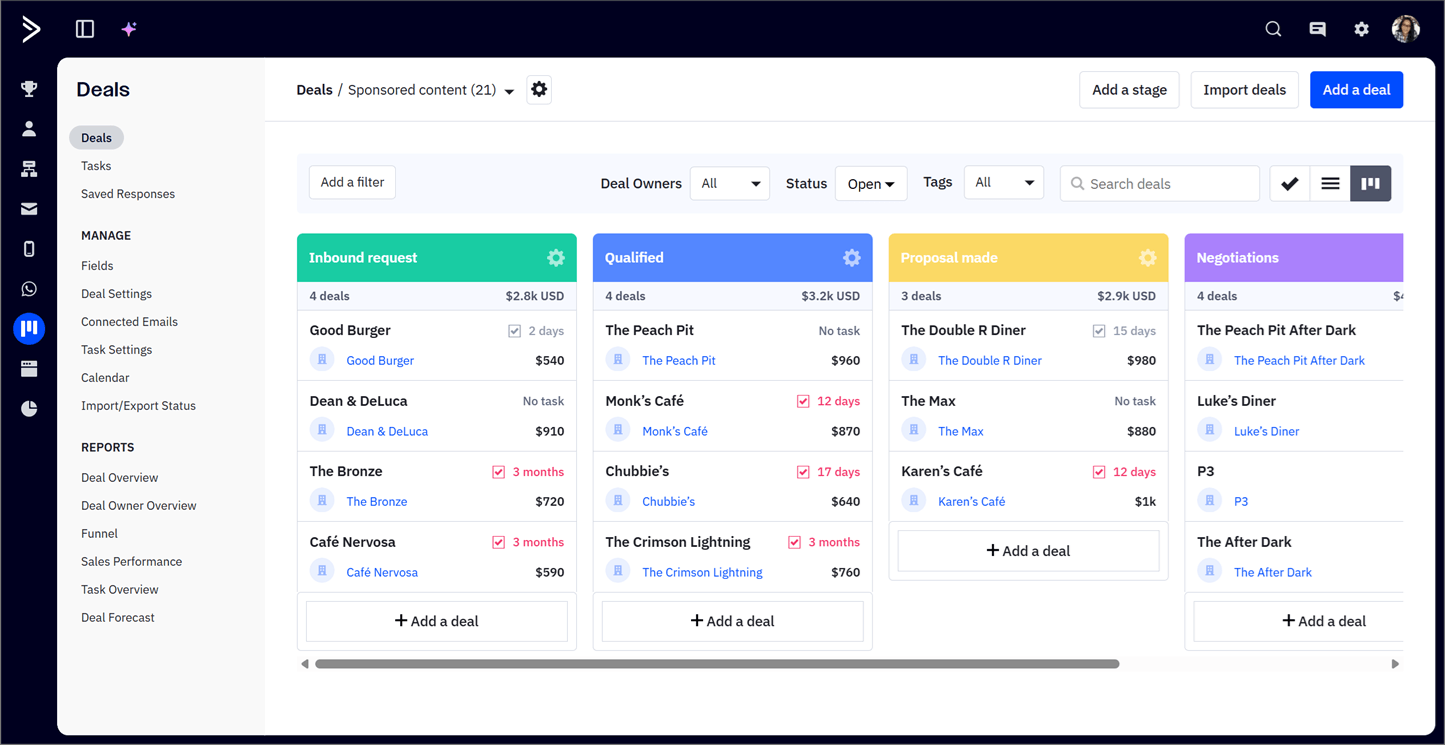
Automatic and manual lead scoring are also possible with the add-on.
Ortto’s contact profiles display your contacts’ personal information, geographical locations, subscription status, and recent activity, among other details. There are also tabs for viewing your contacts’ audiences (including the email lists they’re in) and campaigns.
Overall, you get a convenient overview of your contacts, but you can’t save notes like you can in ActiveCampaign.
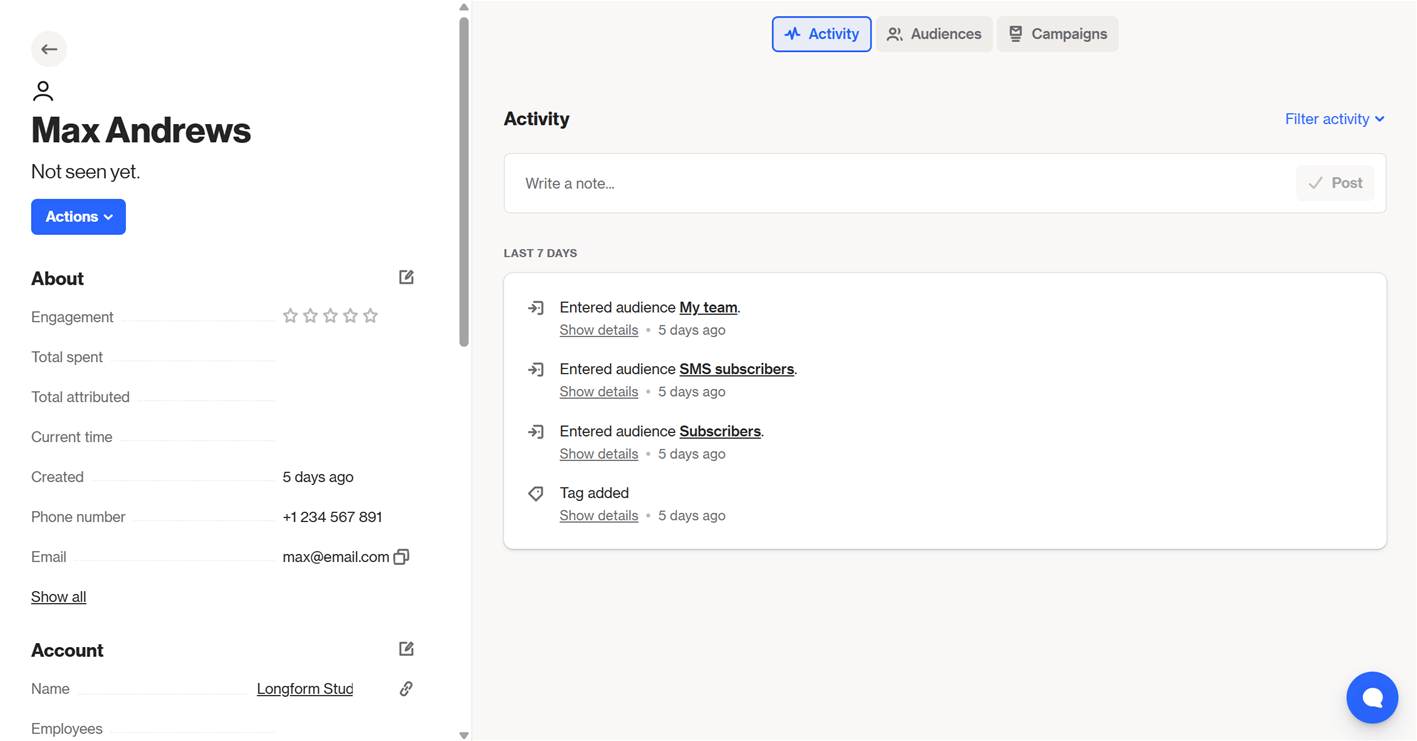
Lead scoring is possible in Ortto — but not pipeline setup, unfortunately. If you need this feature, you could integrate a third-party CRM app like Salesforce.
Winner: ActiveCampaign wins for having more extensive contact and pipeline management capabilities than Ortto.
ActiveCampaign 3 – Ortto 0
4. Funnels & Landing Pages
Most modern email platforms let you build landing pages for various sales touchpoints, like signing up to your email list, visiting a sales page, and submitting an order. You might also be able to visualize your contacts’ sales funnel progress, so you can take steps to improve conversions for each page in the funnel.
Ortto has eight landing page templates. The platform’s landing page builder looks and works similarly to its email editor, letting you drag and drop content blocks into the page and configure dynamic content.
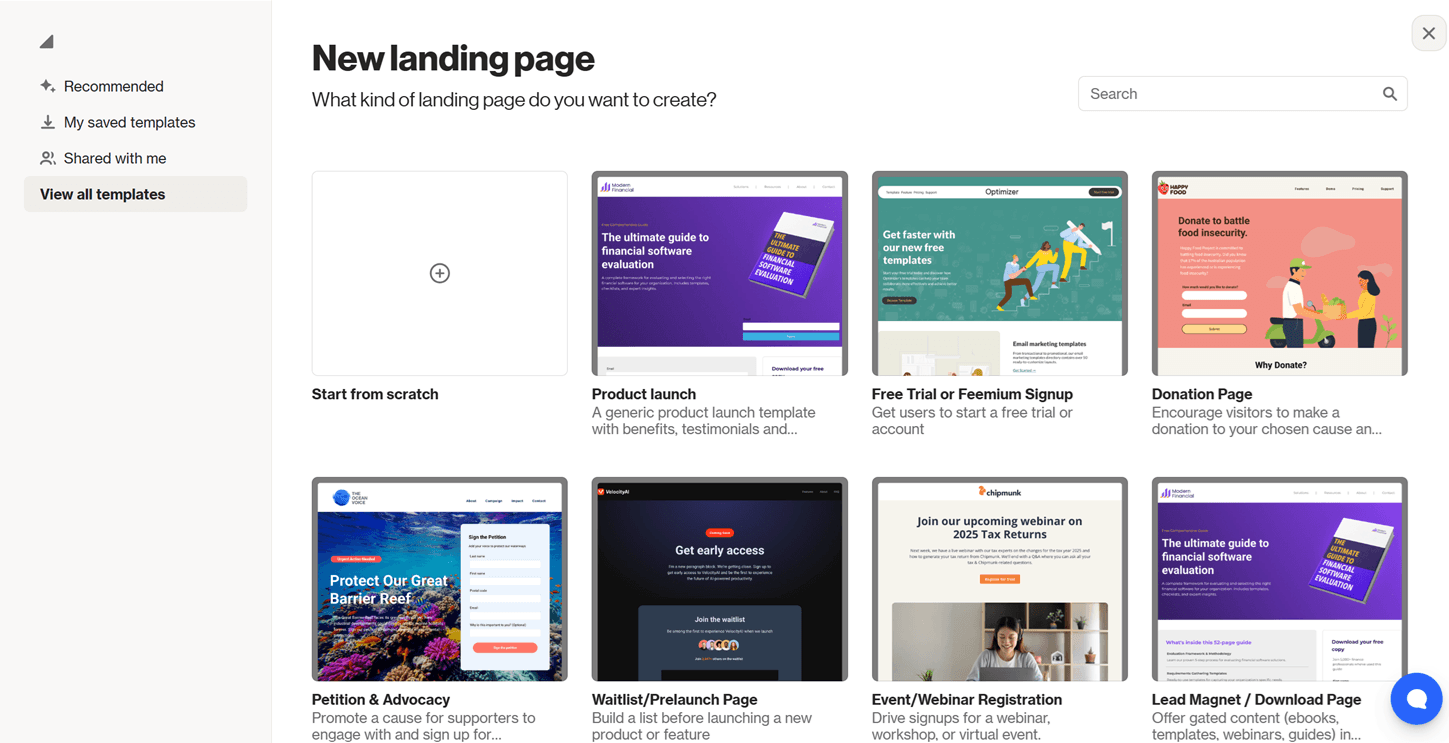
You can also set up SEO fields, like a URL slug, page title, and description, for your pages.
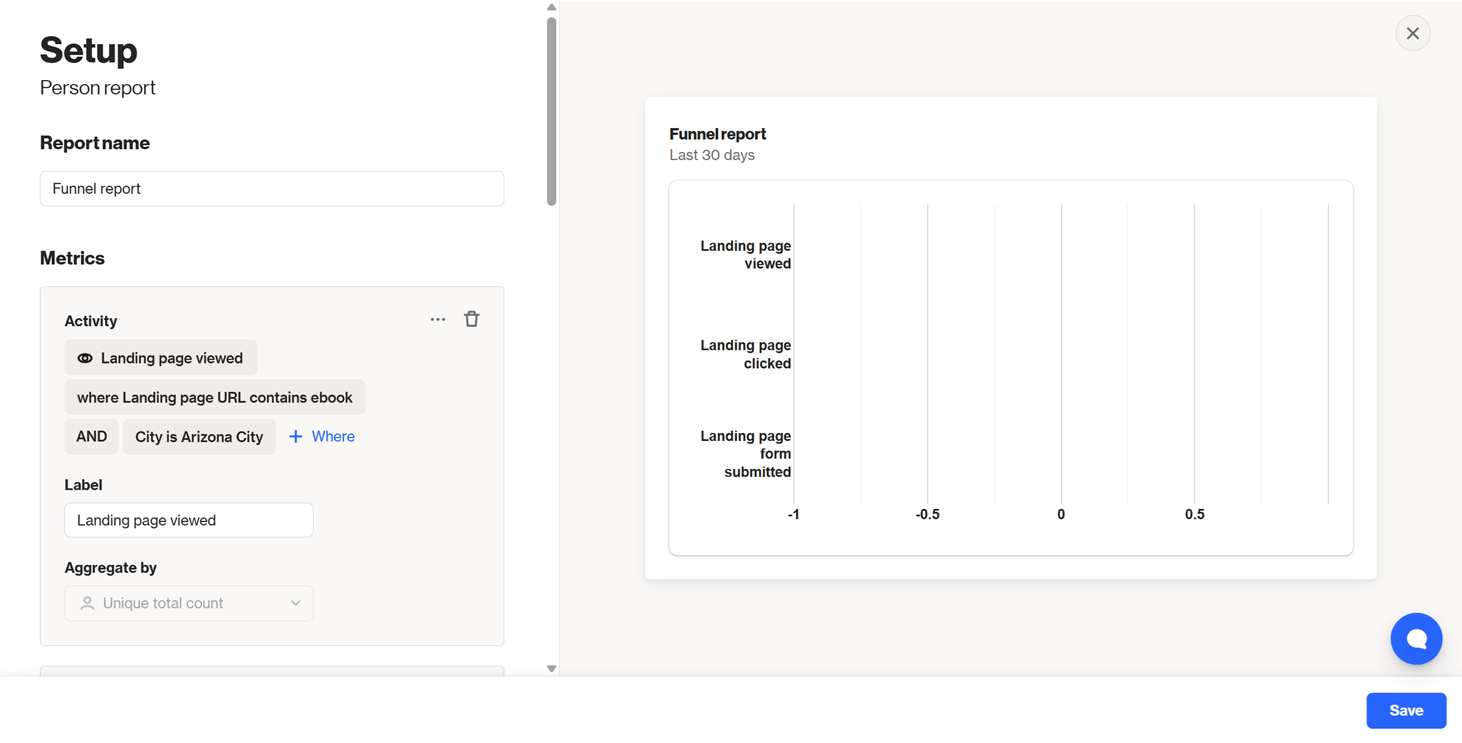
Ortto’s funnel report helps you view your contacts’ landing page interactions — like views, clicks, and form submissions — across the funnel. I could get really precise with my funnel report’s metrics. For example, I could drill down to views of specific landing pages by users from specific cities.
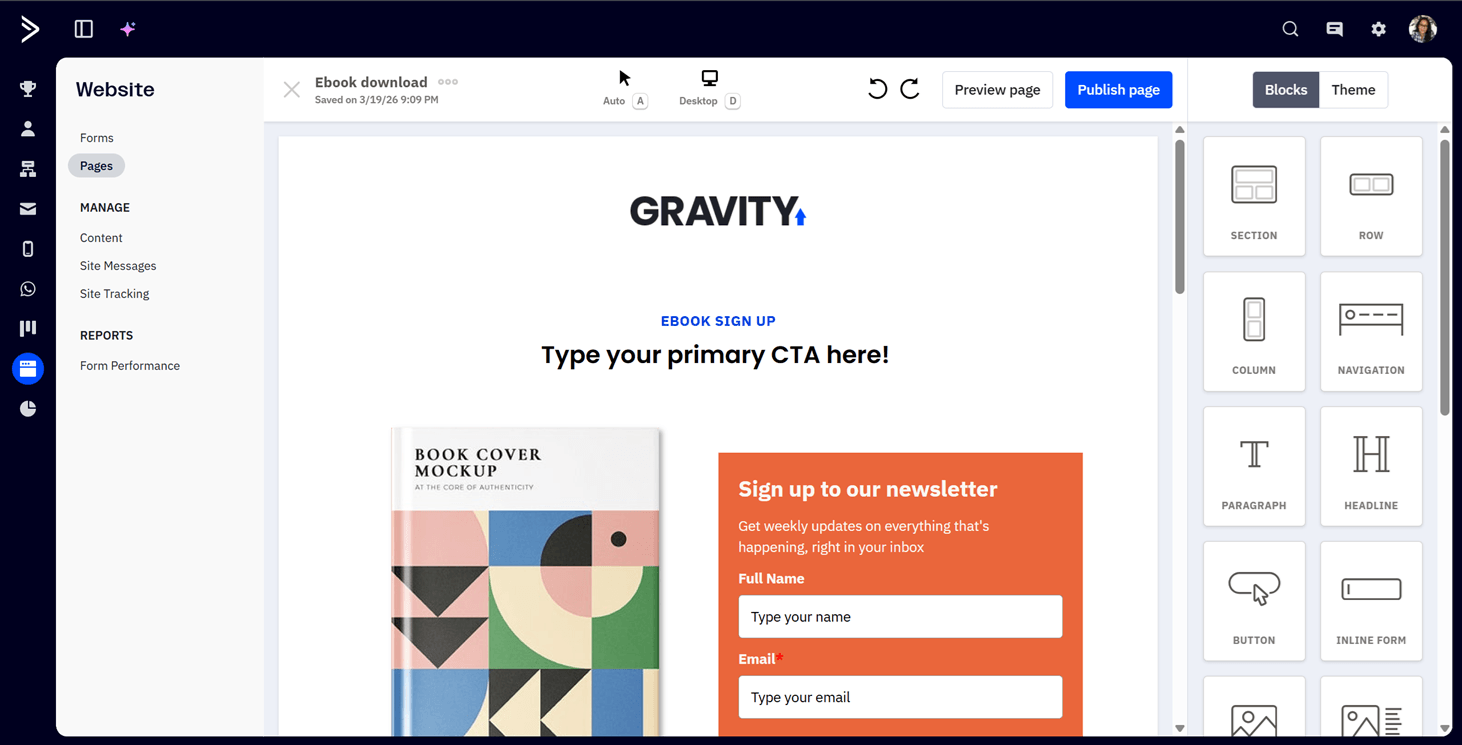
On the other hand, ActiveCampaign offers over 60 landing page templates for use cases like product pages, asset downloads, and upsells. Like Ortto, ActiveCampaign’s landing page builder works in a drag-and-drop style, where you can add headlines, inline forms, images, buttons, and other content types (but not dynamic content). After creating your page, you can add an SEO page title and description.
But once you’ve created your ActiveCampaign landing pages, you can’t visualize them in a funnel. That’s because the platform’s built-in funnel report tracks deal progress, and not drop-offs across marketing assets like landing pages.
Winner: It’s a tie for landing pages since I couldn’t test Ortto’s landing pages, but Ortto beats ActiveCampaign for funnels. So, Ortto is this round’s overall winner.
ActiveCampaign 3 – Ortto 1
5. AI Features
AI is amazing. It can automate email marketing tasks, generate email copy when you don’t know what to write, and even uncover new insights from your email data — provided the email marketing service supports these actions, that is.
Well, ActiveCampaign checks off all these boxes. For one, I’ve already sung praises about how its AI engine, Active Intelligence, can create emails and automations, and even analyze your data when you prompt it to.
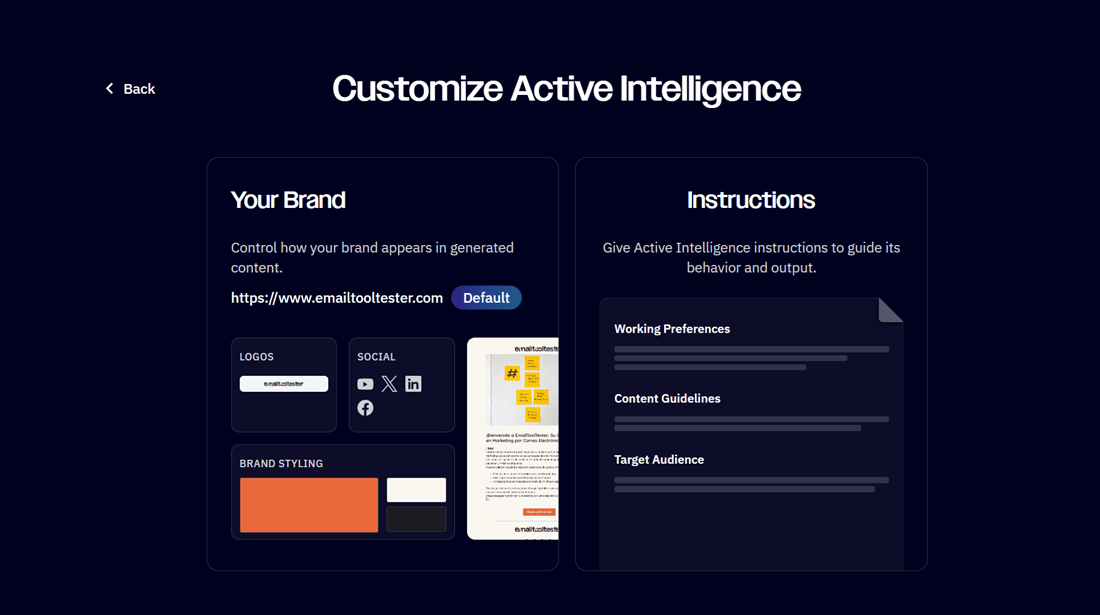
You can also customize Active Intelligence with instructions on your brand colors, target audience, and writing style, so that its generated content is more on-brand and tailored to your subscribers’ preferences.
AI actions are another cool feature (paid add-on needed). Add them to your automations, and they can help with tasks like summarizing and analyzing text, and determining contacts’ sentiment, on the fly for your automations to use in subsequent steps.
For example, you could set up your automation to assign a contact a higher lead score if an AI action determines that the contact has positive sentiment toward your business.
ActiveCampaign also provides a Model Context Protocol (MCP) server for integrating the platform with ChatGPT, Claude, and other AI chatbots. This way, you can get things done in ActiveCampaign — think creating deals, adding contacts to automations, and analyzing email data, for example — right from the AI chatbot itself.
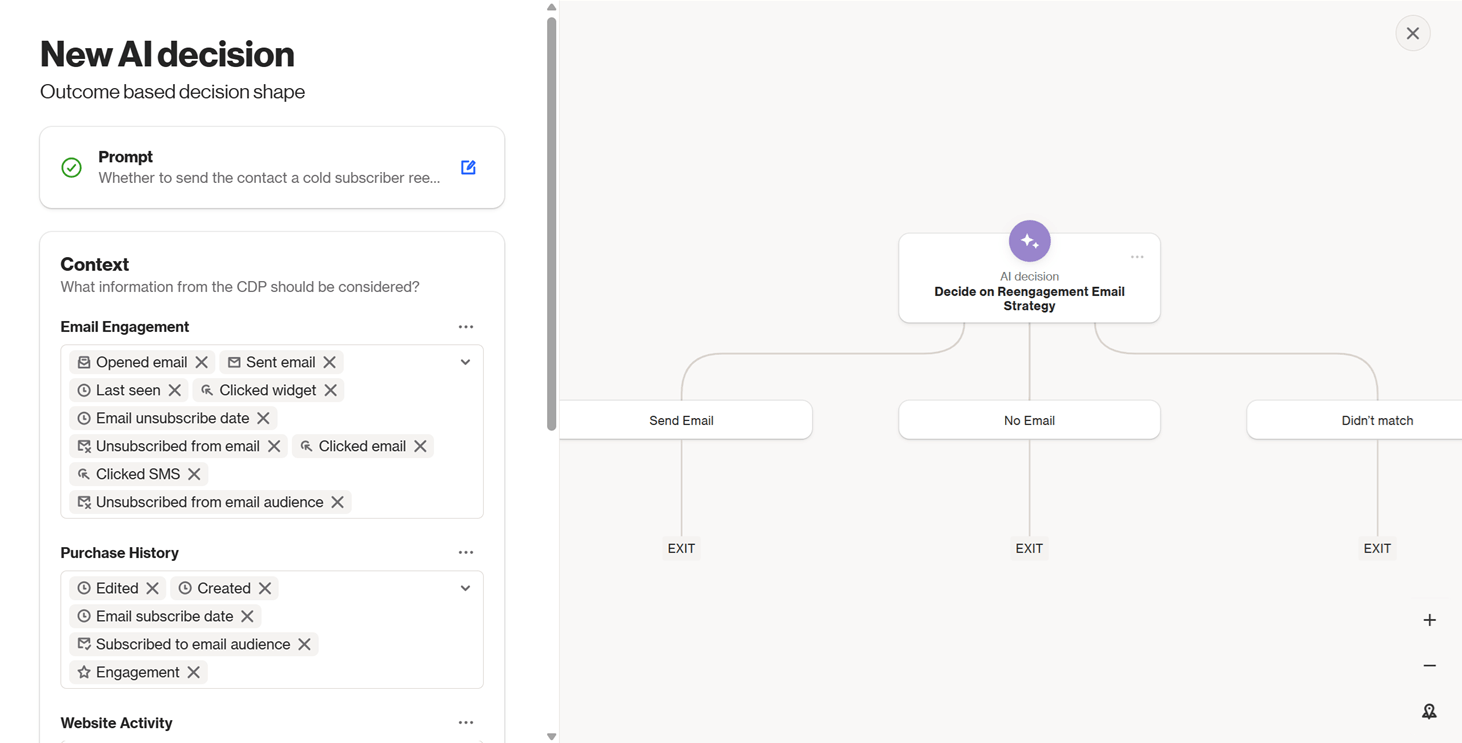
Ortto also has a good range of AI features. Similar to ActiveCampaign’s AI actions, Ortto provides an AI decision journey shape where you can enter a prompt, customize the context the shape should consider, and then set up the resulting journey outcomes.
For example, here’s an AI decision for whether to send a contact a reengagement email. Ortto suggested 20 activities and fields to consider in the context stage before generating three outcomes: send email, don’t send an email, and a fallback option in case the journey isn’t sure what to do with the contact.
Ortto has AI enrichment fields in journeys for automatically updating contacts’ fields based on data from the contacts’ websites (or other sources). The platform also has an MCP server.
But unlike ActiveCampaign, Ortto can’t generate email body content and images. (It has an AI subject line generator, though.) It also doesn’t have an equivalent of Active Intelligence.
Winner: ActiveCampaign wins for having a built-in AI engine and stronger generative AI features.
ActiveCampaign 4 – Ortto 1
6. Reporting
Reports are how you know whether your email marketing efforts are working. So, I like how ActiveCampaign’s reports give you a wealth of data.
Email-wise, for example, you can track your open rates, click rates, click-to-open rates, bounces, unsubscribes, and revenue. There’s an option to exclude Apple Mail Privacy Protection (MPP) opens so that your reports don’t reflect bot opens.
You can also monitor trends, like the days and times your emails tend to get opened and read more often.
ActiveCampaign’s automation reports help track the number of contacts who have entered your automations, plus these contacts’ activity, like email opens, clicks, and unsubscribes. View these metrics for individual automations, or collectively for all automations with at least one sent email.
If you don’t want to spend time reviewing the numbers, you can ask Active Intelligence to summarize your reports. But if data analysis is your passion, consider getting ActiveCampaign’s Custom Reporting add-on.
With the add-on, you can create custom reports — combining data from emails, automations, and other categories — and set up dashboards for viewing your reports at a glance.
Ortto provides all the typical email and automation metrics, like open rates, click rates, and bounces. You can also track useful metrics like sentiment toward your email and top email opens by location. The main drawback: you can’t exclude Apple MPP opens, and this could lead to inflated email reporting data.
You can visualize some metrics, like open and click rates over time and email opens by region, in charts and graphs. Depending on how you set up these metrics, your custom reports can get pretty granular, like tracking open rates from a certain device type and time zone.
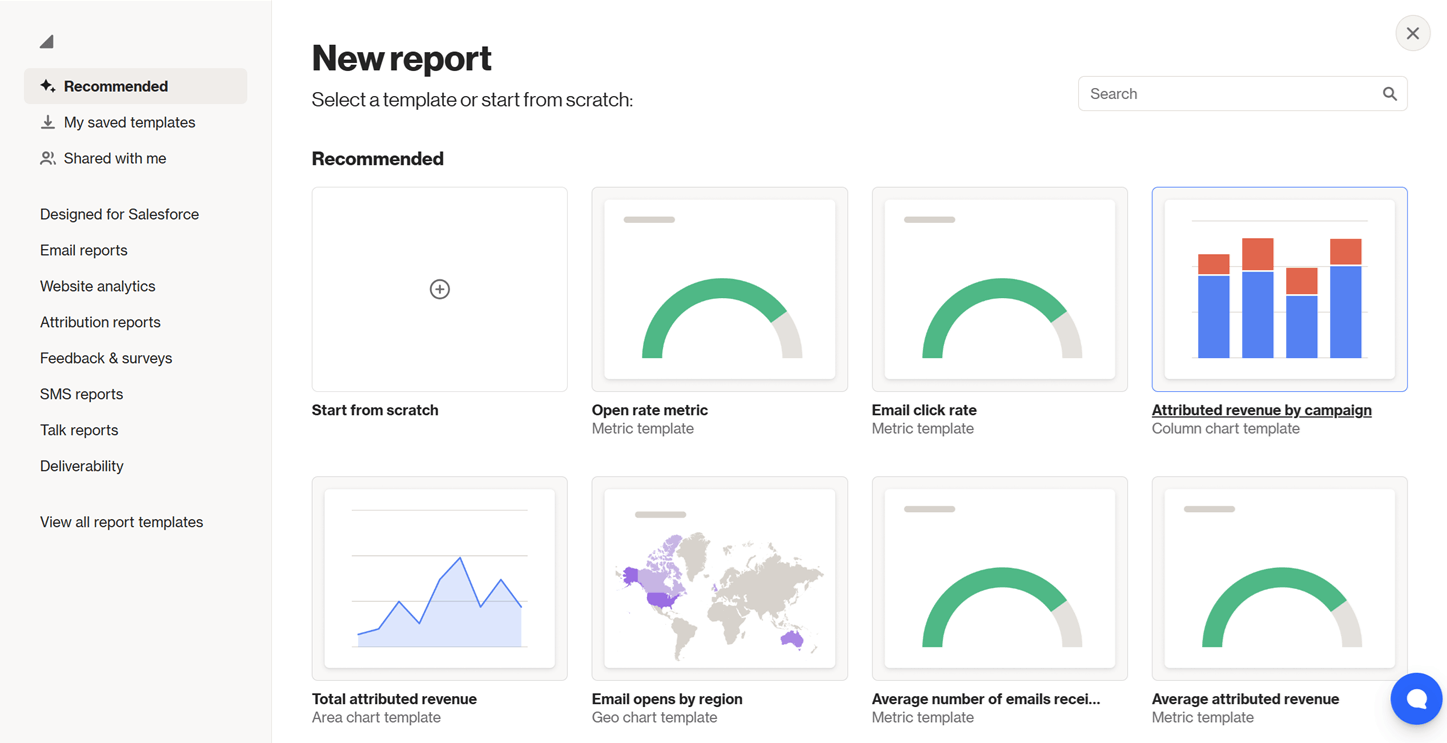
Once you’ve created your reports, you can pin them to a dashboard for convenient viewing. You don’t need a paid add-on for creating custom reports or dashboards.
Winner: Both platforms have a wide range of reporting features. So, this round ends in a tie.
ActiveCampaign 5 – Ortto 2
7. Integrations
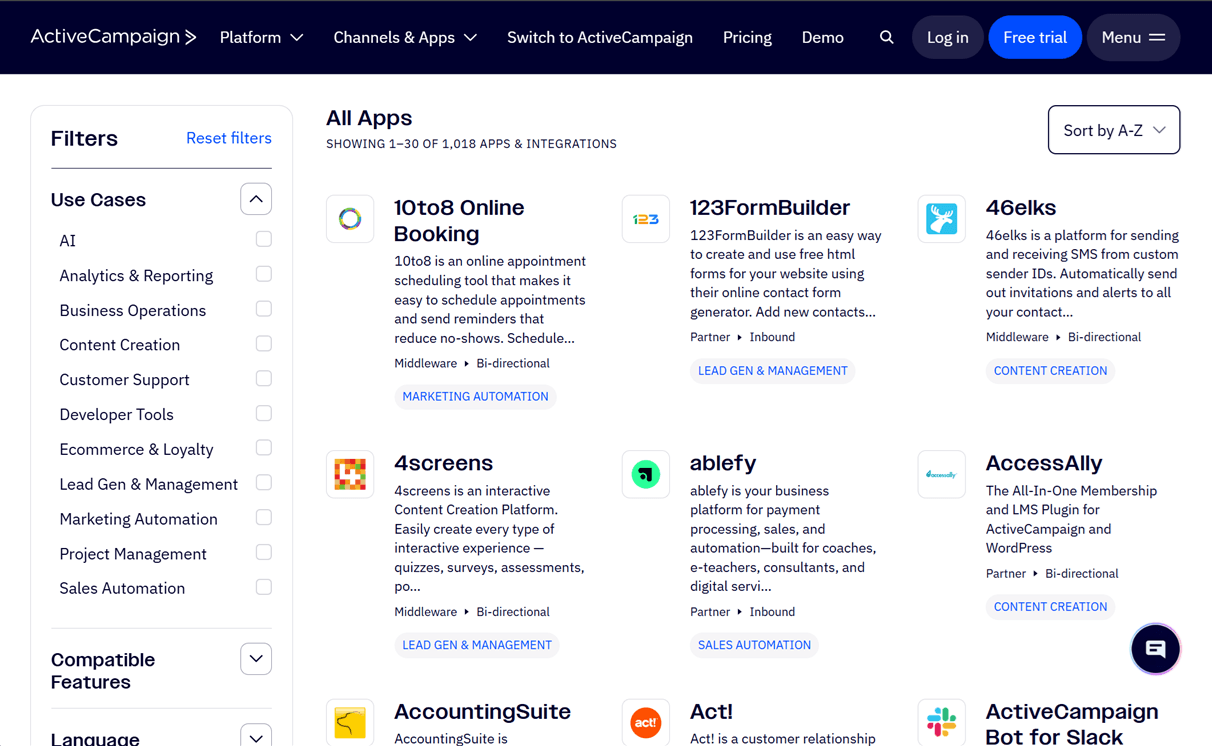
Integrations help you share data between your email service provider and other apps to power cross-app business workflows. Here, ActiveCampaign impresses with its 1,000+ integrations in all sorts of app categories — think project management, business operations, analytics and reporting, and more.
If ActiveCampaign doesn’t support your app, you might be able to link the two via ActiveCampaign’s Zapier integration, which can facilitate connections between ActiveCampaign and 9,000+ other apps.
But configuring direct integrations, where possible, is definitely much more convenient. So, it’s a bummer that Ortto supports only 25+ integrations — even if Zapier is one of them.
As mentioned earlier, ActiveCampaign and Ortto both have MCP servers for integrating their respective platforms with AI chatbots.
Winner: ActiveCampaign is the clear winner — it supports way more integrations.
ActiveCampaign 6 – Ortto 2
8. Pricing & Value
Evaluating pricing is easy: look for the lowest prices for the features you need, and try not to pay for things you don’t need.
ActiveCampaign has four pricing plans: Starter, Plus, Pro, and Enterprise, which start at $19/mo, $59/mo, $89/mo, and $159/mo respectively for 1,000 contacts.
The higher your plan, the higher your email sending limit. You also unlock premium features. For example, the Starter plan limits you to five automation actions, but you can upgrade to any higher plan for unlimited actions. Landing pages are a Plus plan feature, and conditional content and generative AI are available on the Pro plan and up.
If you get at least the Plus plan, you can top up for the Enhanced CRM ($49/mo and up) or Custom Reporting ($159/mo and up) add-ons. Enterprise plan users get these add-ons for free.
You’ll need to buy “activities” to use AI actions in ActiveCampaign automations. These activities are available in monthly bundles, with the cheapest bundle of 200 activities costing $0.80/mo or $0.004/activity. (The per-activity cost drops as you buy larger bundles.)
Ortto has three pricing plans: Starter, Professional, and Enterprise, and their starting prices are much higher than ActiveCampaign’s. They also have higher contact limits, which may be excessive if you have a small list.
Ortto’s Starter plan starts at $199/mo for 5,000 contacts, while the Professional plan starts at $599/mo for a minimum of 10,000 contacts. The 10,000-contact minimum also applies to the Enterprise plan, and you’ll need to get a quote to learn the price.
Professional plan features include landing pages, dynamic content, and lead scoring. As for the Enterprise plan, you’ll get VIP access to professional onboarding and an email deliverability consultant, among other perks.
As your email list grows, ActiveCampaign and Ortto will move you to the next contact tier for your plan. Their plans don’t have contact limits, so you won’t have to upgrade to a higher plan and potentially pay for unnecessary features.
Winner: ActiveCampaign’s more affordable starting prices make it the winner! This is even if you get ActiveCampaign’s Plus plan for the Enhanced CRM add-on. At a total of $108/mo for 1,000 contacts, this price is still almost half that of Ortto’s lowest Starter plan price of $199/mo for 5,000 contacts (and you might not even have that many contacts at first).
ActiveCampaign 7 – Ortto 2
ActiveCampaign vs Ortto (formerly Autopilot): Here’s Our Winner
At seven points versus Ortto’s two, ActiveCampaign is the overall winner of our ActiveCampaign vs Ortto comparison.
So many factors were in ActiveCampaign’s favor: its high ease of use, strong automation features, AI capabilities, 1,000+ integrations, and attractive pricing. All these make ActiveCampaign a top choice if you’re a small-to-medium business looking for a budget-friendly and powerful — yet easy to use — email platform.
That said, Ortto shone in the funnels and reporting departments. I’d give the platform a closer look if funnel creation and optimization are your priority and you can afford the higher price tag.
I’ve shared my recommendations, but test ActiveCampaign and Ortto yourself before making your final decision. Both email platforms have free trials, so there’s no reason not to try them:
- Try ActiveCampaign for free for 14 days (and get a 15% discount if you upgrade to an annual subscription)
- Try Ortto for free for 14 days
Create some test emails and automations, check out the platforms’ integrations, and then pick the platform that complements your marketing operations the best.
Still have questions about ActiveCampaign or Ortto? Ask away in the comments below.
The authors
Learn more about us

Our Methodology
This article has been written and researched following our EmailTooltester methodology.
Our Methodology