


Just built your first vibe-coded app? Congrats! As someone who has tinkered with vibe coding (though certainly not to the same extent of some of my colleagues, who have built some truly impressive tools with the help of AI – more on those in a minute!), I completely get the thrill of taking an idea, and turning it into something that actually works.
My vibe-coded app is simple, but it was born from two of my favorite pastimes: traveling and reading. I wanted a way to find book recommendations for the places I was traveling to, but couldn’t find a resource that recommended the kinds of books I liked. And so, with the help of Claude, I built my own.
I soon realized what would really be useful was if recommendations could be emailed to users. And so I started searching for an email marketing platform that could send personalized recommendations to recipients based on their travel destination (and, at the same time, manage subscriptions to my newsletter).
I eventually found one (keep reading to find out which!), and was honestly impressed at how easy it was to set it all up.
If you’ve also vibe coded an app that you’re looking to integrate email marketing into – whether that’s for member logins, onboarding sequences, newsletters, personalized recommendations, or something else – I’ll share the top 5 platforms I think will be best suited for the job.
These are tools that we’ve rated highly on EmailTooltester, and that are being used by real vibe-coded projects. And I promise, you don’t need to be a tech whiz to use them! So let’s take a look…
Top 5 Email Marketing Tools for Vibe Coding
- Brevo – Best all-in-one platform for vibe coders
- Resend – Best for straightforward transactional email
- MailerLite – Best for marketing and monetizing your app
- Mailgun – Best for vibe coders who want powerful email infrastructure
- SMTP2GO – Best low-cost option for reliable transactional email
What Kind of Email Does Your App Actually Need?
Before choosing a platform, it helps to work out exactly what kind of emails your app needs to send. Broadly speaking, there are three types of email you might need:
Transactional emails are the functional messages that get triggered by something a user does in your app. Think verification codes, password reset emails, booking confirmations, receipts, or other app notifications. These emails are usually sent automatically and individually, rather than as part of a marketing campaign.
Lifecycle emails are also automated, but they’re more focused on guiding users through their relationship with your product. That could mean a welcome or onboarding sequence, a reminder to finish setting up their account, a nudge to come back after a period of inactivity, or an email letting them know their trial is about to end.
Marketing emails are probably what first comes to mind when you hear “email marketing”: newsletters, product announcements, promotions and other campaigns you send to a group of subscribers.
Depending on what you’ve built, you might only need one of these. Or, like me, you might find yourself needing a mix. So, which type of platform should you choose?
That really depends on what you’ve built, and what you need email to do. Some tools are much better suited to transactional emails. Others shine when it comes to newsletters and automation. And a few can handle a bit of everything.
I’ve included a mix of all three below, along with where I think each one fits best.
Let’s get into the five tools I’d recommend for vibe-coded apps.
Best Email Marketing Tools for Vibe Coding: A Detailed Look
1. Brevo: Best all-in-one email platform for vibe coders
If you want one platform that can handle pretty much every kind of email your app might need, Brevo would be my top pick.
For vibe coders, one of Brevo’s biggest advantages is its transactional email API. You can use it to trigger emails such as account confirmations, password resets, and notifications. Emails can contain dynamic content, so the information inside them can change depending on the user or action that triggered them.
There’s also an Events API, which lets your app send user activity back to Brevo. Those events can then be used to segment contacts or trigger automations. So, for example, you could create an event when someone signs up for your app, starts a trial, or buys something, and use that to kick off the relevant email sequence.
But Brevo is more useful than a purely transactional service. You can use the same platform to send newsletters and promotional campaigns, and build welcome and onboarding series. That is much more convenient than having to export your users into a separate email marketing tool.
You also get plenty of more traditional marketing tools that you can use without touching any code. There’s a drag-and-drop email editor for creating newsletters and campaigns, a landing page + form builder for collecting leads, and a live chat widget that you can add to your website or app.
Brevo’s Conversations tool can also bring together chat, email, WhatsApp, Messenger and Instagram messages, and even lets you set up chatbot scenarios. So if your vibe-coded project starts turning into a proper business, there’s quite a lot here that you can grow into without needing to add a whole stack of extra tools.
Brevo is actually the platform we use for one of our vibe-coded projects at EmailTooltester. Email Tracker was built by our CEO Robert, and it collects data on the ESPs used by different brands.
To access this data, users need to sign up for an account. Brevo sends them the confirmation email, and at the same time gives them a chance to opt into our newsletter (which is also sent by Brevo). We like that Brevo lets us do both things without having to stitch together separate transactional and marketing email tools.
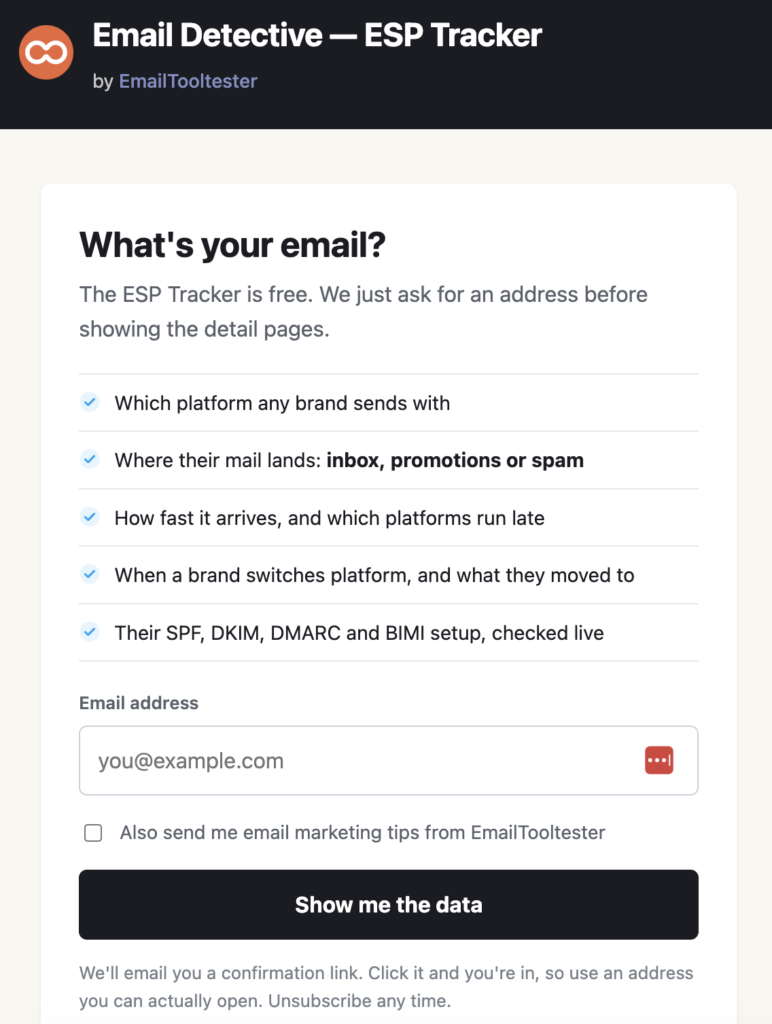
This form integrates with Brevo to manage app sign ups, as well as capture subscriptions to our newsletter
For another one of Robert’s vibe-coded apps, Email Detective (the Gmail/Outlook Chrome extension that powers Email Tracker), he uses Brevo to send automated emails to collect feedback, as well as share product updates.
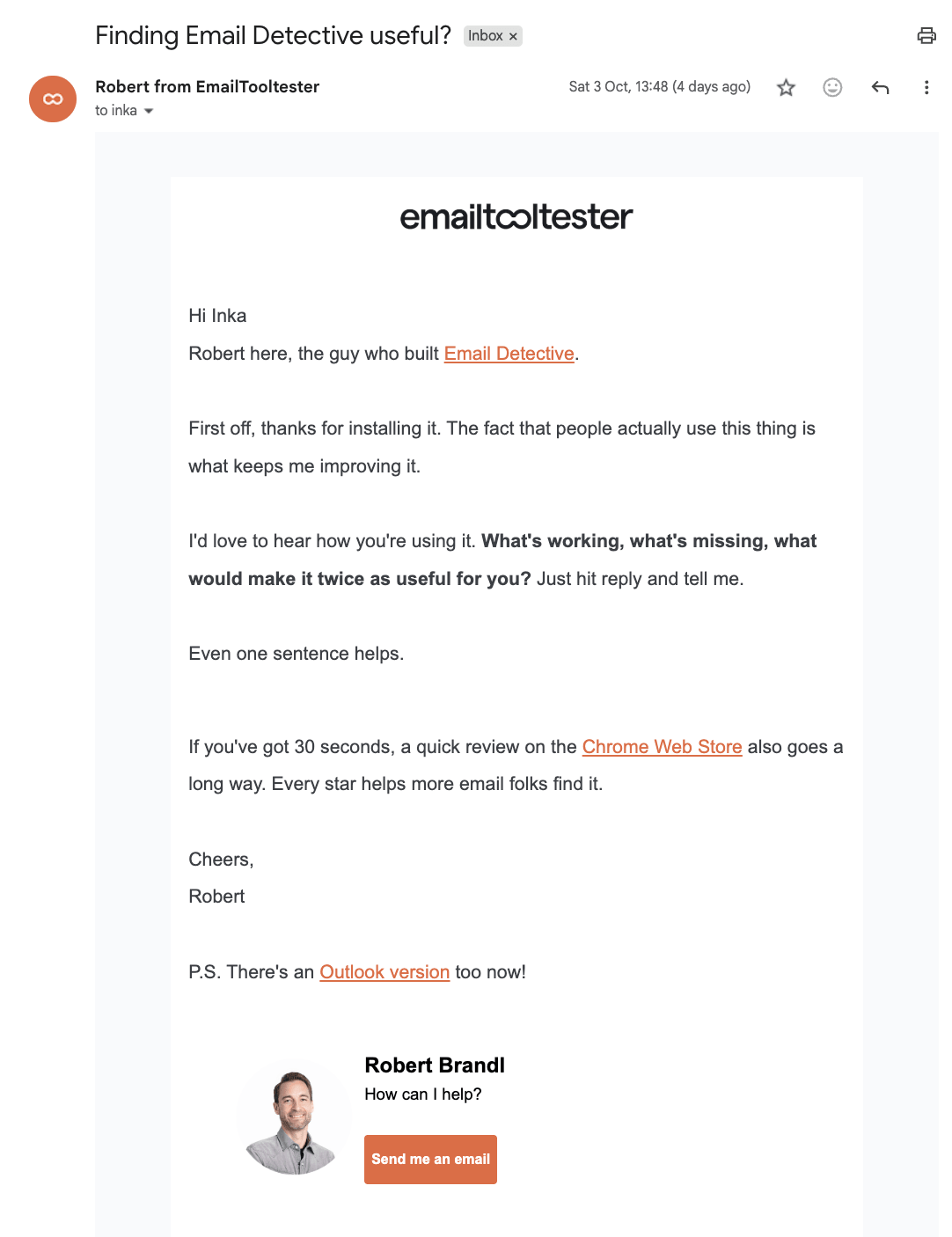
This email is automatically sent to users a few days after they’ve installed our app
What I like about Brevo for vibe-coded apps
- Transactional + marketing email in one place: You can use Brevo for your app emails, as well as for newsletters, onboarding and promotions. Custom events from your app can trigger automations and be used for behavioral segmentation.
- Lots of no-code marketing tools: Once your app is up and running, you can build campaigns, landing pages, signup forms and automations without going back into your codebase.
- Very AI-friendly: The MCP integrations with tools such as Claude and Cursor are a particularly good fit if you’re already using an AI coding assistant to build your app.
- Plenty of ways to integrate: API, SMTP, webhooks and official SDKs give you quite a bit of flexibility.
- You can grow into it: You might start with a simple transactional email, but later add onboarding sequences, newsletters, product announcements, live chat, SMS or WhatsApp without rebuilding your whole setup.

Where Brevo could be better
- It can feel like a lot of platform: Brevo does much more than simply send email, so the interface and sheer number of features can feel a little overwhelming if all you want is a lightweight API for sending transactional messages.
- A specialist transactional service may be simpler: If your only requirement is something like “send a verification email when a user registers,” a developer-focused service such as Resend or Mailgun may feel more streamlined.
- Not the best for landing pages: Although it does include a landing page builder, you need to upgrade to higher-tier plan if you want to publish more than 1 landing page
- The free plan’s daily cap could become restrictive: You’re limited to 300 sends per day, rather than receiving a monthly allowance that you can use whenever you like.
Brevo Pricing
Brevo’s free plan includes 300 emails a day, which will be enough to get many new vibe-coded projects up and running before they need to pay.
Its paid plans start at an affordable price, and I like that Brevo doesn’t penalize you for having large lists like other platforms do. The Starter plan begins from as little as $9 a month for 5,000 emails.
Who is Brevo best for?
I’d recommend it if you expect your app to need more than just transactional email. If you want to send app notifications today, add an onboarding sequence tomorrow, and eventually start sending newsletters or product updates, having all of that in the same platform can make life a lot easier.
> Try Brevo for free (and get a 50% discount in the first 3 months if you upgrade)
2. Resend: Best for straightforward transactional email
Resend is the platform I use for Storied Away. I almost didn’t though, as it was one of those tools I initially assumed might be too technical for me (its “Email for developers” tagline can be a little intimidating!).
Despite this, I found it surprisingly straightforward to set up with the help of Claude. Once I’d connected my domain and API key, I was able to get Storied Away sending personalized book recommendations without too much trouble. I didn’t even have to put the email design together, as Claude did it all for me based on my website’s fonts and colors.
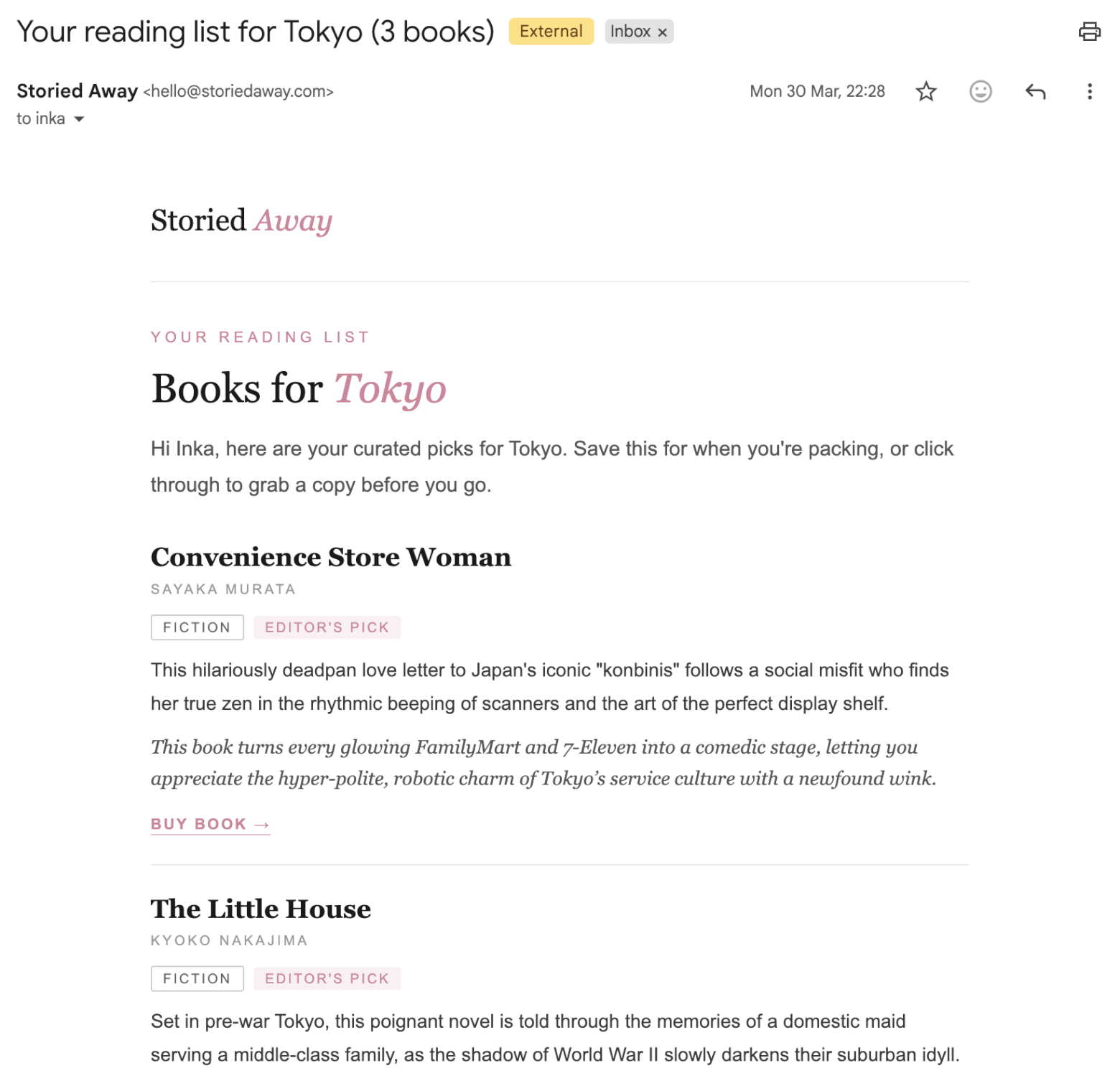
Resend can send personalized emails with dynamically-generated content, like this one for my vibe-coded app that sends book recommendations based on travel locations
All this makes Resend an especially good fit for vibe coders. If you’ve already used an AI coding assistant to build your app, you can use much the same workflow to add email.
Its biggest strength is transactional email. So if your app needs to send login codes, password resets, order confirmations, notifications or personalized messages triggered by something a user does, Resend is very much built around that use case.
But it’s no longer just a transactional email service. Resend now also includes Broadcasts for sending newsletters and promotional campaigns, contact management, segmentation, analytics and a visual email editor. You can create campaigns directly in the dashboard or trigger them through the API.
Webhooks are another useful feature if your app needs to react to what happens after an email is sent. Resend can notify your app when an email is delivered, opened, clicked, bounced or unsubscribed from, which gives you plenty of options for building additional workflows around user behaviour.
What I like about Resend for vibe-coded apps
- Very straightforward to integrate: Even though it’s aimed at developers, I found the setup manageable as a non-developer using Claude to help me through it.
- Excellent for transactional email: This is where Resend really shines, particularly for messages triggered directly by actions inside your app.
- Clean, focused platform: It doesn’t overwhelm you with dozens of unrelated marketing or CRM features.
- Useful personalization options: Templates and variables make it easy to send different content based on data from your app (e.g. booking details, recommendations).
- Great developer tools: Resend provides official SDKs, SMTP support and a clean API. Test mode makes it much safer to experiment with your integration before sending real emails.
Where Resend could be better
- Marketing is still secondary: Resend now has Broadcasts and contact management, but if newsletters, complex automations and marketing campaigns are a major part of what you need, platforms like Brevo or MailerLite still offer a much broader toolkit.
- No email templates: Unlike Brevo, Resend doesn’t offer pre-designed templates out-of-the-box. The email editor also doesn’t provide the same visual, drag-and-drop experience that you’d find with other more marketing-friendly tools.
- Lifecycle automation is less developed: You can certainly build automated flows around Resend, but you’ll generally be doing more of that logic inside your app rather than using a mature visual automation builder.
- It still assumes some technical involvement: AI can take care of a lot of the heavy lifting, but you’ll still come across concepts like API keys, DNS records and webhooks that you wouldn’t need to think about with a conventional newsletter platform.
Resend Pricing
The free plan gives you 3,000 emails per month, but you can only send 100 per day, which could become restrictive quickly.
Paid plans start at $20/month for 50,000 emails, which is reasonable compared to other transactional email providers.
Who is Resend best for? I’d recommend it if email is primarily something your app itself needs to send. If you want a clean, reliable way to trigger personalized or transactional emails without taking on the complexity of a much larger marketing platform, Resend is one of the cleanest solutions I’ve come across.
3. MailerLite: Best for marketing and monetizing your vibe-coded app
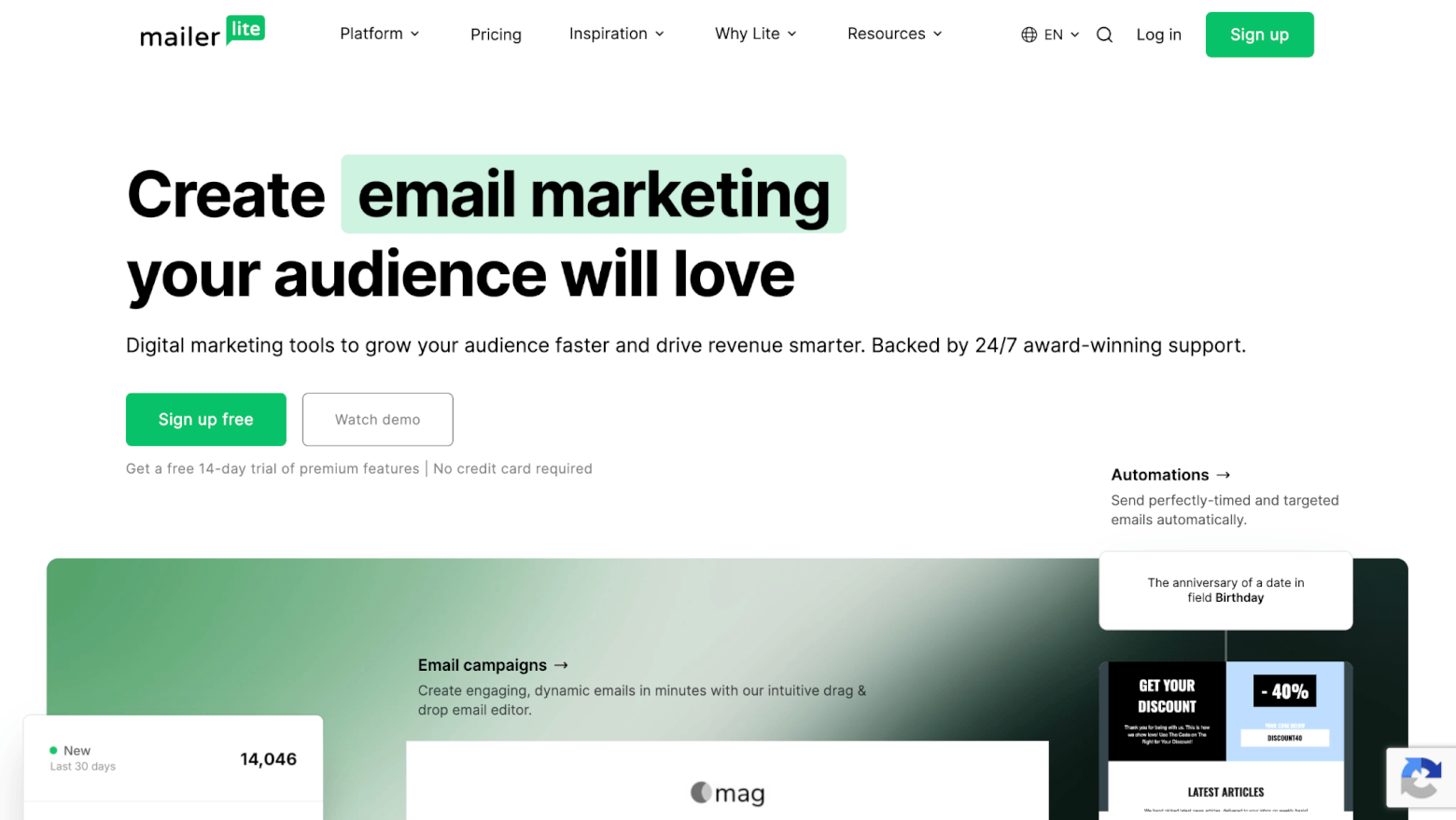
MailerLite is very different from the other tools on this list. Whereas platforms like Resend and SMTP2Go are primarily built around getting emails out of your app, MailerLite is much more focused on helping you market, grow and monetize what you’ve built.
If your vibe-coded project is turning into more than just an app, MailerLite offers some interesting options. It can help you launch a paid newsletter, build a waiting list, take bookings, and create landing pages without having to vibe code every single part of your marketing setup. You can also sell access to your app with MailerLite’s digital product feature.
Email marketing is still at the heart of MailerLite, and it does this very well. You get a drag-and-drop email editor, signup forms and pop-ups, segmentation, A/B testing and visual automations, so it’s easy to set up things like welcome sequences, lead nurturing campaigns, or emails triggered by subscriber activity. There’s also dynamic email content on its paid plans, which can be useful if you want different subscribers to see different content.
But it’s the extra tools that really make MailerLite stand out here. For starters, it has a surprisingly capable website and landing page builder – great for creating dedicated landing pages for launches or waitlists. You even get one website and landing page on the free plan.
Another recent addition is Bookings, which lets you offer free or paid appointments without adding a separate scheduling tool. That could be especially useful if your vibe-coded app is part of a coaching, consulting or service business.
If AI is central to the way you work, MailerLite now also includes an MCP server, which gives AI assistants another way to interact with your MailerLite account.
Where MailerLite is less convincing is transactional app email. You can certainly use it for automations and marketing emails, but if your main requirement is sending things like password resets, verification codes or real-time app notifications, I’d be more inclined to use a specialist service such as Resend, Mailgun or Amazon SES. (For MailerLite users interested in transactional email, MailerLite recommends its sister service, MailerSend).
What I like about MailerLite for vibe-coded apps
- Excellent marketing tools: The email editor, visual automations, forms, pop-ups and segmentation are much more developed than what you’ll find in most developer-first platforms.
- Website and landing pages included: Handy if you need a homepage, launch page or lead-generation page but don’t want to build another one from scratch.
- Strong monetization features: You can sell digital products, subscriptions and paid newsletters directly through MailerLite. Appointments, group events and webinars can also be managed in the same platform.
- Good for building a business around your app: It could replace several separate tools if you’re trying to keep your tech stack simple.
- Easy to use: Compared with the developer-focused services on this list, MailerLite feels much more approachable if you’d rather work through a visual interface than APIs. (Check out our MailerLite tutorial to learn more.)
Where MailerLite could be better
- You may still need another email service: MailerLite uses MailerSend for transactional email, so if you need both transactional and marketing emails, you may end up using two (related) products rather than one. If your app mainly needs to send login codes, password resets or instant notifications, I’d choose a dedicated transactional email service instead.
- Some of its best business features are paid: Paid newsletters, more digital products and bookings, and more advanced automation features require upgrading.
- Less developer-centric: If you want to control everything through code and APIs, Resend, Mailgun or SES will probably feel more natural.
MailerLite Pricing
MailerLite’s free plan includes a website, landing page, automations, forms, one digital product or booking, and access to its MCP server. However, you’re restricted to 2,500 monthly emails, 250 subscribers, and you get limited email templates.
MailerLite’s lower-tier paid plans offer good value for money, starting at $12/month for 500 email subscribers. However, it can get pricier once your list starts growing.
Who is MailerLite best for?
I’d recommend it if the email side of your vibe-coded project is mainly about building an audience and turning that audience into customers. It’s especially appealing if you also need landing pages, a simple website, digital product sales or appointment booking, as you can potentially replace several separate tools with one subscription.
4. Mailgun: Best for vibe coders who want powerful email infrastructure
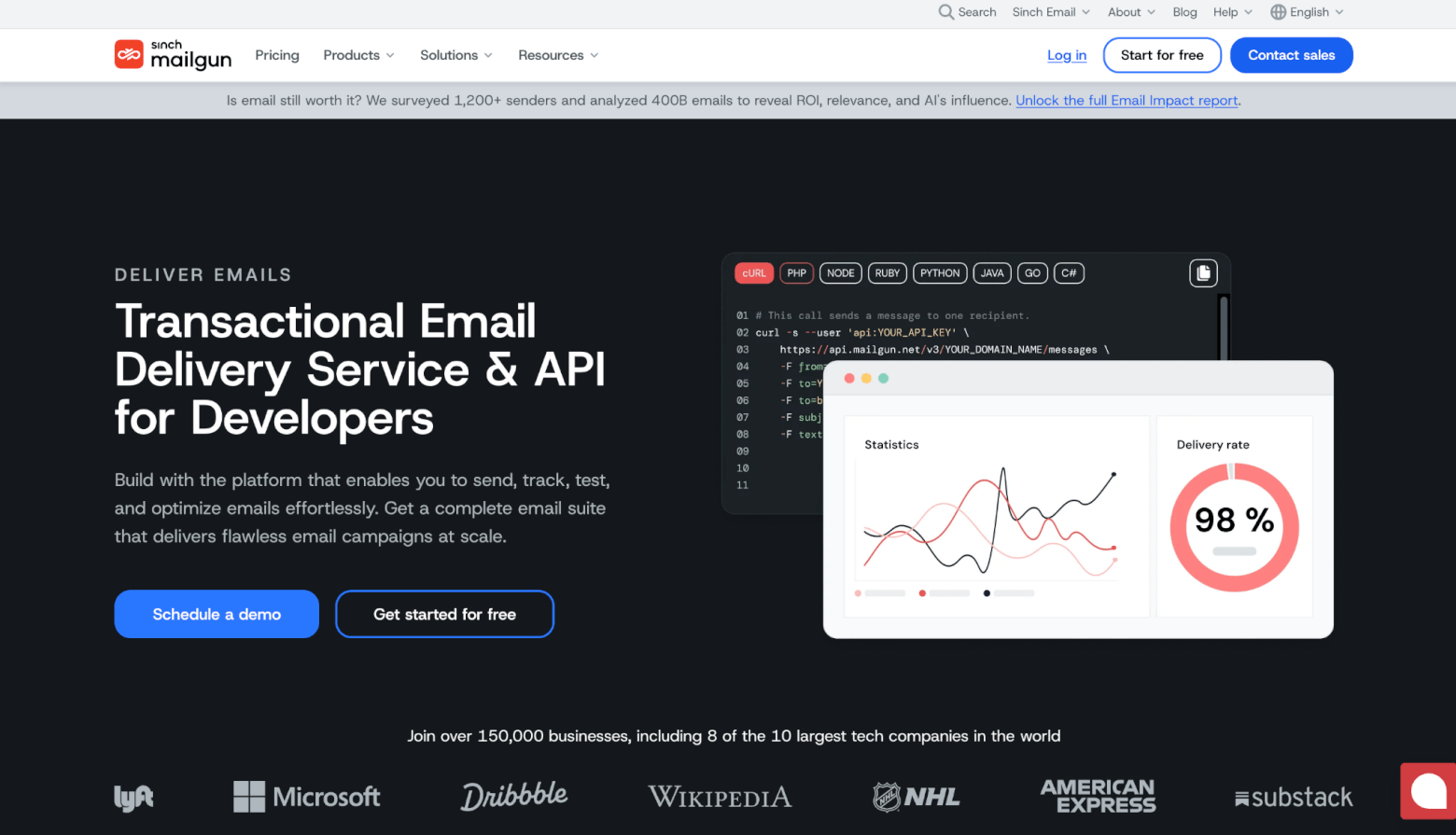
Mailgun is another platform I keep coming across in vibe-coded projects, which makes sense once you look at how closely Mailgun now integrates with the tools vibe coders are already using.
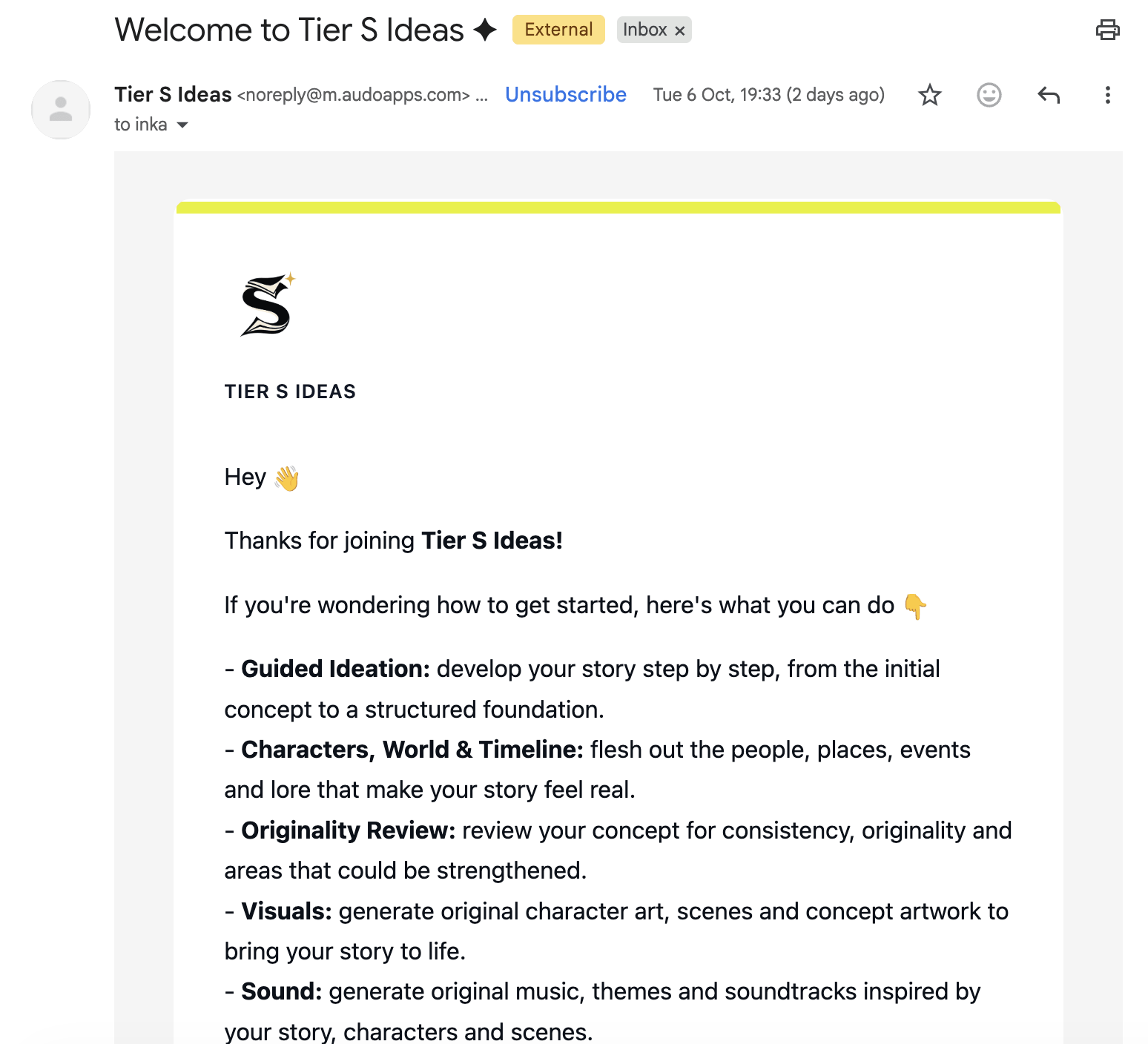
Story idea generator Tier S Ideas uses Mailgun to send a welcome email guiding users on how to use the product
At its core, Mailgun is a developer-focused transactional email service. You can use its API or SMTP relay to send things like verification emails, password resets, notifications, receipts and other messages triggered from inside your app. It also supports templates, webhooks, inbound email routing, tracking and analytics.
Mailgun has leaned heavily into AI-assisted development, making it a strong option for vibe coding. There are official integrations with Replit and Lovable integration for sending transactional emails. Its MCP server can also integrate with tools like Claude and Cursor for sending, reporting and other tasks. Claude users can connect directly to Mailgun’s live documentation, so Claude can reference the latest API information while helping you build or troubleshoot your integration.
Mailgun also goes quite a bit further than simply sending messages. Its email validation tools can check whether an address appears valid before you send to it, including checks for syntax, DNS and whether the mailbox exists.
Another strength is deliverability. Mailgun offers tools such as dedicated IPs, automated IP warm-up, authentication support and, through its Optimize product, inbox placement testing and reputation monitoring. That’s more than most small vibe-coded apps will need at the beginning, but it could become valuable if your app grows.
The trade-off is that Mailgun still feels much more like email infrastructure than an email marketing platform. There’s a template builder, but there isn’t a full newsletter and marketing automation environment like you get with Brevo or MailerLite.
What I like about Mailgun for vibe-coded apps
- Very well suited to AI-assisted development: Official support for Lovable, Replit and Supabase, plus its MCP server and Claude documentation connector, make it one of the most vibe-coding-friendly transactional platforms I’ve seen.
- Strong transactional email infrastructure: API and SMTP sending, templates, inbound routing and webhooks give you plenty of flexibility.
- Useful deliverability tools: Dedicated IPs, authentication features, inbox placement testing and reputation monitoring give you room to grow into a more serious email setup.
- Email validation is built in: Handy if your app collects email addresses through registrations or forms and you want to catch invalid addresses before sending.
- Clean interface: Compared with some of the more cluttered developer platforms, Mailgun’s feels a lot easier to navigate through.
Where Mailgun could be better
- It’s more technical than a platform like Brevo or MailerLite: Even with AI doing much of the heavy lifting, you’re still working with APIs, domains, webhooks and sending infrastructure rather than a conventional marketing interface.
- Not a full email marketing platform: If you want visual automations, newsletters, landing pages and subscriber journeys, you’ll probably need another tool alongside Mailgun.
- Pricing isn’t especially cheap: Mailgun is one of the pricier transactional options. The $35 Foundation plan includes 50,000 emails, while some competitors offer similar volumes for less.
- Some of the more advanced deliverability features cost extra: Inbox placement and reputation monitoring sit under Mailgun Optimize rather than the standard sending plans.
Mailgun Pricing
Mailgun’s free plan lets you send up to 100 emails per day for free and get access to the API, SMTP relay, one custom sending domain, tracking, analytics and webhooks. Just note: 100 emails per day is fine for testing and very small apps, but a growing product could outgrow it quickly.
Paid plans start at $15/month for 10,000 emails, while the Foundation plan costs $35/month for 50,000 emails.
Who is Mailgun best for?
I’d recommend it if your vibe-coded app mainly needs reliable transactional email and you’re happy for the app itself to handle most of the logic. It’s especially appealing if you’re already building in Lovable, Replit, Supabase or Cursor, because Mailgun now fits neatly into those workflows.
If, on the other hand, you want the same platform to handle newsletters, visual lifecycle automations and broader marketing, I’d look at Brevo or MailerLite instead.
5. SMTP2GO: Best low-cost option for reliable transactional email
SMTP2GO might not be the flashiest tool on this list, but it’s one I’d definitely consider if your main priority is simply getting transactional emails delivered without spending much.
It’s primarily an SMTP relay and email API service, so you can use it to send notifications and other emails triggered from your vibe-coded app. SMTP2GO also supports reusable templates with variables, so you can personalize things like names, order details or recommendations based on data from your app.
And although the interface looks a little old-school compared with something like Resend, we’ve had very good experiences with SMTP2GO at EmailTooltester. In our past tests we found it had the highest rates of deliverability out of all the transactional services we evaluated.
There are also webhooks for events such as deliveries, opens, clicks, bounces, unsubscribes and spam complaints. That means your app can react to what happens after an email is sent, for example by flagging a bounced address or updating a user record after a message is delivered.
Another feature I like for vibe-coded projects is Sandbox Mode, which lets you test your integration without actually delivering messages to recipients. Just bear in mind that sandbox emails still count towards your monthly allowance.
SMTP2GO also operates servers in several regions, including the EU, which can be useful if data residency or GDPR requirements are important to your project.
What I like about SMTP2GO for vibe-coded apps
- Excellent deliverability in our tests: It averaged 95.5% inbox placement across four rounds of EmailTooltester testing, making it one of our strongest performers.
- Straightforward transactional features: SMTP, API sending, templates, personalization and webhooks cover most of what a small app is likely to need.
- Good support: This has been one of our positive experiences with SMTP2GO. We received quick, helpful responses when testing the service, and paid plans include ticket, chat and phone support.
- EU servers available: Useful if you’d prefer your email infrastructure to be hosted closer to European users.
- Sandbox testing: You can safely test your setup without accidentally emailing real users.
Where SMTP2GO could be better
- The interface feels a little dated: It works perfectly well, but Resend and some of the newer developer-focused platforms feel more polished.
- Limited reporting on the free plan: Free users only get a short reporting history, whereas paid plans retain email reports for longer. That makes it less convenient if you want to investigate an older delivery problem.
- Not an email marketing platform: There are templates and tracking, but you won’t find the visual automations, newsletter tools, landing pages or contact management you get with Brevo or MailerLite.
- Some advanced testing tools require an expensive plan: Its inbox preview, spam-filter and email-client screenshot tests are reserved for Professional plans starting at 100,000 emails per month.
SMTP2GO Pricing
The free plan is a big reason I think SMTP2GO makes sense for vibe coders. You can send 1,000 emails per month indefinitely without paying, which should be plenty for testing an idea or running a small app in its early stages. (Note: there is a limit of 200 emails per day, and SMTP2GO also applies an hourly rate limit on the free plan.)
When you do outgrow the free plan, pricing remains pretty reasonable. The Starter plan costs $10/month for 10,000 emails, while higher-volume plans are available as your app grows.
Who is SMTP2GO best for?
I’d recommend it if your vibe-coded app mainly needs a simple, affordable and reliable way to send transactional emails. It doesn’t have the slick developer experience of Resend or the broader marketing features of Brevo, but if you’re starting small and care more about deliverability and price than bells and whistles, it’s a very strong option.
Email Marketing for Vibe Coding: Final Thoughts
So there you have it: five strong options for vibe coders looking to get started with email marketing. Some are more geared towards developers, while others are designed with marketers in mind, but if you’ve already vibe coded a project, you’ll have no trouble getting up and running with any of them.
The best choice really comes down to what you need email to do. If your app mainly needs to send transactional messages, a platform like Resend, Mailgun or SMTP2GO may be all you need. If you also want to build newsletters, automations, landing pages or other marketing campaigns around your app, Brevo or MailerLite will give you much more room to grow.
In my experience, it’s better to start simple. You probably don’t need the most advanced setup from day one, especially if your app is still finding its first users. Pick the tool that covers your immediate needs, make use of the free plan where you can, and add more sophisticated automations and marketing features once there’s a real reason to.
And that’s probably one of my favorite things about vibe coding in general: you can test ideas quickly, without committing huge amounts of time or money upfront. Email doesn’t have to be any different.
The authors
Learn more about us

Our Methodology
This article has been written and researched following our EmailTooltester methodology.
Our Methodology