


While ActiveCampaign and GoHighLevel (also known as HighLevel) both have email marketing, automation, and customer relationship management (CRM) capabilities, they serve different target audiences.
ActiveCampaign specializes in helping businesses automate their marketing, while GoHighLevel focuses on helping agencies manage marketing for multiple clients.
That said, if you’re choosing between both tools, I wouldn’t decide just based on whether you’re a business or an agency.
Because technically, if you’re an agency, you could set up separate ActiveCampaign accounts for all of your clients. Or, if you’re a business, you could sign up for GoHighLevel and use it to manage just your own marketing.
To make the right decision, you’ll need to do an in-depth comparison of both tools’ capabilities. And in this ActiveCampaign vs GoHighLevel review, I’ve done exactly that for you.
Keep reading to learn where each tool is stronger, where they need room for improvement, and which one wins in the end…
ActiveCampaign vs GoHighLevel: Main Differences
The main differences between ActiveCampaign and GoHighLevel are that:
- ActiveCampaign has stronger email marketing capabilities, making it the more effective tool for businesses that want to set up robust email campaigns to nurture and convert their audience on autopilot.
- GoHighLevel has built-in memberships and funnel features, while ActiveCampaign doesn’t. So, creators who need these features may find GoHighLevel more attractive as an all-in-one marketing and sales tool.
- ActiveCampaign is cheaper to start using than GoHighLevel. This will appeal to small businesses on tight marketing budgets.
- Unlike ActiveCampaign, GoHighLevel lets users create sub-accounts to manage marketing for multiple businesses — a feature that agencies will value.
ActiveCampaign vs GoHighLevel: In-Depth Comparison
To compare ActiveCampaign and GoHighLevel, I reviewed their capabilities over these nine comparison rounds:
- Ease of use
- Email marketing
- Automation power
- CRM capabilities
- Funnels & landing pages
- Memberships & course hosting
- Reporting
- Integrations
- Pricing & value
1. Ease of Use
ActiveCampaign is super easy to use. When you log in to your account, the dashboard displays the platform’s AI engine, called Active Intelligence:
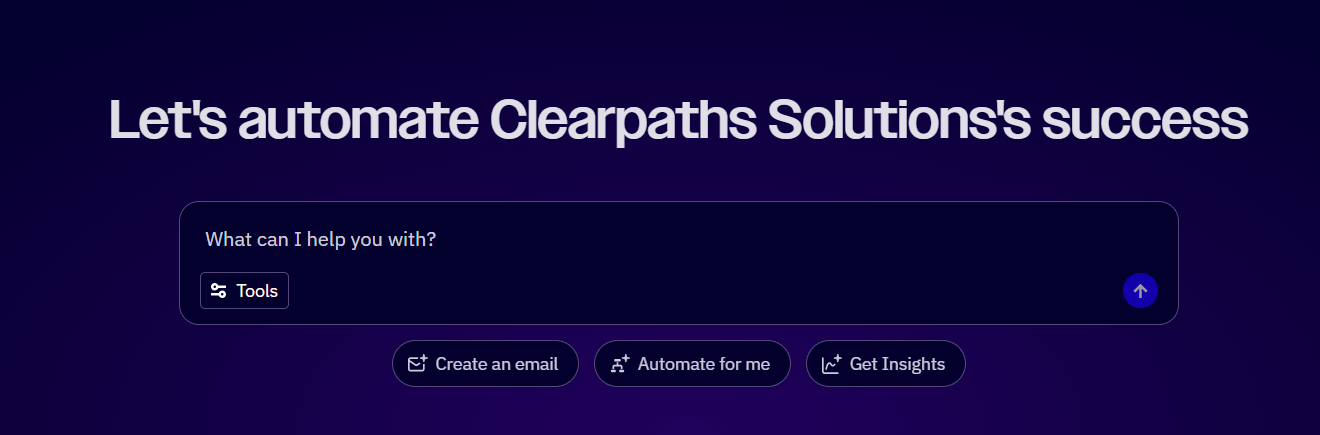
Chat with Active Intelligence to carry out tasks like creating emails, building automations, and analyzing your email marketing KPIs. This is especially useful if you aren’t familiar with ActiveCampaign’s features or interface yet.
But the platform’s interface is simple to navigate, too. You’ll find all the features from the left sidebar, with intuitively-named categories like “Automations,” “Emails,” and “Deals.”
I also like how the platform’s features load fast, which is important for keeping your productivity high.
GoHighLevel also has a left sidebar, but it might throw you off the first time you log in. That’s because you’ll see the platform’s agency sidebar, which shows options like “Prospecting,” “Reselling,” “Affiliate Portal,” and “GHL Swag.” They don’t immediately resemble the typical feature set of email marketing, automation, CRM, and so on.
I took a few minutes of confused clicking to discover the solution: I had to switch from my agency account to my business’s sub-account.
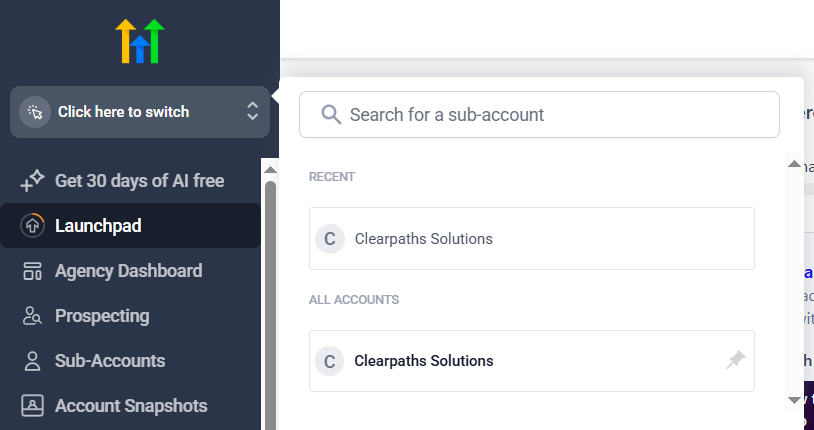
GoHighLevel’s feature pages — when I finally managed to find them — have cluttered top navigation tabs. For example, the “Sites” feature page contains top navigation tabs for “Websites,” “Stores,” “Blogs,” “WordPress,” and more, and I’m not sure all these need to be separate tabs.

GoHighLevel’s loading time feels slower than ActiveCampaign’s. But to speed up your work, you can tap into AI features, like an “Ask AI” AI assistant and an AI-powered automation builder.
Winner: ActiveCampaign takes the first point for its more intuitive navigation and fast load times!
ActiveCampaign 1 – GoHighLevel 0
2. Email Marketing
Email marketing is a broad topic, so I’ll split it into forms, sending one-off emails, and deliverability.
Forms
GoHighLevel has a lot of form functionality. There are over 140 form templates, and each one has multiple themes (I counted 20 for one of the templates). You can also choose whether to make your form fields single column, double column, or single line. So, you’re spoilt for choice on your form’s design.
Customize your signup form by dragging and dropping form elements into it. Standard fields, like first name and last name, as well as dropdowns, are available.
There are also more unique form elements like file uploads and signatures. These could come in handy for general business and sales use, but you likely won’t need them for email marketing.
Other available form features include form field conditional logic and payment collection.
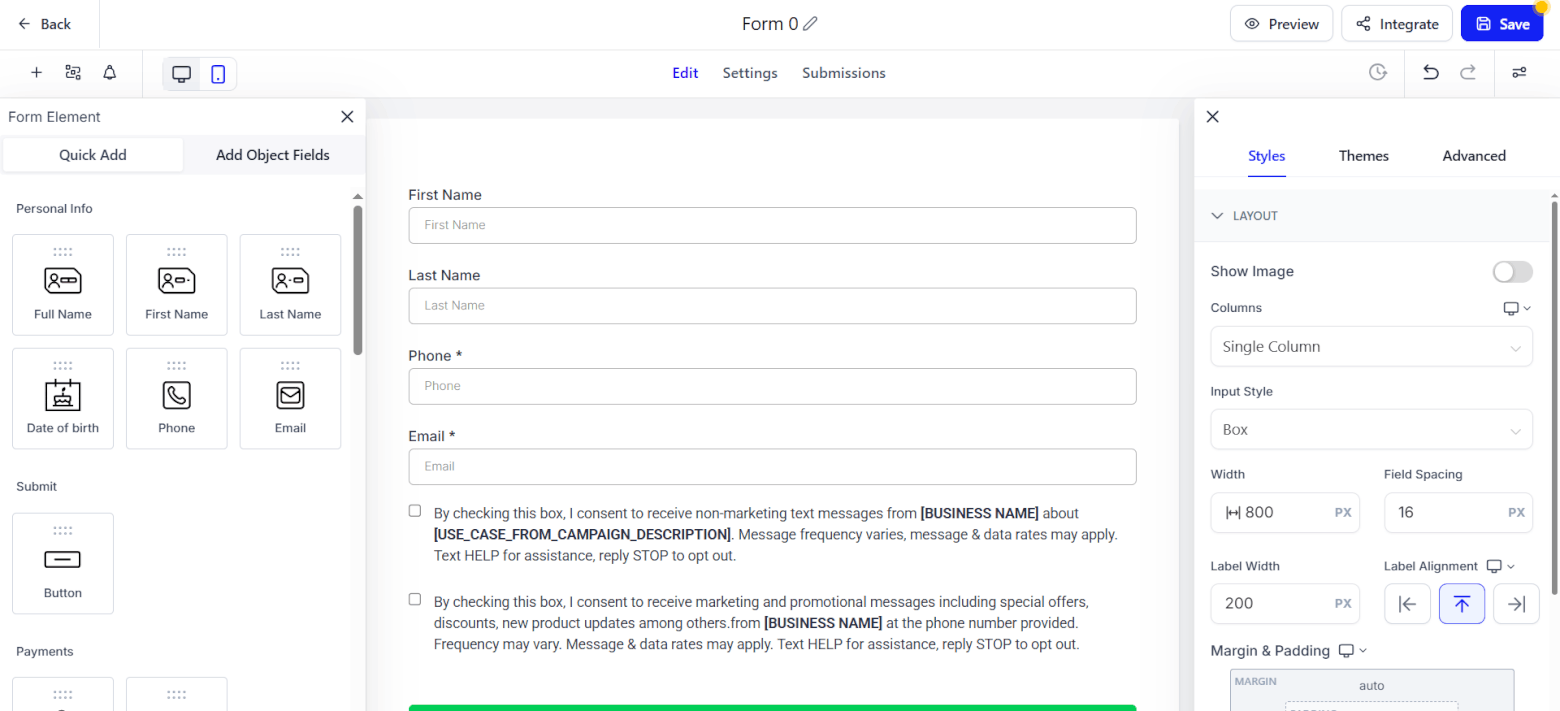
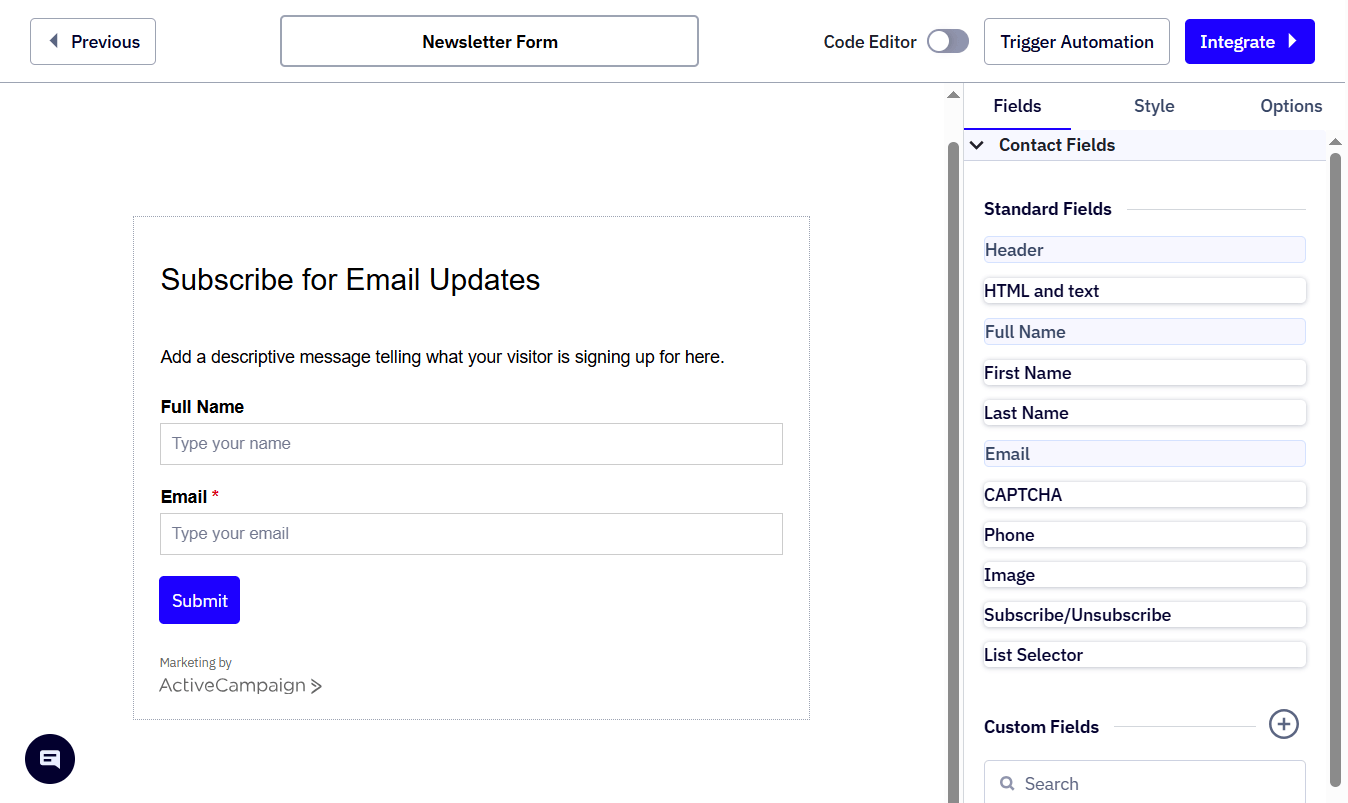
In contrast, ActiveCampaign has fewer form features. There’s only one form template with limited customization options. For example, you’re limited to single-column forms, and you can’t set up conditional logic.
Sending one-off emails
That said, ActiveCampaign does emails really well.
It’s got a respectable variety of email templates, but why use them when you can use AI to generate an on-brand template on the spot?
Just tell Active Intelligence the kind of email campaign you want to send. In minutes, you’ll get a bespoke template that’s tailored to your brand’s colors and contains customized copy.
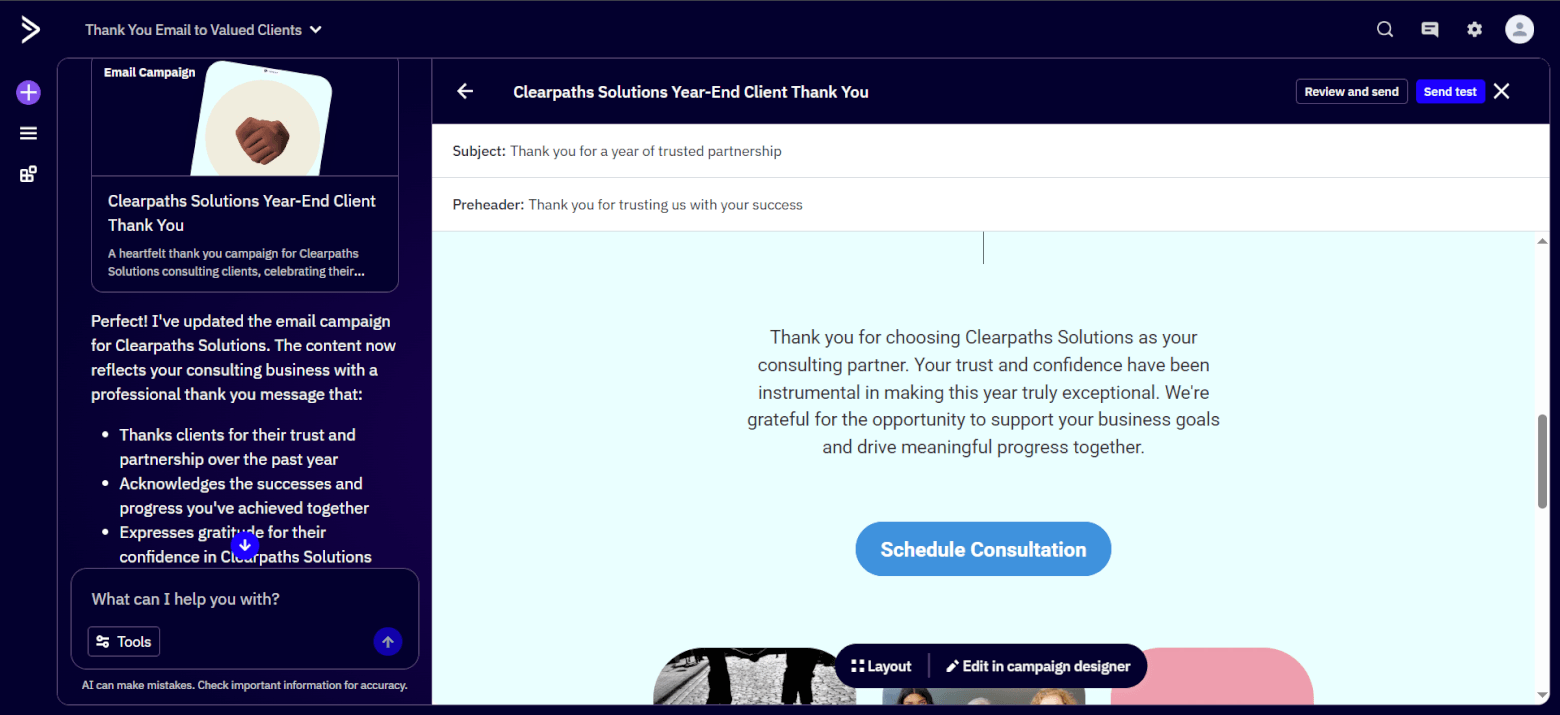
From there, you can edit the email in the email builder, dragging in content blocks to add more images, text, videos, etc, as you need.
Adding conditional email content is also possible, which is helpful for sending targeted email campaigns.
I also like ActiveCampaign’s split testing feature. With it, you can test different subject lines, “From” information, and email content combinations to learn what resonates with your audience.
On the other hand, GoHighLevel doesn’t let you create emails with AI. So, you’ll have to use a pre-made template — there are more than 660 in all — and drag and drop content blocks into it.
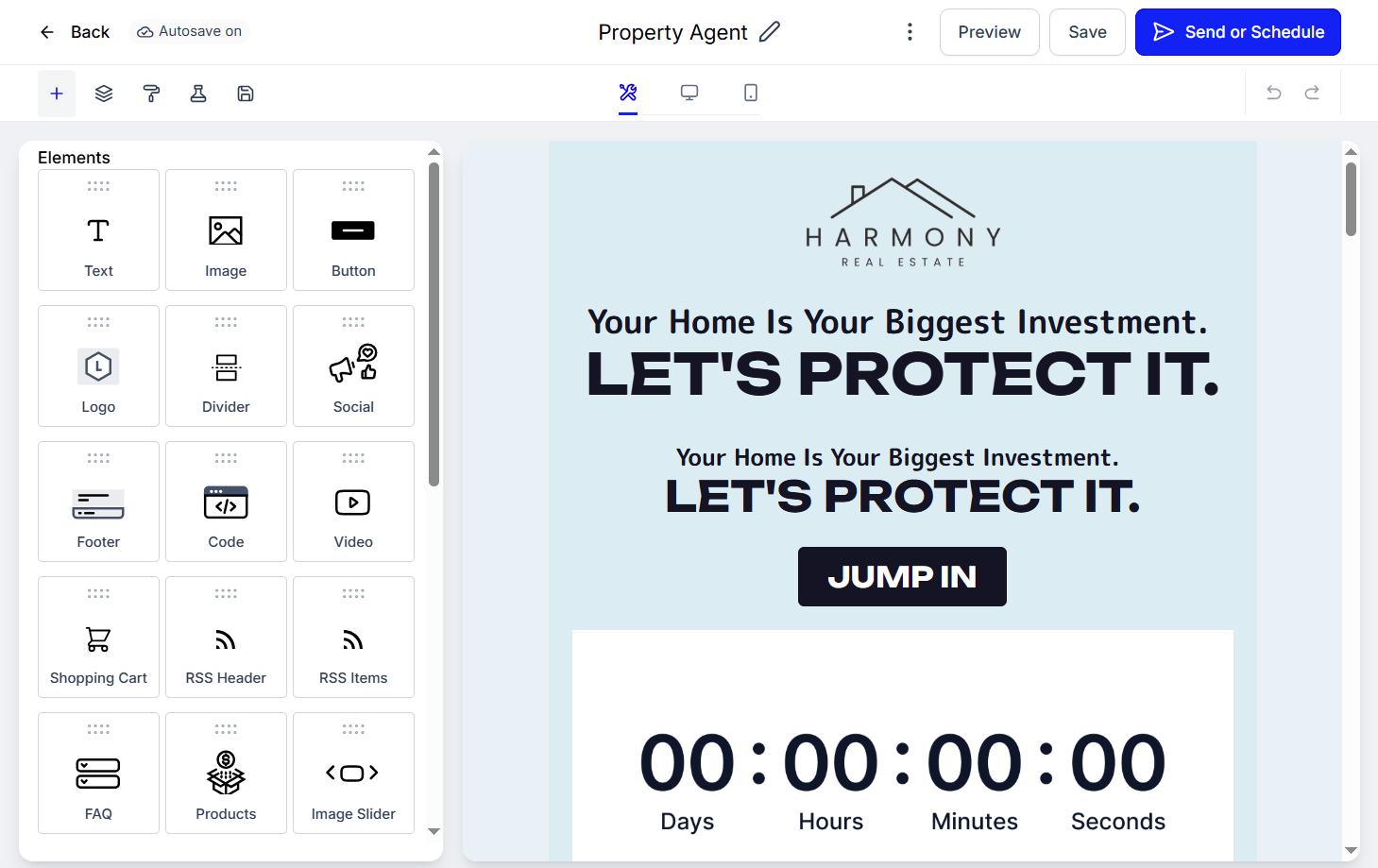
You can also configure conditional content, but to a smaller extent than in ActiveCampaign.
For example, GoHighLevel lets you personalize content based on only your contacts’ custom fields and devices. However, ActiveCampaign supports many more conditions, including your contacts’ geographical locations, tags, and subscription dates.
Email split testing is more limited in GoHighLevel: you can set up subject line and email content variations, but not “From” information.
Deliverability
Picking an email platform with solid deliverability helps ensure your emails reach your recipients. And here, ActiveCampaign excels: in our past deliverability tests, we found ActiveCampaign’s deliverability to always be among the highest out of all the email service providers we tested.
On the other hand, various GoHighLevel users have reported that the platform’s deliverability isn’t the best. In fact, some users prefer to use a different email platform for email marketing and keep GoHighLevel for its other features!
Winner: Overall, ActiveCampaign is the more effective email marketing platform. GoHighLevel has more form functionality, but ActiveCampaign has more powerful email-sending features and higher deliverability — and these are key for reaping high email marketing ROI.
ActiveCampaign 2 – GoHighLevel 0
3. Automation Power
ActiveCampaign’s automation features are among the best I’ve seen in the market, letting you build sophisticated marketing automations involving practically any trigger or action you can think of.
For example, having an automation trigger when users submit a form is standard. But having it trigger when contacts visit a specific webpage? This isn’t a common feature, but it’s available in ActiveCampaign.
From there, your automation can take actions like:
- Sending drip emails
- Adding or removing a tag
- Adjust the contact’s score (this is handy for automated lead scoring)
The automation builder is easy to use, too. Add your triggers first, followed by the automation actions. Then, if you need to personalize your automated interactions with contacts, set up if/else splits that send contacts down different automation paths when they meet certain conditions.
You can also split-test your automation paths to test which marketing tactics appeal to your contacts more.
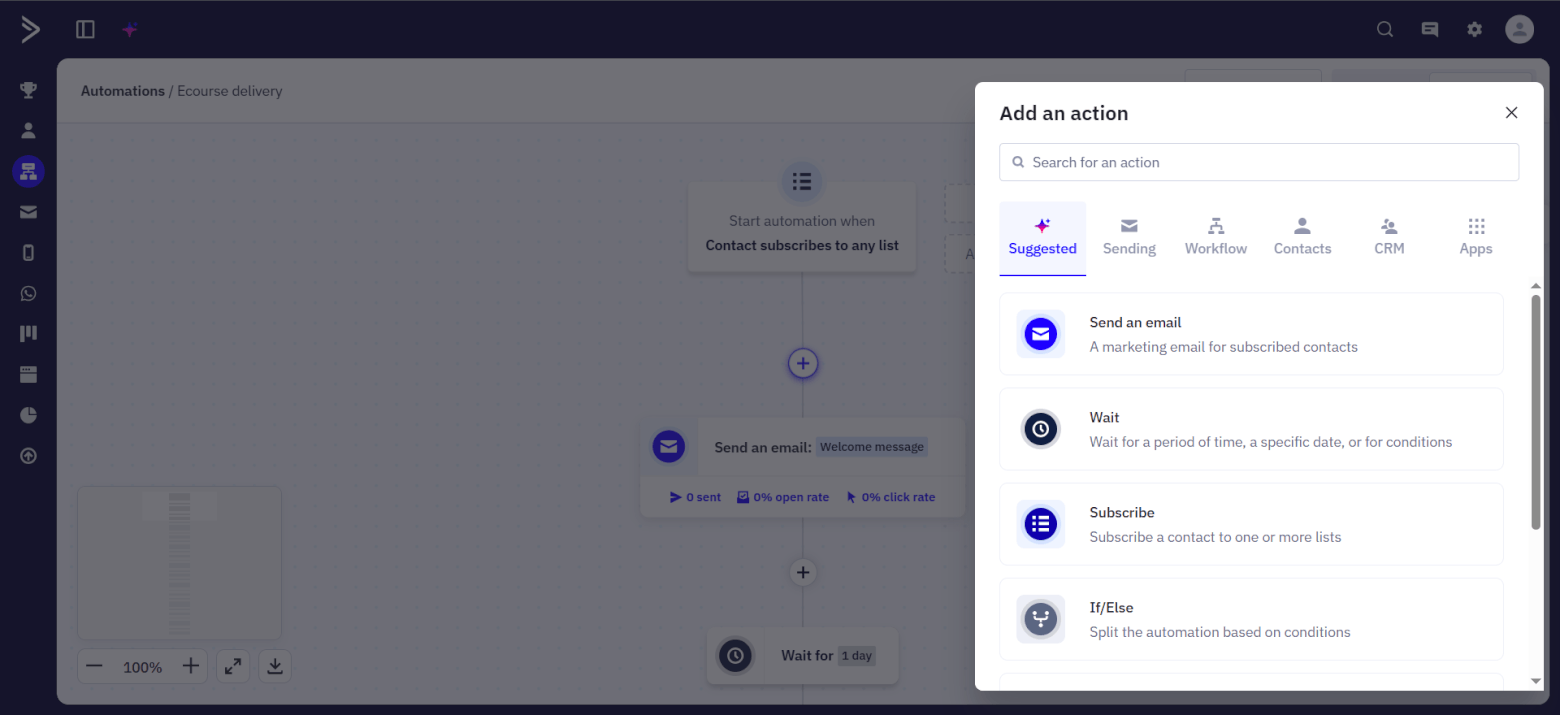
If you’re unsure how to build your automation, ActiveCampaign might have a template for it. They’re called “recipes,” and there are over 900 of them.
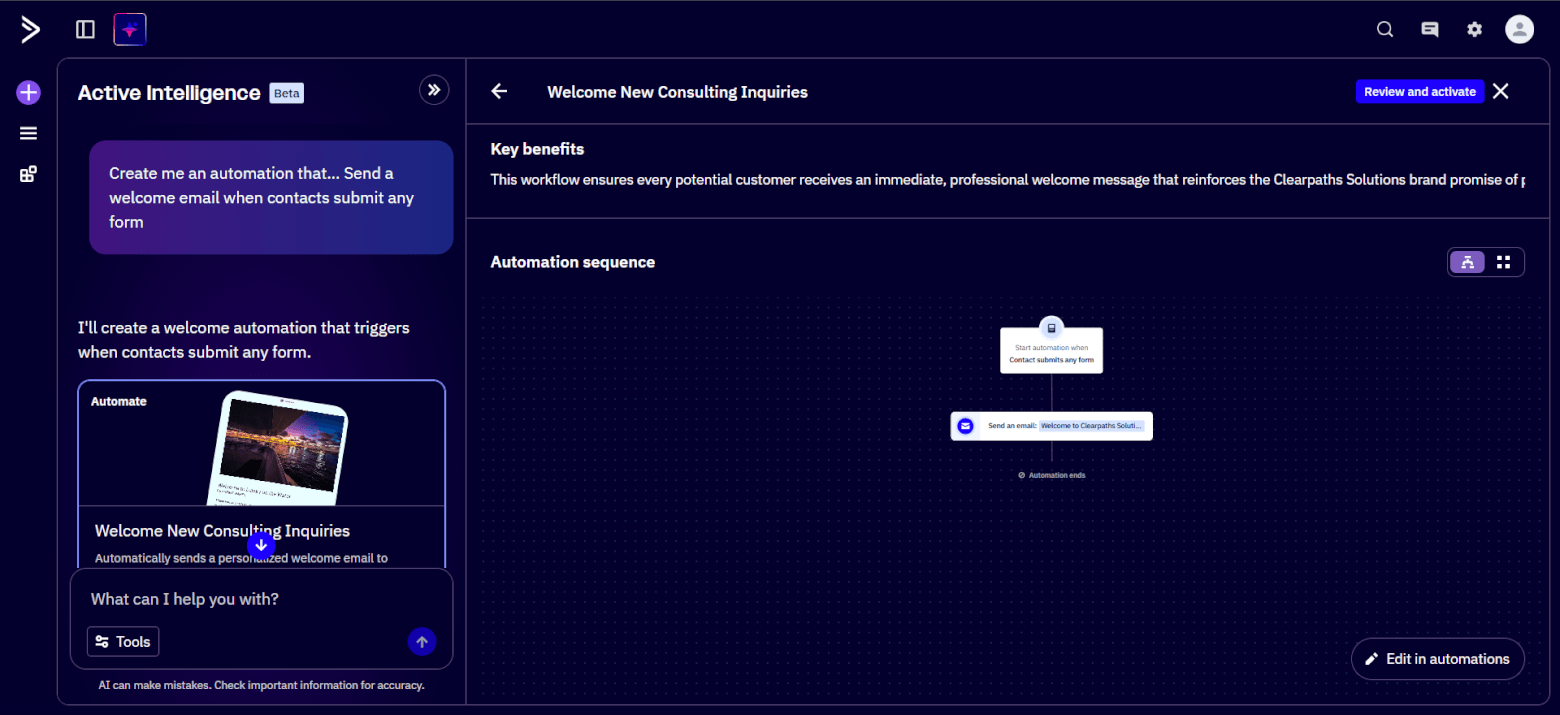
Or, just use Active Intelligence. The AI engine took under a minute to build me a two-step automation that sends a welcome email when contacts submit any form.
GoHighLevel calls its automations “workflows,” and you can similarly build them via one of the 20+ available templates, the platform’s AI assistant, or from scratch. There are lots of triggers and actions to choose from, and you can also set up if/else splits and split tests.
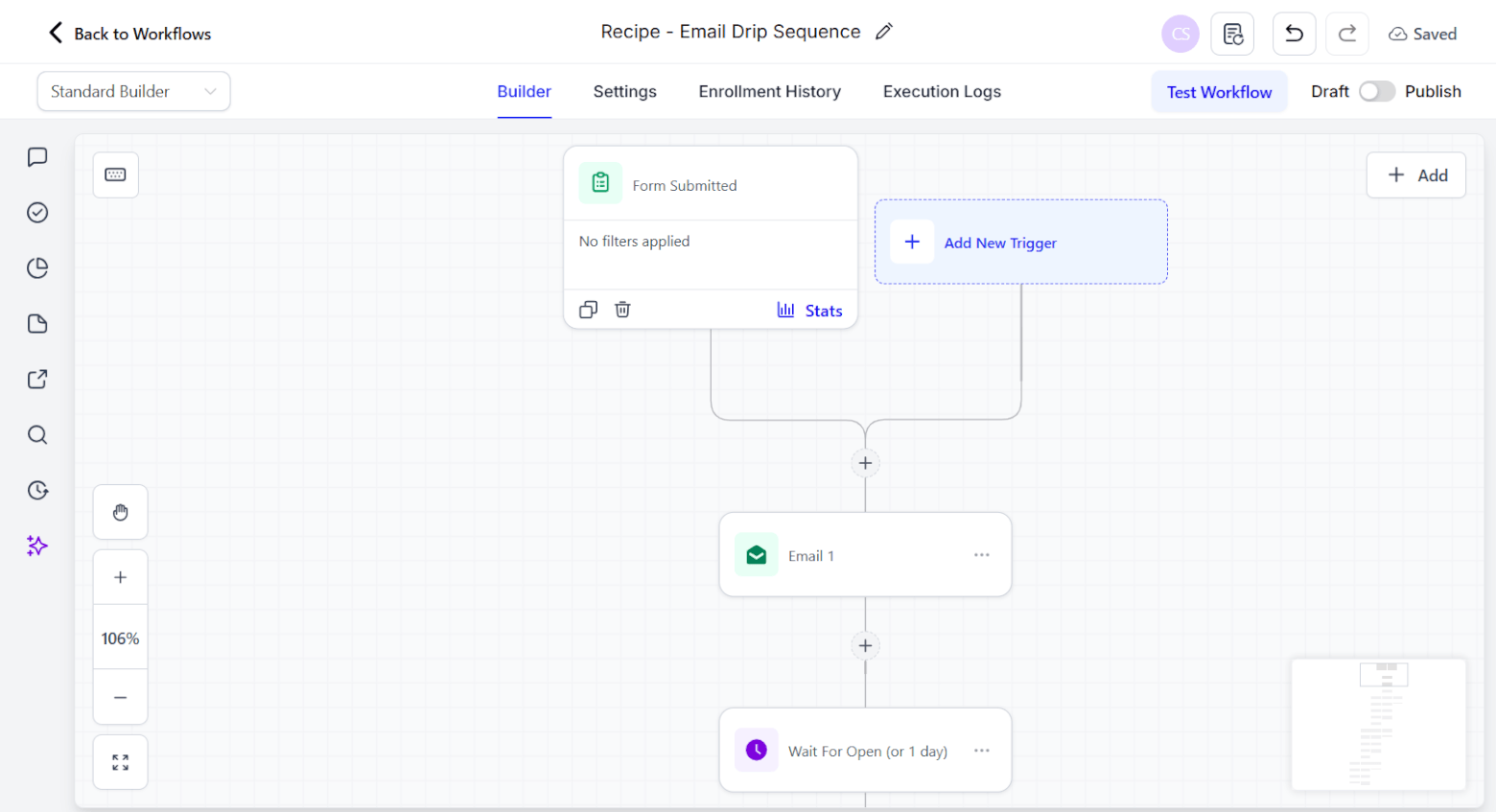
GoHighLevel’s standard automation builder works like ActiveCampaign’s. There’s also an advanced automation builder that allows for freeform connecting of triggers and actions, but you may find it overkill for building simpler automations.
Winner: Since both platforms have lots of automation power, I’m calling it a tie.
ActiveCampaign 3 – GoHighLevel 1
4. CRM Capabilities
ActiveCampaign offers strong CRM features for storing contact data and managing deals.
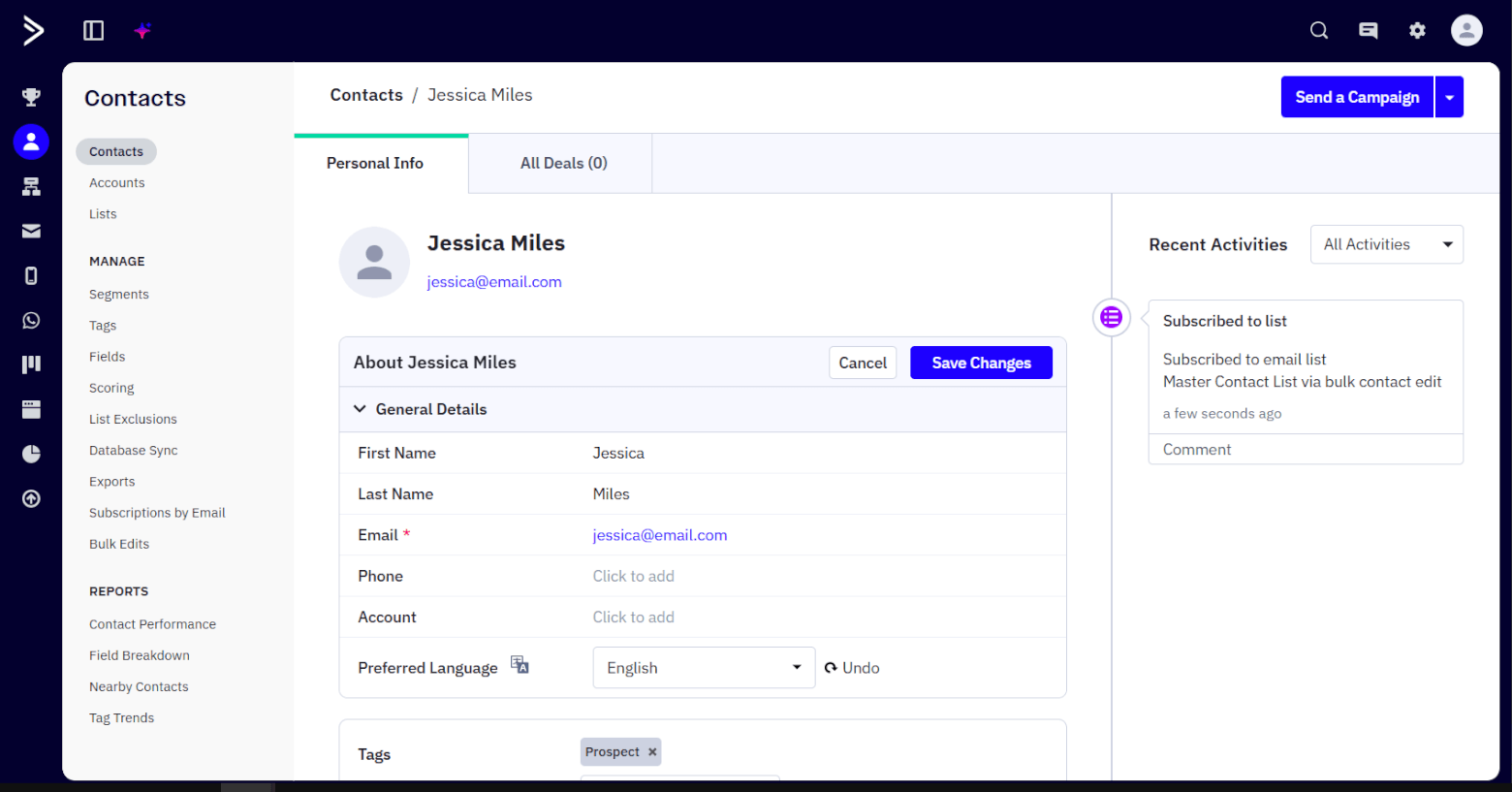
Every contact gets their own detailed profile, where you can enter data like their contact details and preferred language. ActiveCampaign also automatically tracks the contact’s customer journey with you, including the lists and automations they’ve been added to and their engagement activity.
If you get ActiveCampaign’s Enhanced CRM add-on, you can create pipelines to visualize and manage deals. Of the available pipeline views, I like the kanban one most, as you can drag and drop deals to update their stages. You can also automate this work, based on many different conditions, if you don’t want to do it manually.
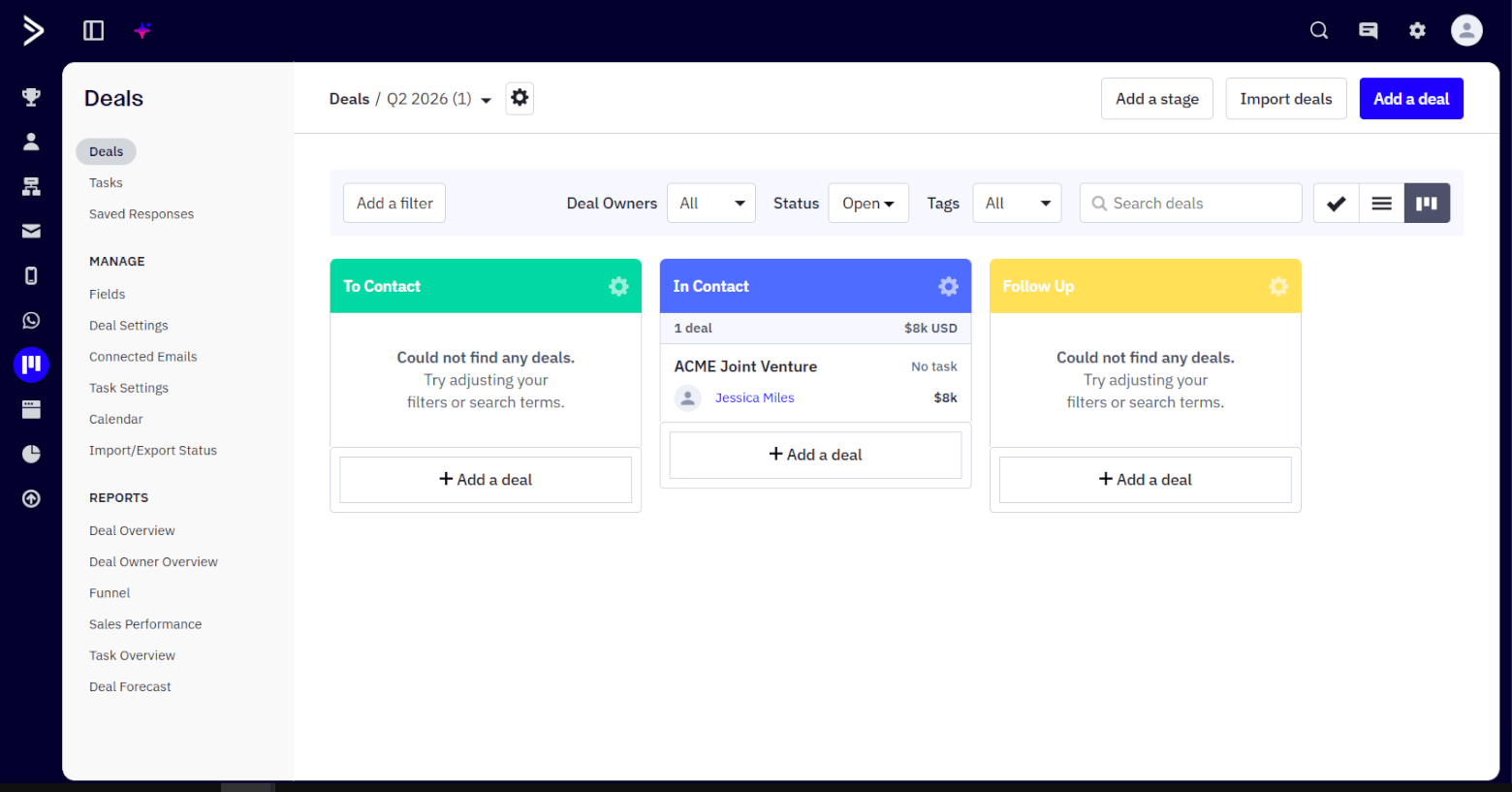
At the same time, a wide range of filters helps you search for specific deals quickly. For example, you can filter deals by deal owner to check what’s on a certain team member’s plate. Then, set up tasks in ActiveCampaign to assign them work.
For more info, check out our ActiveCampaign CRM review.
GoHighLevel’s CRM capabilities aren’t too shabby, either. The platform’s contact profiles store a fair bit of data, including contacts’ email addresses, engagement scores, tags, automations, and interaction activity.
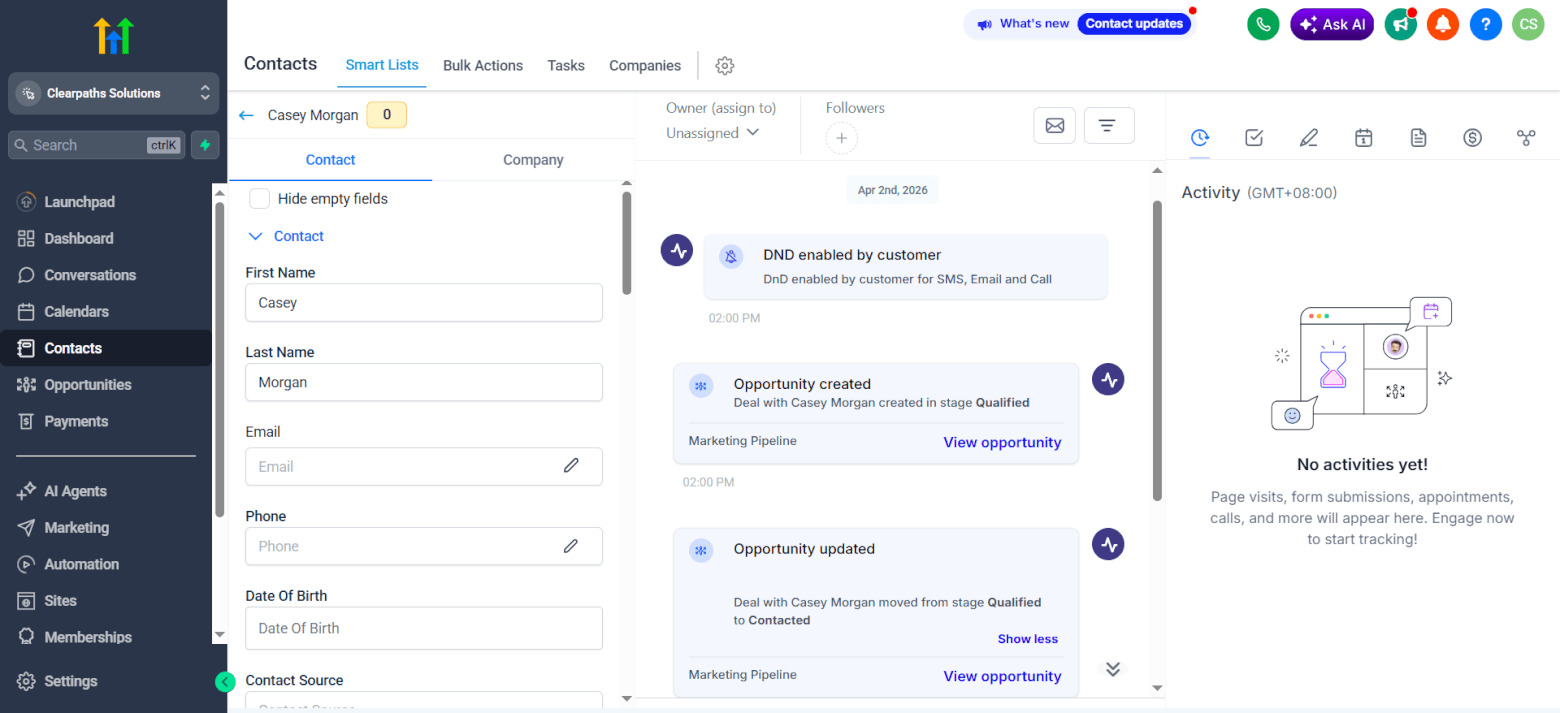
Under the “Opportunities” sidebar tab, you can manage your deals in a drag-and-drop kanban view or a list. (There’s no view for monitoring deal tasks by status, unlike in ActiveCampaign.) The kanban view’s deal cards are customizable, so you can choose the info they should show at a glance.
GoHighLevel also has deal filters, similar to ActiveCampaign.
Winner: Both platforms do pretty well in the CRM department, so it’s another tie here.
ActiveCampaign 4 – GoHighLevel 2
5. Funnels & Landing Pages
GoHighLevel lets you create funnels, which are series of landing pages that users progress through over various sales touchpoints. Each landing page corresponds to one funnel step.
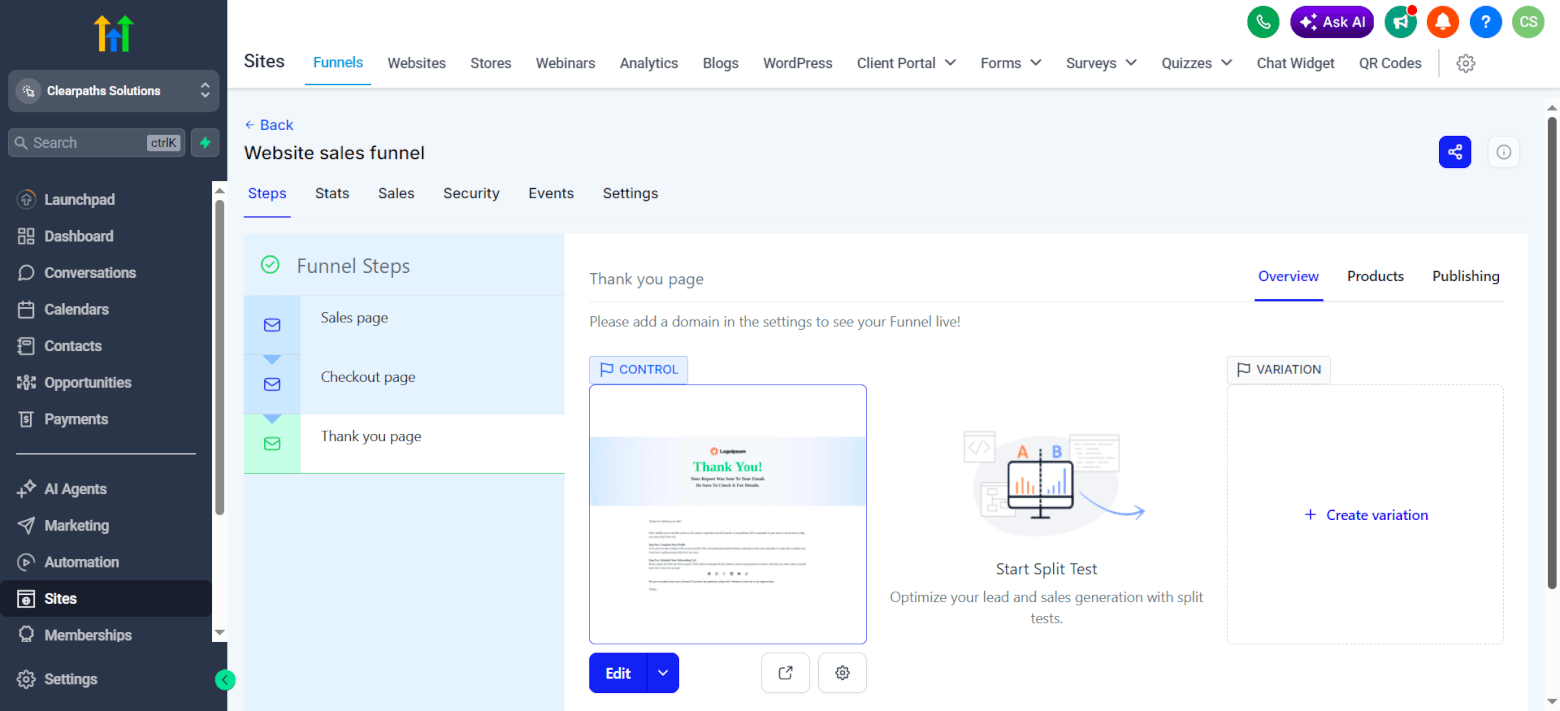
For each step, you can have a control page, plus a variation page you want to split test. This way, as traffic flows through your funnel, you can track your split-tested pages’ views, opt-in rates, and sales to identify the more effective page variant.
If you prefer not to build your sales funnels from scratch, you can start with a template (there are over 900) or build one with AI.
The landing pages you build in GoHighLevel are highly customizable. You can add many types of content blocks to them, including buttons, image sliders, surveys, countdown timers, and even third-party widgets.
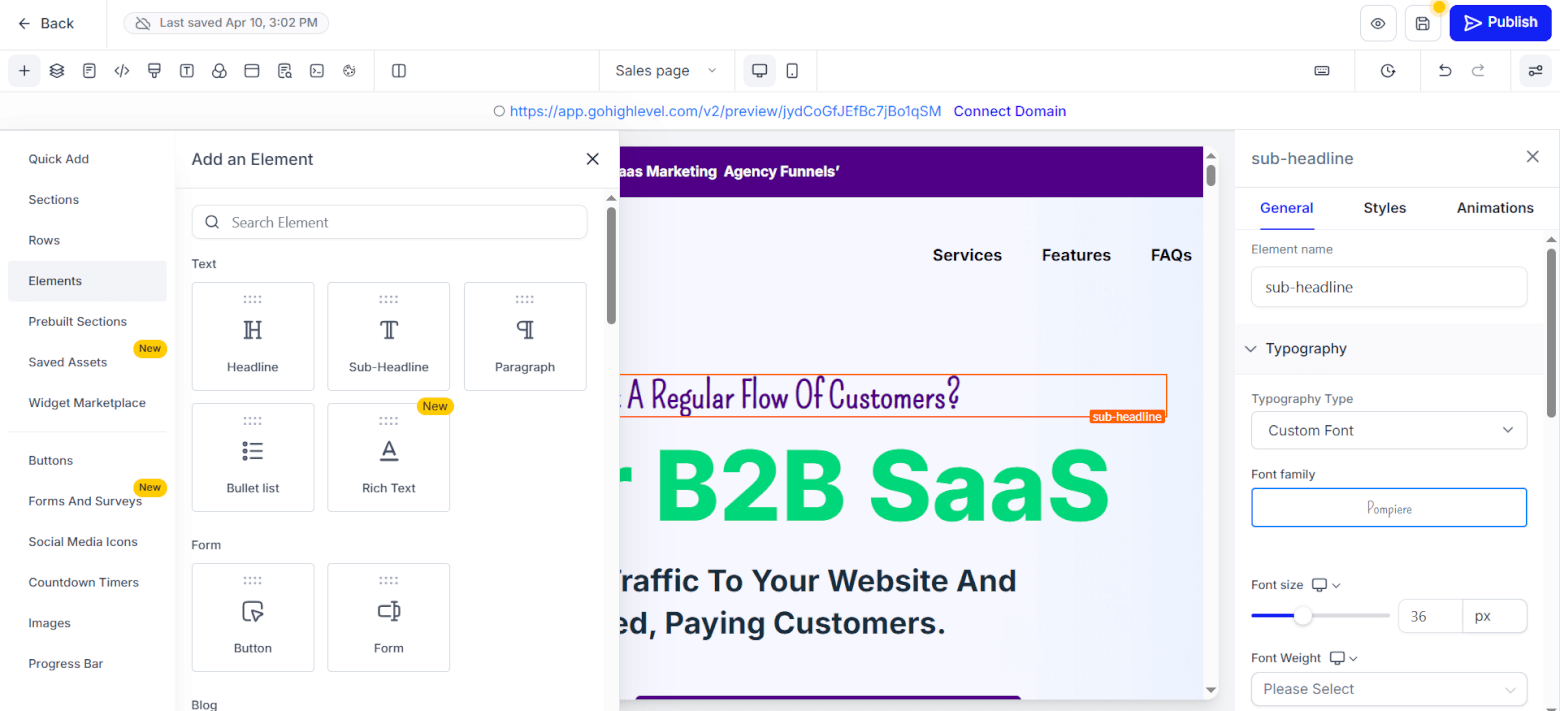
Arranging your page’s content is also simple: just drag and drop it to the right place. And when you’ve finished creating your page, you can configure SEO settings, like the page’s title, description, canonical link, and language, to help the page appear in relevant AI and Google searches.
As for ActiveCampaign, its landing page builder works similarly, where you can use one of the platform’s 60+ landing page templates as a starting point. Customizing your pages is easy, but there are fewer content blocks to choose from.
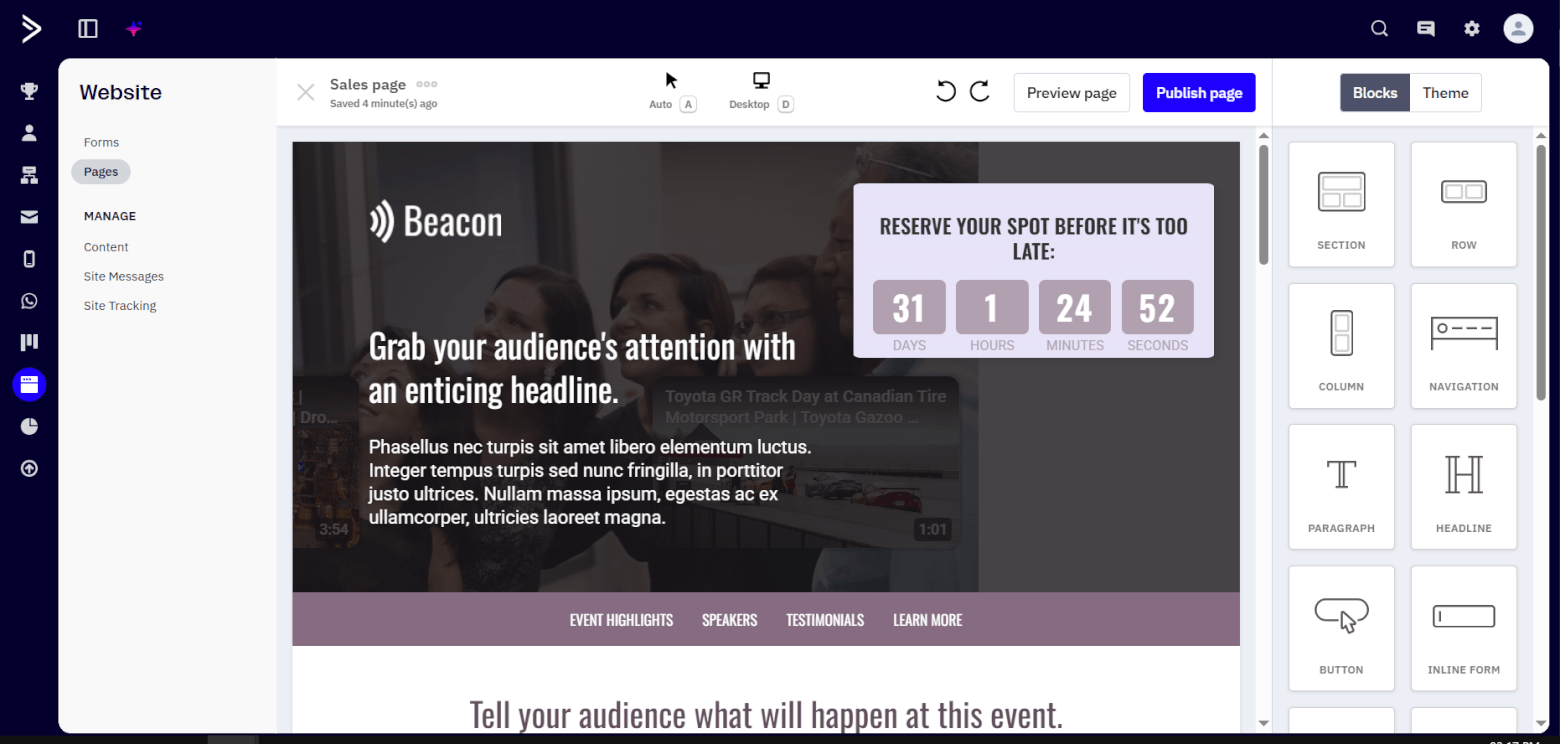
ActiveCampaign’s SEO settings are more basic, letting you set up your page’s favicon, title, description, and keywords. And once you’ve set up your landing pages, there’s no way of visualizing them in a funnel like how you can in GoHighLevel.
Winner: GoHighLevel wins, due to its more comprehensive funnel and landing page features.
ActiveCampaign 4 – GoHighLevel 3
6. Memberships & Course Hosting
In GoHighLevel, you can create community and course memberships.
Communities are online spaces for members to gather and discuss topics. You can set up channels for subtopics, and membership questions to survey users before they join. Then, configure membership levels, which will display in the community’s leaderboard, to incentivize engagement.
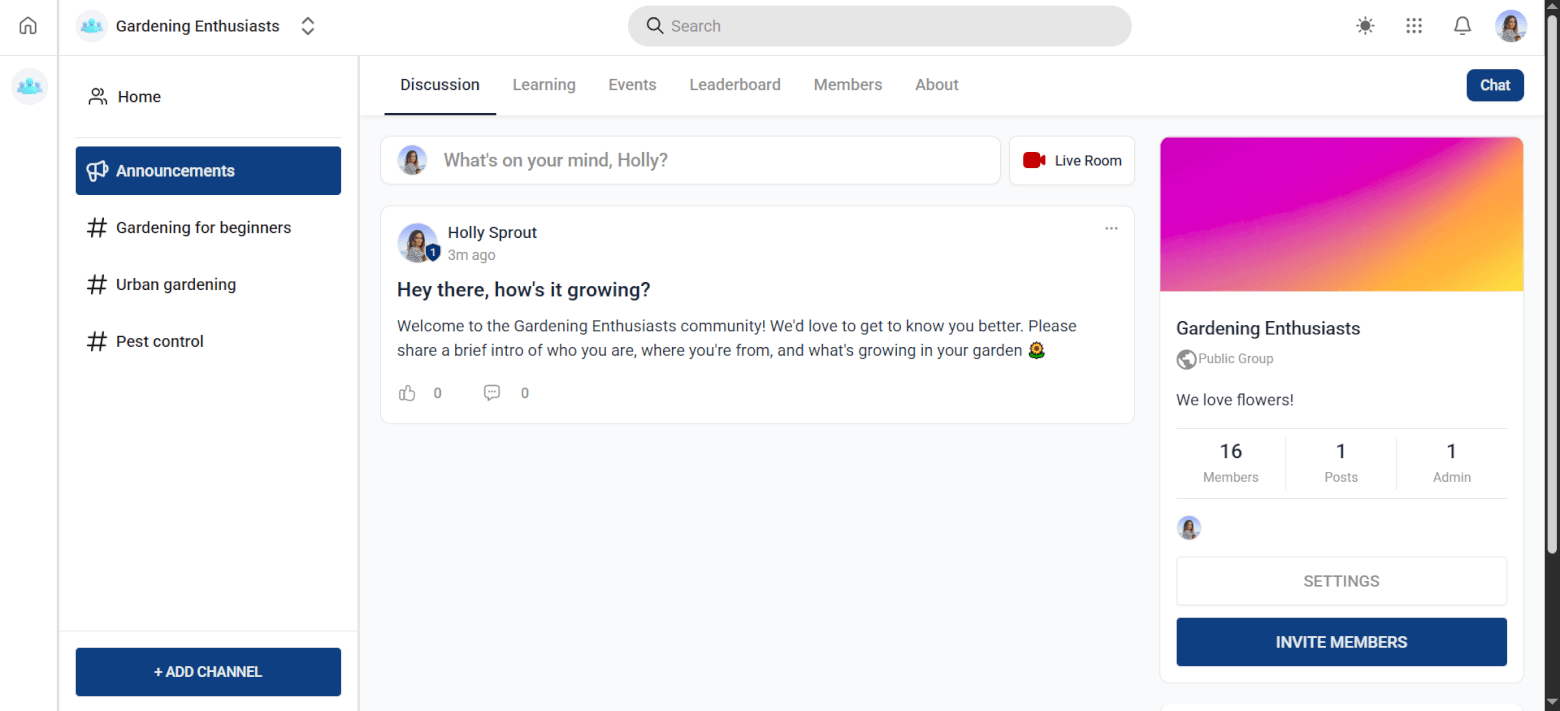
In your community, you can conveniently link to courses you’ve created in GoHighLevel. Courses are online spaces where you’ll host content for users to learn. Your lesson content can be in text and video form, and you can also attach downloadable resources.
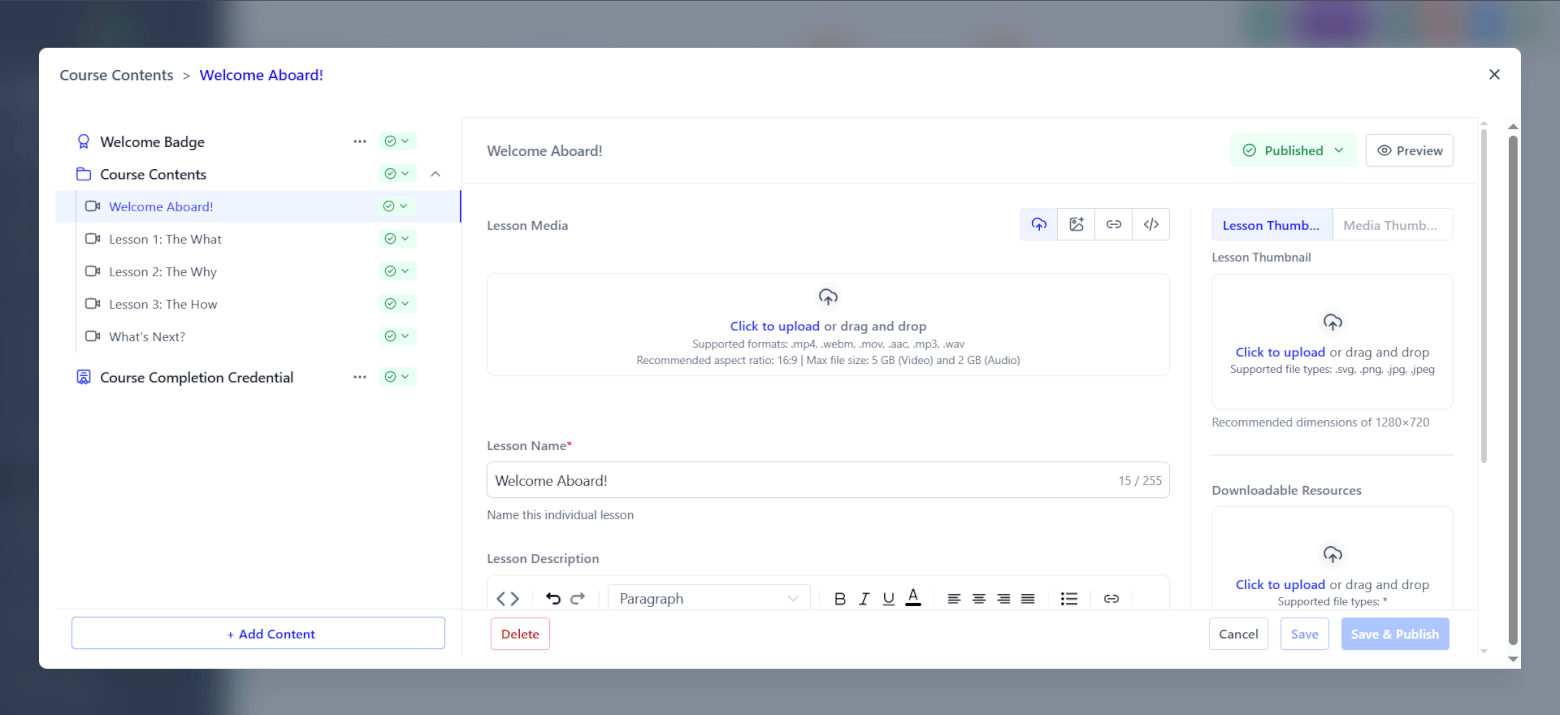
To encourage users to complete your course, set up credentials that they’ll get when they reach various milestones. You can also enable and disable user comments on your lessons, and track comments from your admin dashboard.
Finally, GoHighLevel lets you charge for community or course membership, which is great for monetizing your audience.
On the other hand, ActiveCampaign doesn’t have built-in community or course membership features. As a workaround, use a dedicated membership platform like Mighty Networks or Memberful.
Both of these integrate with ActiveCampaign, so you can sync member data from them to ActiveCampaign to send your members marketing emails.
Winner: GoHighLevel. It has membership and course hosting features that ActiveCampaign doesn’t.
ActiveCampaign 4 – GoHighLevel 4
7. Reporting
ActiveCampaign provides highly detailed reporting, which you’ll access from the respective features or the “Reporting” sidebar category.
For instance, you can get an overview of the open rates, click rates, click-to-open rates, bounces, unsubscribes, and revenue earned for all your email campaigns, or just specific ones.
You can also:
- Exclude Apple Mail Privacy Protection (MPP) opens to improve the reports’ accuracy.
- View email client trends, which indicate your contacts’ most-used email clients.
As for automation reporting, you can monitor key data like the:
- Number of contacts who entered and completed the automation, and the
- Open rates, click rates, and revenue earned from emails sent via automations.
And if you have the Enhanced CRM add-on, you’ll get access to deal reporting data. For example, you can view the number of deals each deal owner has won, the average value of their closed deals, and the average time they take to win these deals. All this info is perfect for tracking your sales team’s performance.
If you need to present the data to other team members or clients, you can export it in a variety of formats, including CSV and PDF, for turning into official report documents.
Setting up custom reports in dashboards is also possible with ActiveCampaign’s Custom Reporting add-on.
GoHighLevel offers a decent range of reporting data, though to a smaller extent than ActiveCampaign. For instance, all the typical email stats are there, but you can’t exclude Apple MPP opens or view email client trends.
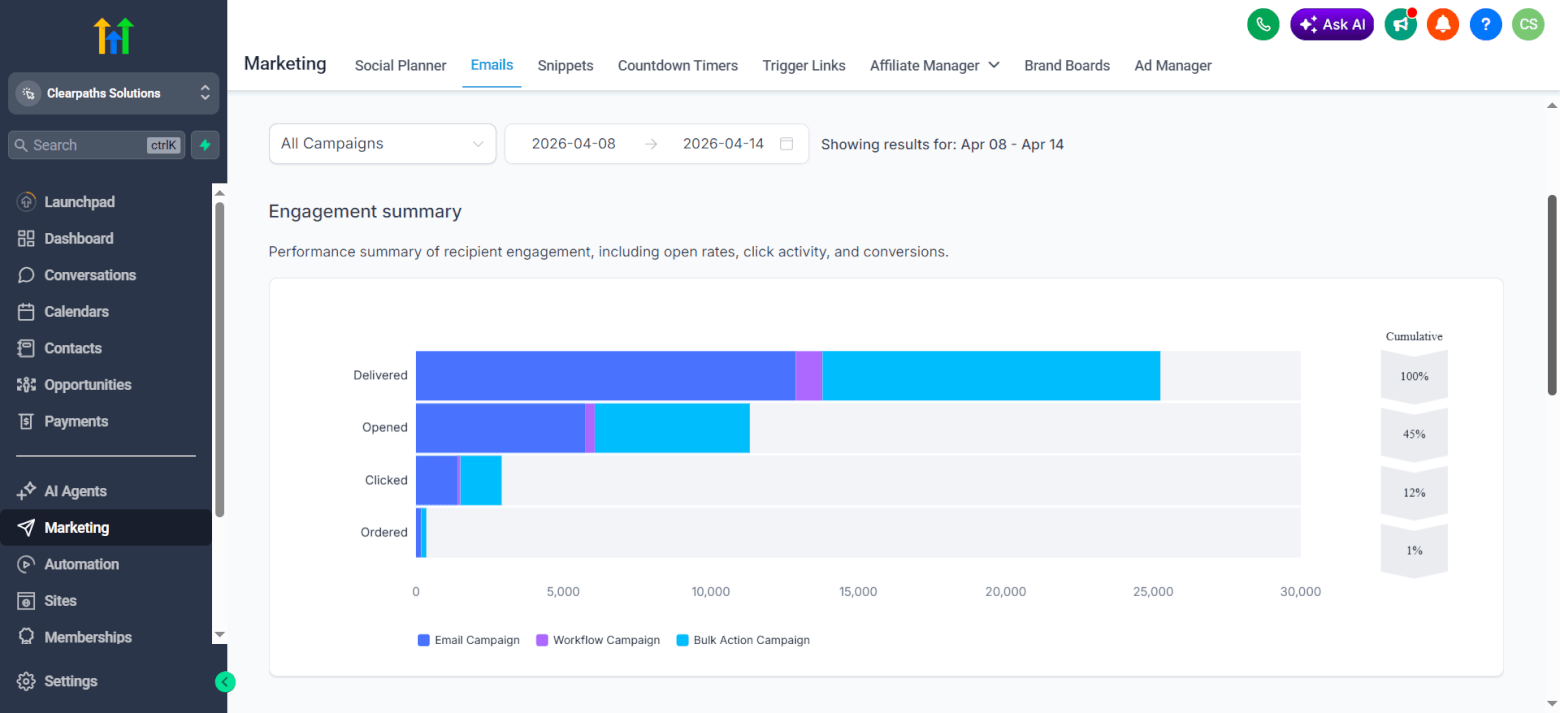
The platform’s workflow reports include delivery, open, click, reply, and bounce rate data for automated emails. You can also see which contacts qualified (and didn’t qualify) for your individual workflow triggers. This is helpful for troubleshooting why certain contacts wrongly entered or didn’t enter your workflow.
The “Dashboard” sidebar tab lets you set up dashboard widgets to view different reports at a glance. For instance, you can add widgets for opportunity statuses, counts, and revenue (but not widgets for comparing individual opportunity owners’ sales performance). There’s also a feature for summarizing your widgets’ reports with AI.
Alternatively, go to the “Reporting” sidebar tab to generate custom PDF reports for formal reporting purposes.
Winner: The point goes to ActiveCampaign for its more extensive reporting capabilities.
ActiveCampaign 5 – GoHighLevel 4
8. Integrations
ActiveCampaign and GoHighLevel both have an incredible number of integrations — 1,000+ and 1,800+ respectively! I don’t think you’ll have trouble connecting either email service provider with your existing tech stack.
If you go with GoHighLevel, just know that certain apps have multiple GoHighLevel integrations built by different developers. For instance, if you’re trying to connect the Monday app, you can choose from the:
- “Monday.com” integration developed by LeadConnector,
- “Monday” integration by All The Apps, and
- “Monday Action Automation For Workflows” integration by Plugins.
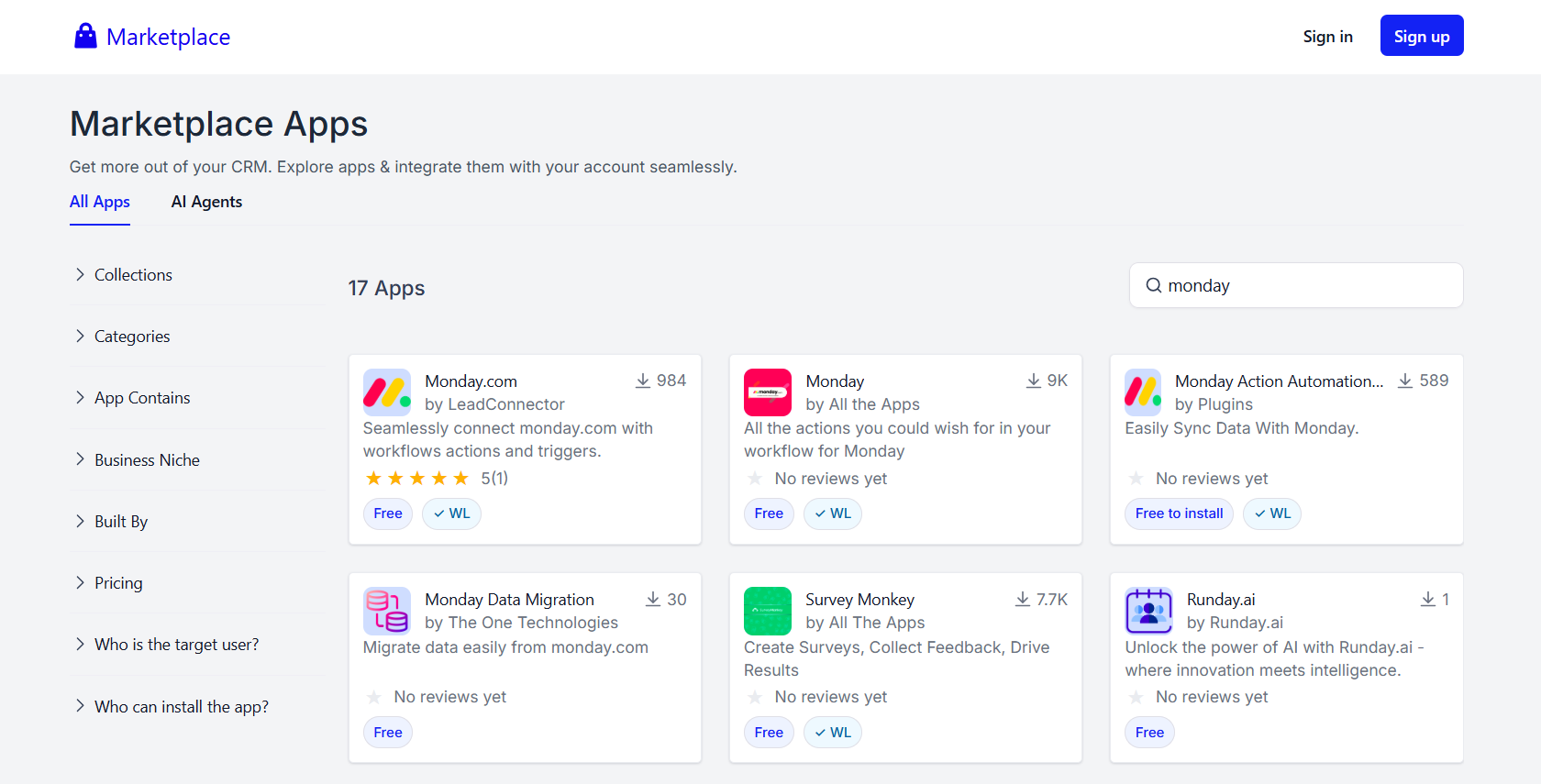
Check out what the different integrations offer, and then pick the right one for your needs. ActiveCampaign’s integrations are more straightforward: there’s only one integration for each app.
Both ActiveCampaign and GoHighLevel also offer a Model Context Protocol (MCP) server for connecting AI tools, like ChatGPT and Claude, to your email marketing account.
This way, you can easily pull email marketing data (e.g., emails, contacts, reports) into your preferred AI tool for analysis.
Winner: This round ends in a tie. Not many tools we’ve tested offer the sheer number of integrations that ActiveCampaign and GoHighLevel do.
ActiveCampaign 6 – GoHighLevel 5
9. Pricing & Value
Finally, let’s look at both platforms’ pricing plans. ActiveCampaign’s pricing starts at $19/mo for its Starter plan. This $19/mo plan is good for 1,000 contacts, 10,000 monthly email sends, creating five-action marketing automations, and building email campaigns with AI, among other benefits.
To access features like landing pages, unlimited marketing automation actions, and AI text and image generation, go for the Plus plan, which starts at $59/mo. Alternatively, there’s the Pro plan ($89/mo and up), which gets you everything in the Plus plan and other advanced features like conditional content.
To manage pipelines, you’ll need the Enhanced CRM add-on ($49/mo and up), which is available on the Plus plan or higher.
ActiveCampaign’s pricing scales to match your number of contacts. So, the larger your list, the more you’ll pay. But you’ll stay on the same pricing plan, which means not paying for features you don’t need.
GoHighLevel’s pricing is simpler in comparison. There are three plans:
- Starter: $97/mo
- Unlimited: $297/mo
- Agency Pro: $497/mo
All of them include email marketing, automations, and unlimited contacts. The main difference between them is that the Unlimited plan includes unlimited sub-accounts (the Starter plan comes with three), while Agency Pro has “SaaS Mode,” which lets you sell GoHighLevel as your own white-labeled software product.
If you’re using GoHighLevel for your own business, its Starter plan is likely good enough. That’s because you probably won’t need more than three (or even one) sub-account. If you’re an agency running email marketing for multiple clients, you may need the Unlimited or even the Agency Pro plan.
That said, GoHighLevel’s pricing can be on the higher side, especially if you’re just starting out and have a lower marketing budget. And whichever plan you choose, be aware that its price doesn’t include email sends.
GoHighLevel charges $0.675 for 1,000 emails, with all outgoing and incoming emails being chargeable.
Winner: ActiveCampaign wins — its starting prices are more budget-friendly. GoHighLevel’s pricing includes more features than ActiveCampaign (e.g., memberships and funnels), but you might be overpaying if you don’t need them.
ActiveCampaign 7 – GoHighLevel 5
ActiveCampaign vs GoHighLevel: Which Should You Use?
Totaling up the scores from these nine comparison rounds, ActiveCampaign has seven points, and GoHighLevel has five. The overall winner is therefore ActiveCampaign!
Both tools did really well in terms of automation, CRM features, and integrations, but ActiveCampaign comes out on top for its more extensive email marketing and reporting features. This makes it the more ideal tool for small-to-medium B2B, services, and ecommerce businesses that want to enhance their marketing and sales capabilities.
If you’re on a tight budget, you’ll especially like ActiveCampaign’s lower starting price point. And regardless of your industry, you’ll probably appreciate the tool’s high ease of use.
But I also have to give credit to GoHighLevel, which put up a good fight.
GoHighLevel’s built-in memberships and funnel features will appeal to established creators who want an all-in-one marketing and sales tool and have the budget to invest in one. The platform can also help manage marketing for sub-accounts, making it a natural fit for agencies.
Try ActiveCampaign and GoHighLevel for free:
> Try ActiveCampaign for free for 14 days
> Try GoHighLevel for free for 14 days
Still unsure whether ActiveCampaign or GoHighLevel is right for you? Add your questions to the comments section below — we’ll be happy to help.
The authors
Learn more about us

Our Methodology
This article has been written and researched following our EmailTooltester methodology.
Our Methodology